
 ENGLISH (US)
 ESPAÑOL
How to create UAI Lead agent in AI Team Up
Learn how to create a UAi Lead agent in AI Team Up. Follow these instructions to set up a new UAi Agent with specific details, such as name, gender, role, role description, image, knowledge, tone, and response style. Enhance your team with an efficient and knowledgeable UAi Lead agent.
Go to aiteamup.com
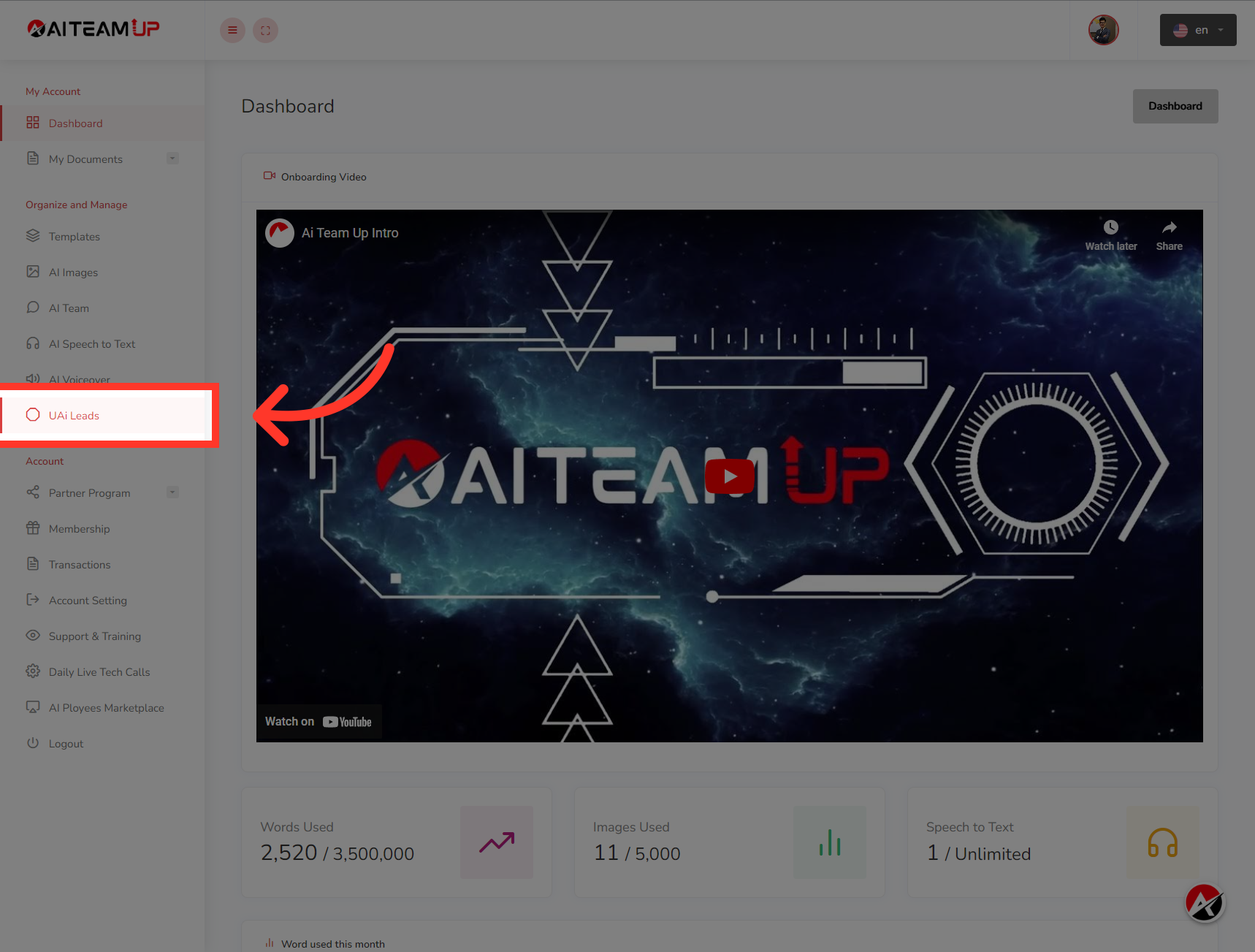
1. Click "UAi Leads"
Access the UAi Leads section.
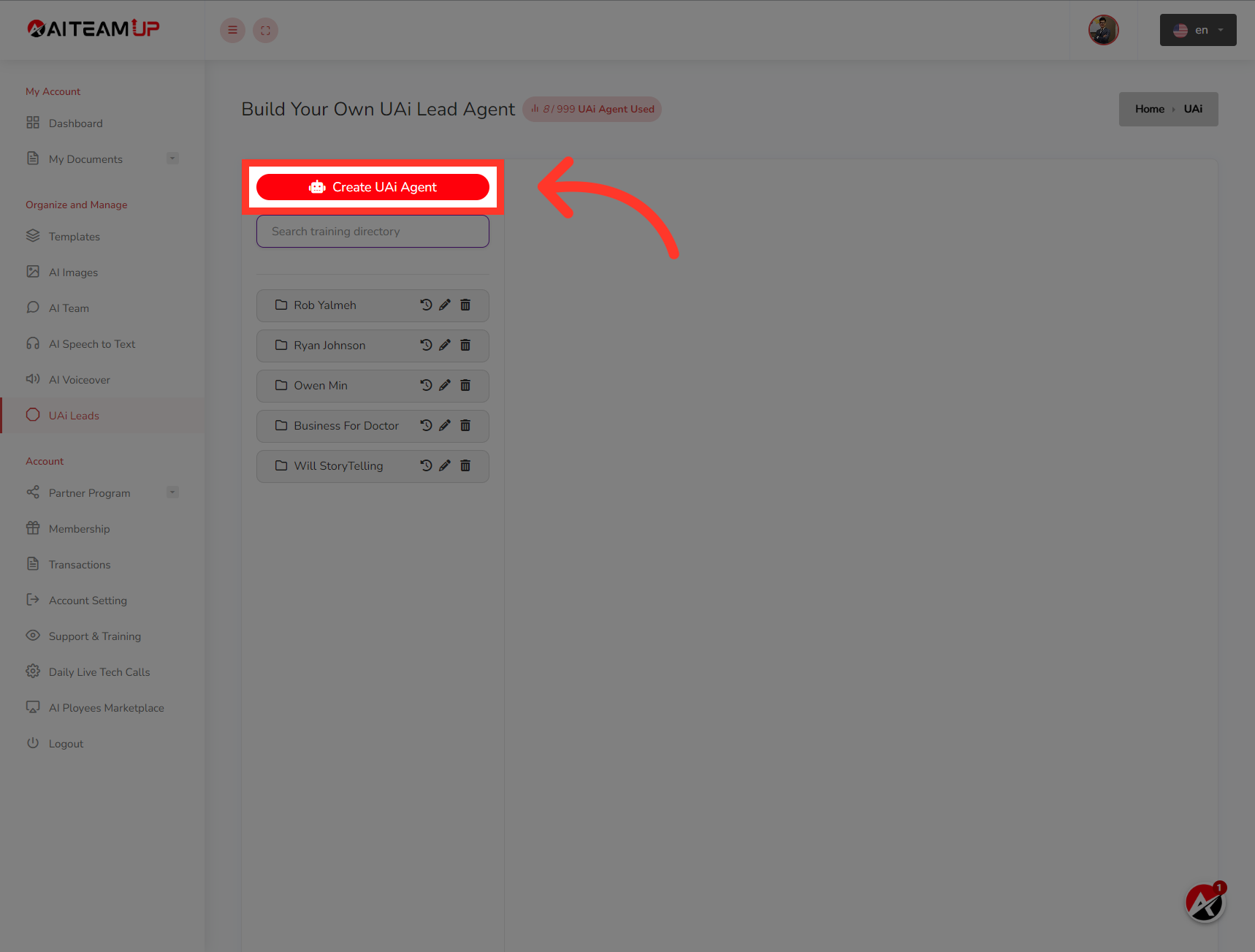
2. Click "Create UAi Agent"
Start the process to create a new UAi Agent.
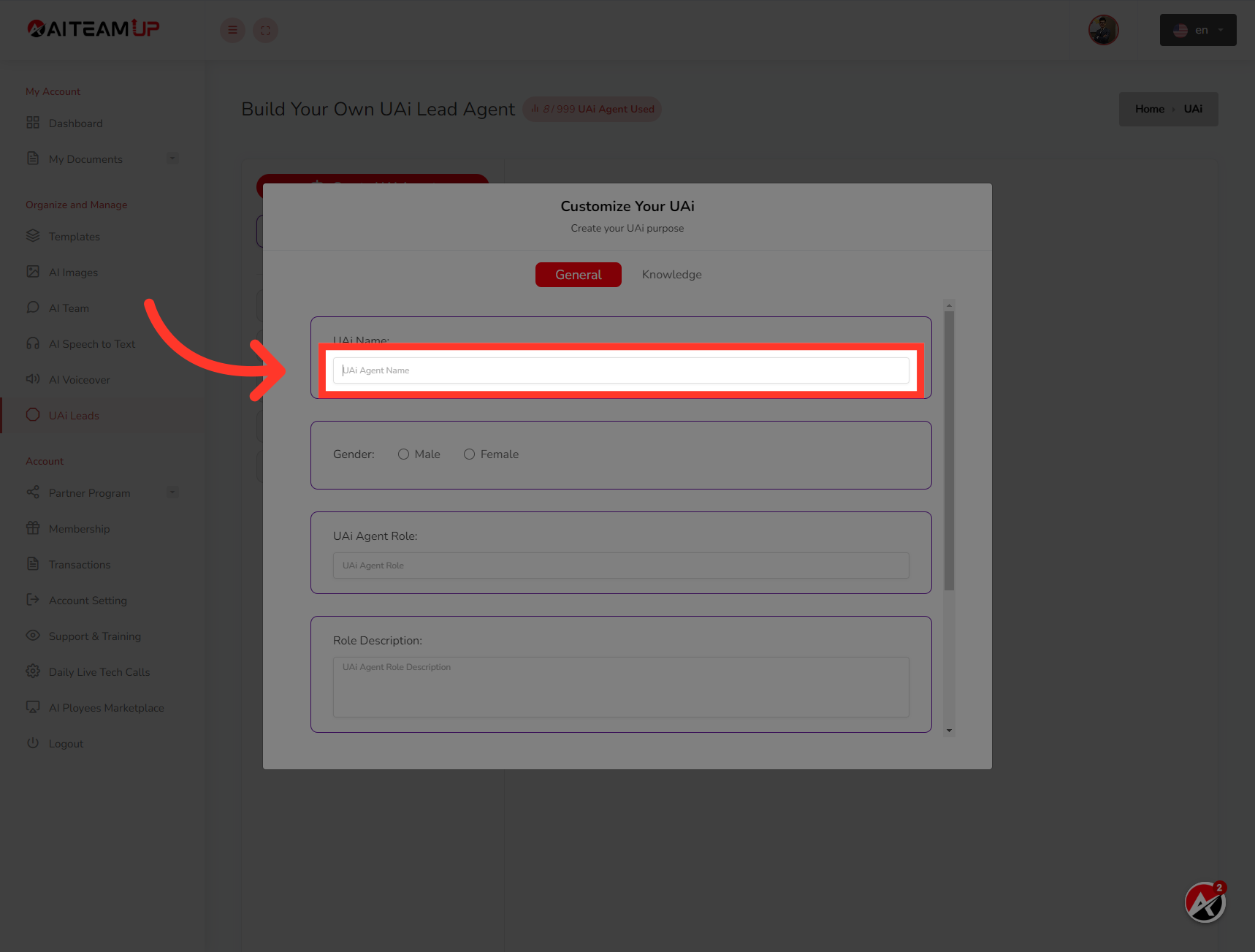
3. Give your Lead Agent a name
Give your Lead Agent a name
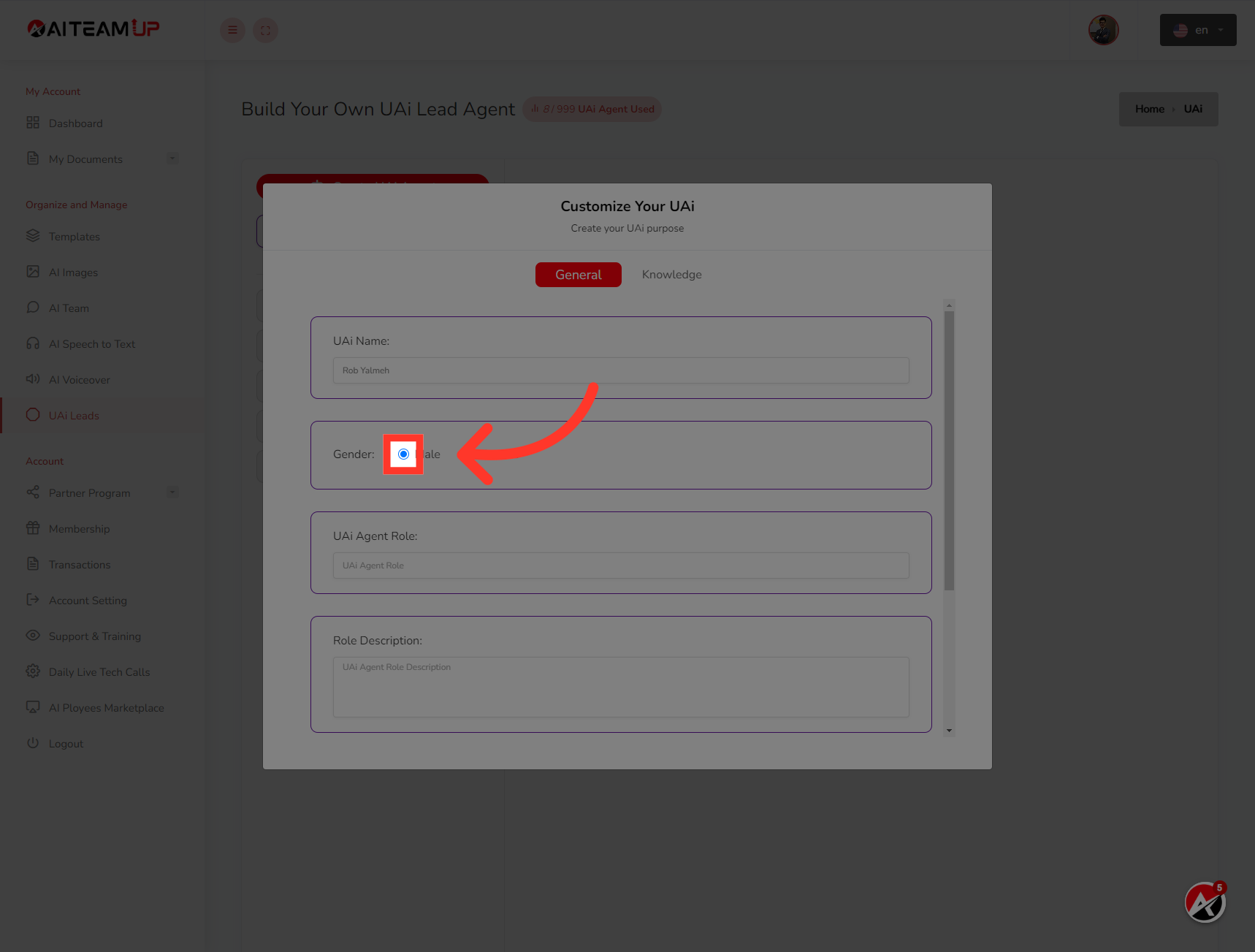
4. Select the gender for the UAI lead agent
Select the gender for the UAI lead agent
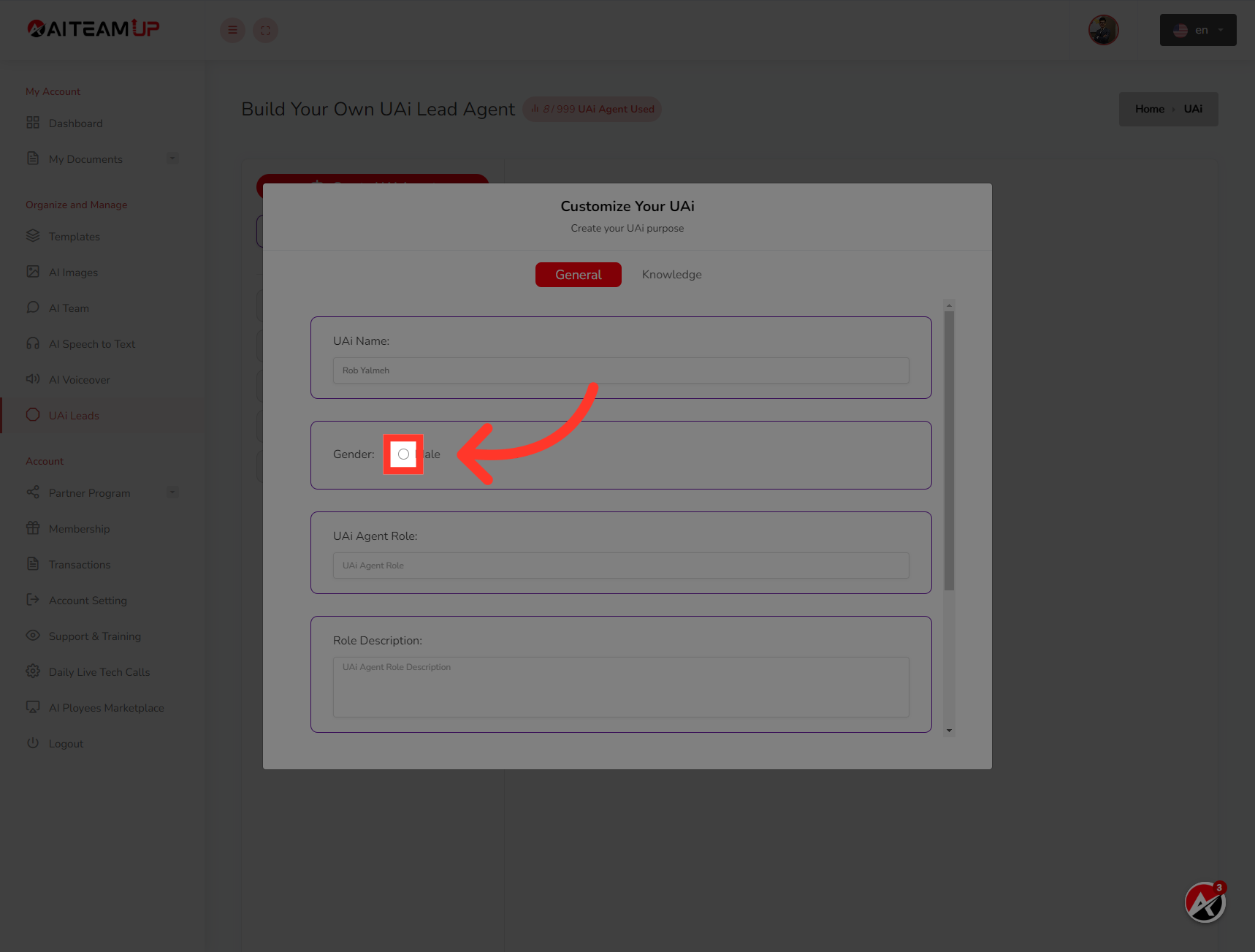
5. Specify the gender as "Male" for the UAi Agent.
Specify the gender as "Male" for the UAi Agent.
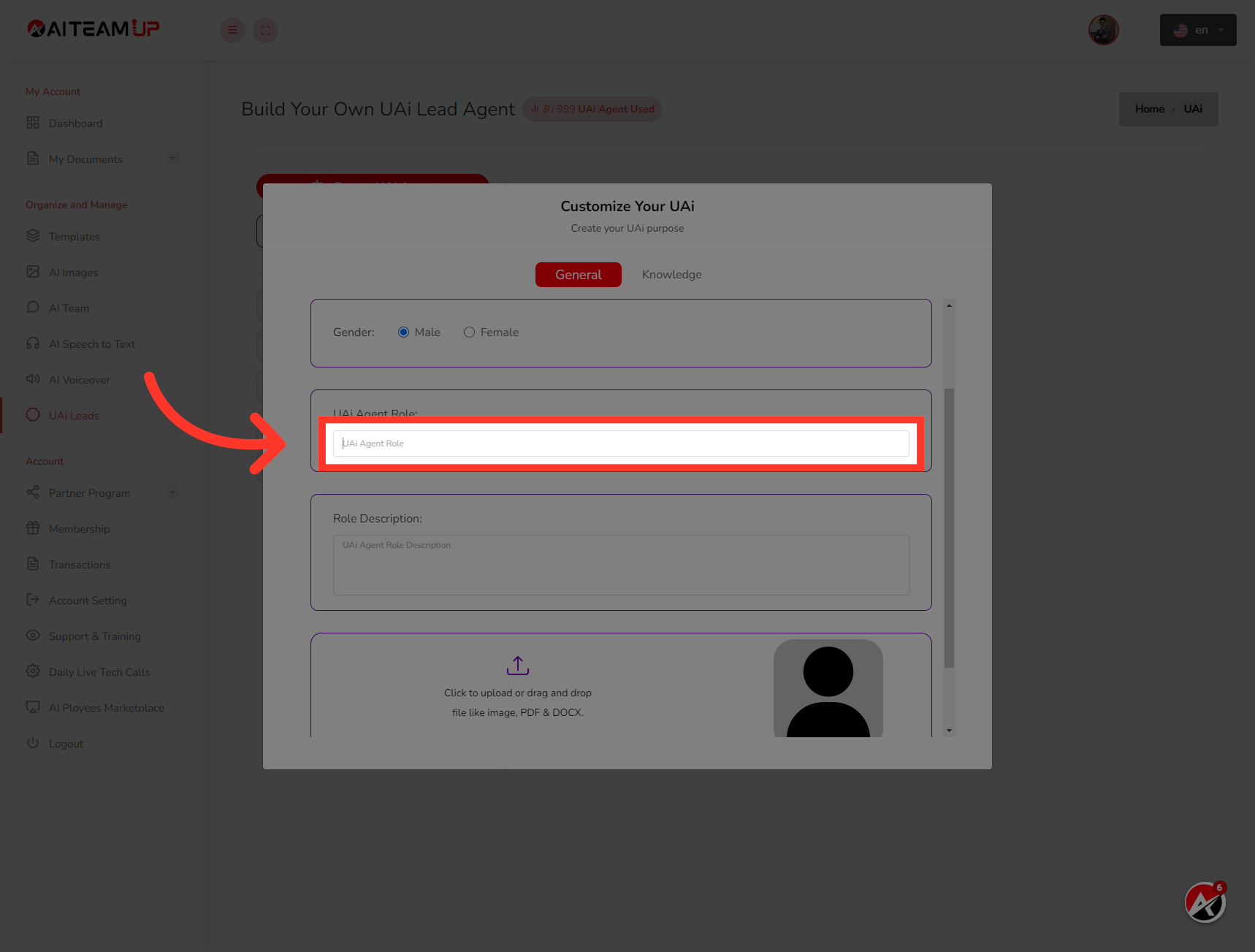
6. Update the role of the UAI lead agent
Update the role of the UAI lead agent
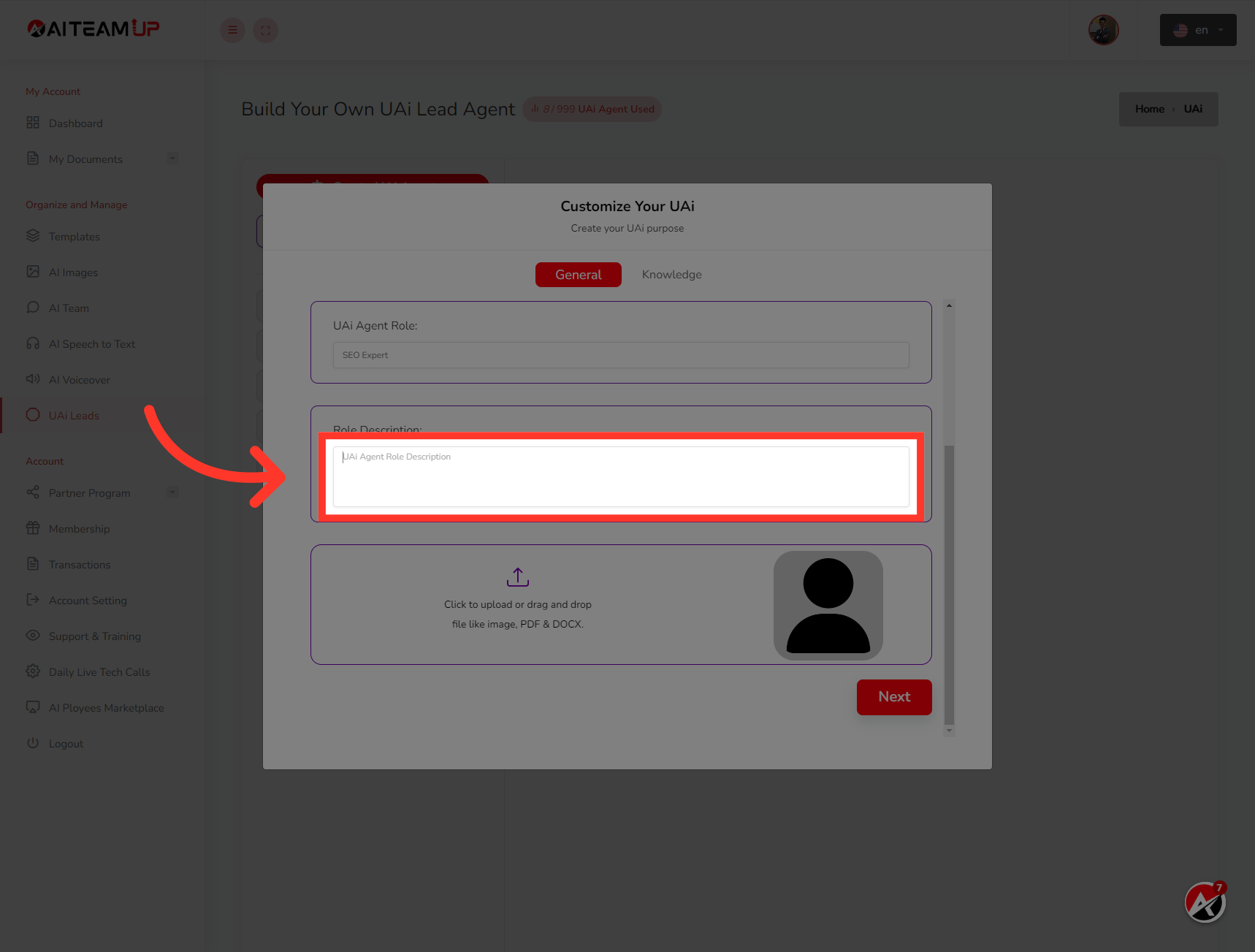
7. Provide a details description for the role
Provide a details description for the role
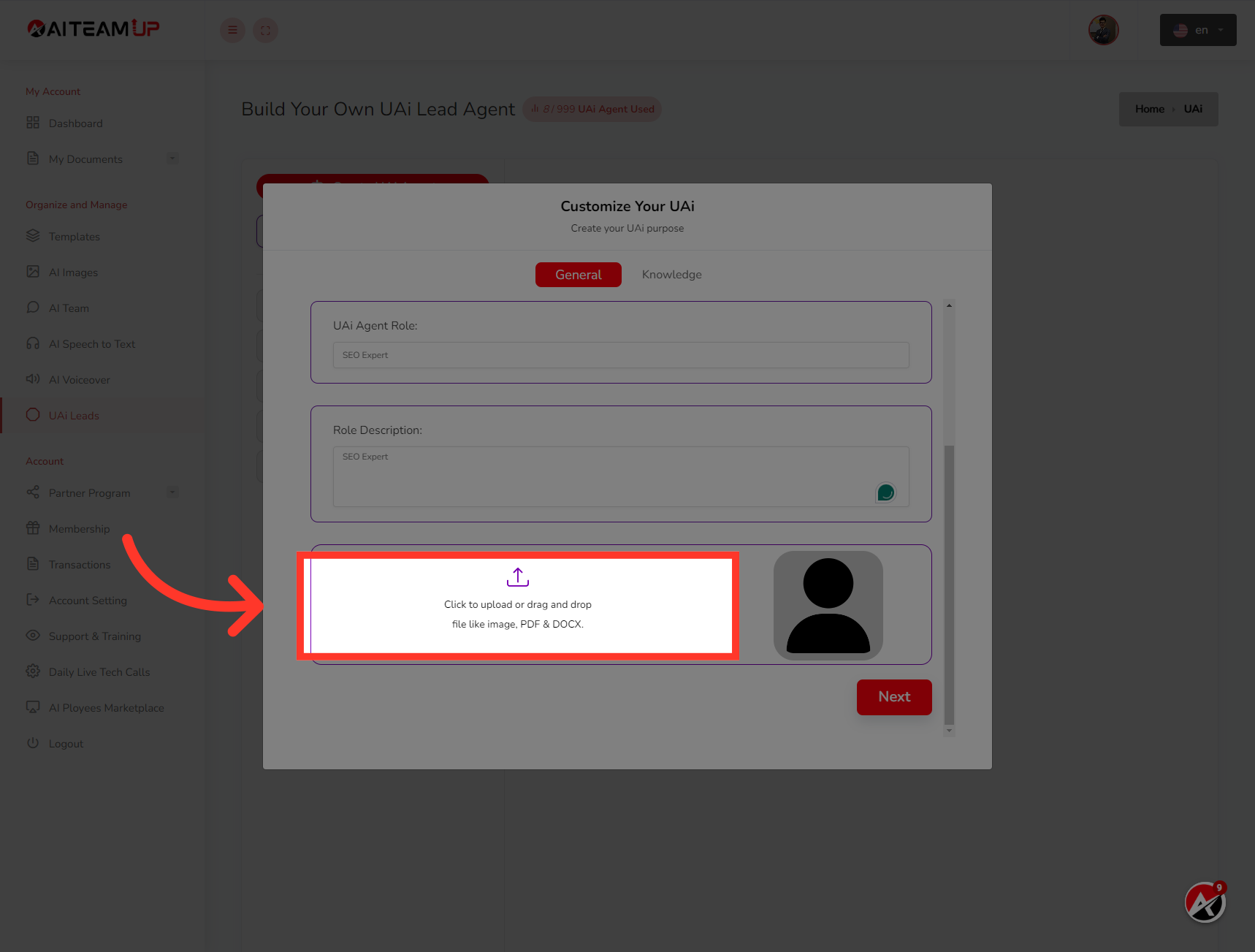
8. Click here
Upload an Image for the UAI lead agent
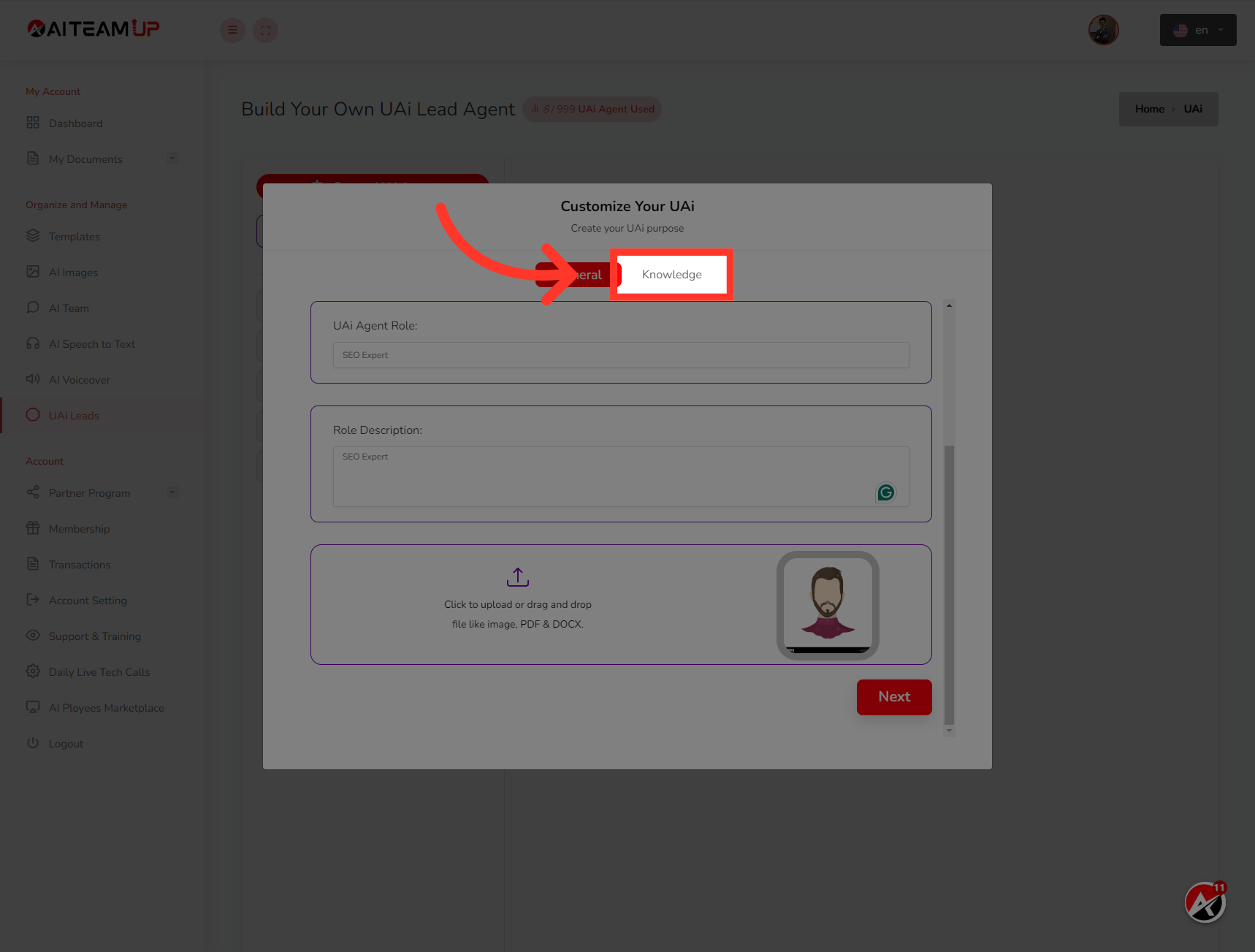
9. Click "Knowledge"
Access the section to specify the UAi Agent's knowledge.
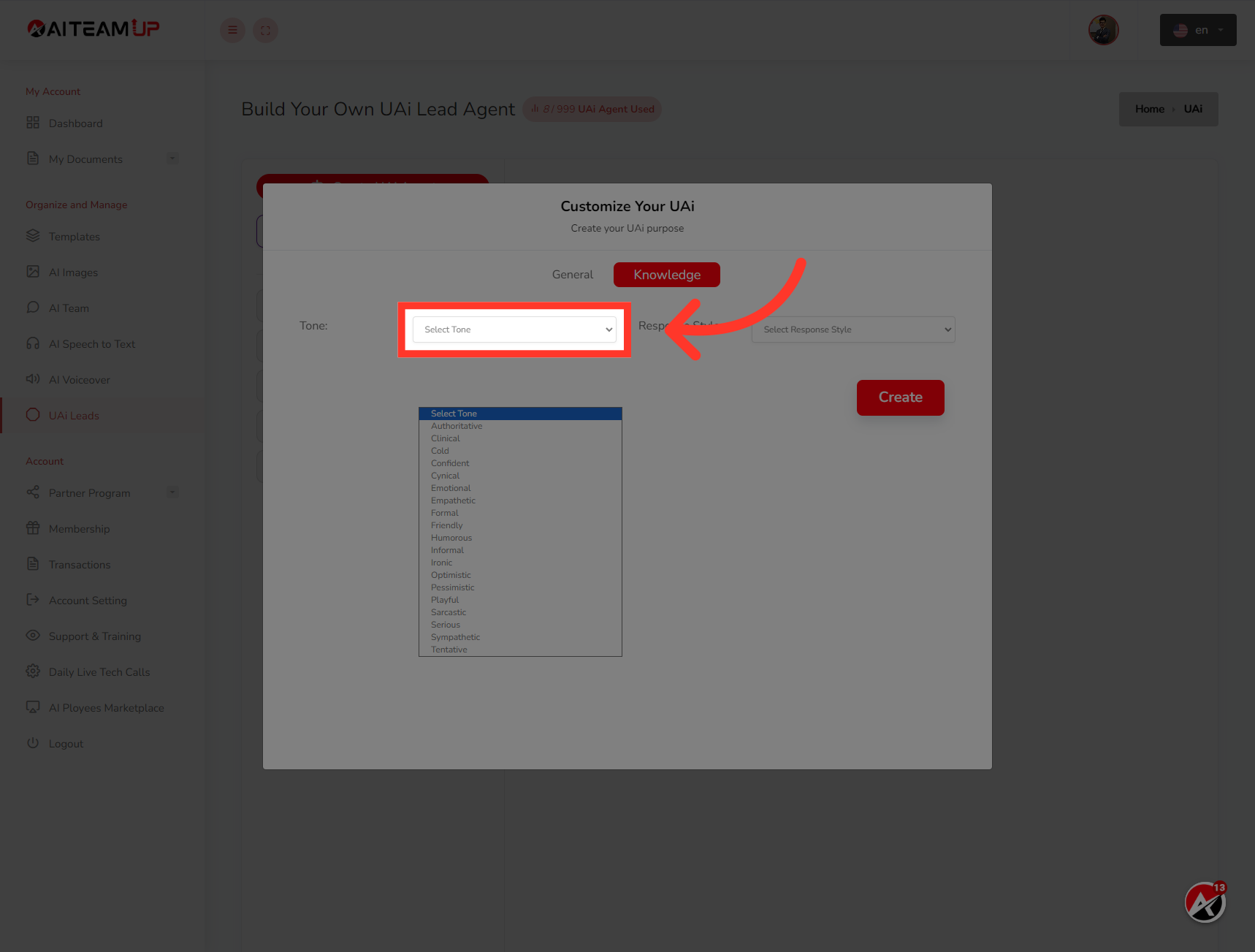
10. Click "Select Tone"
Choose the appropriate tone for the UAi Agent's responses.
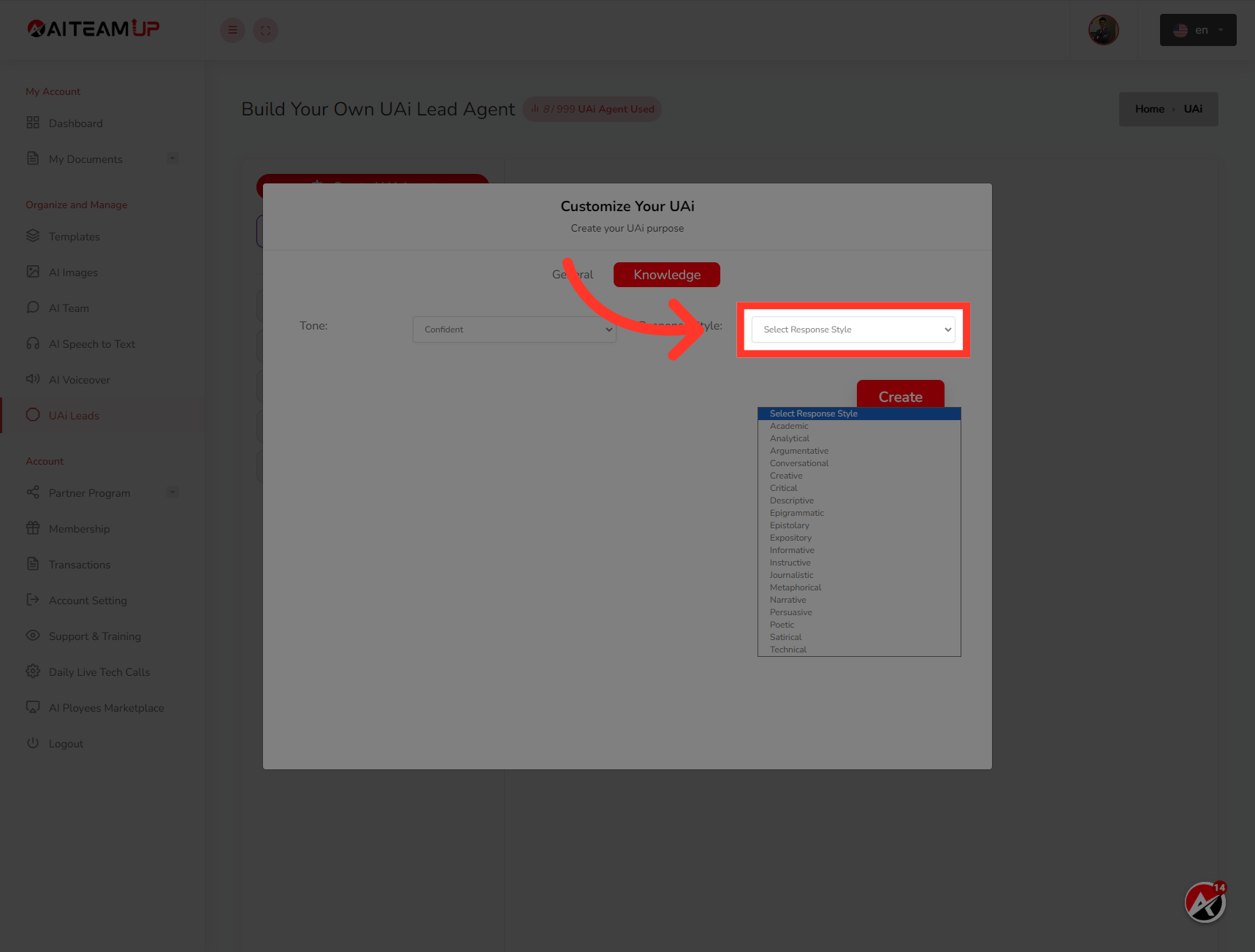
11. Click "Select Response Style"
Select the desired response style for the UAi Agent.
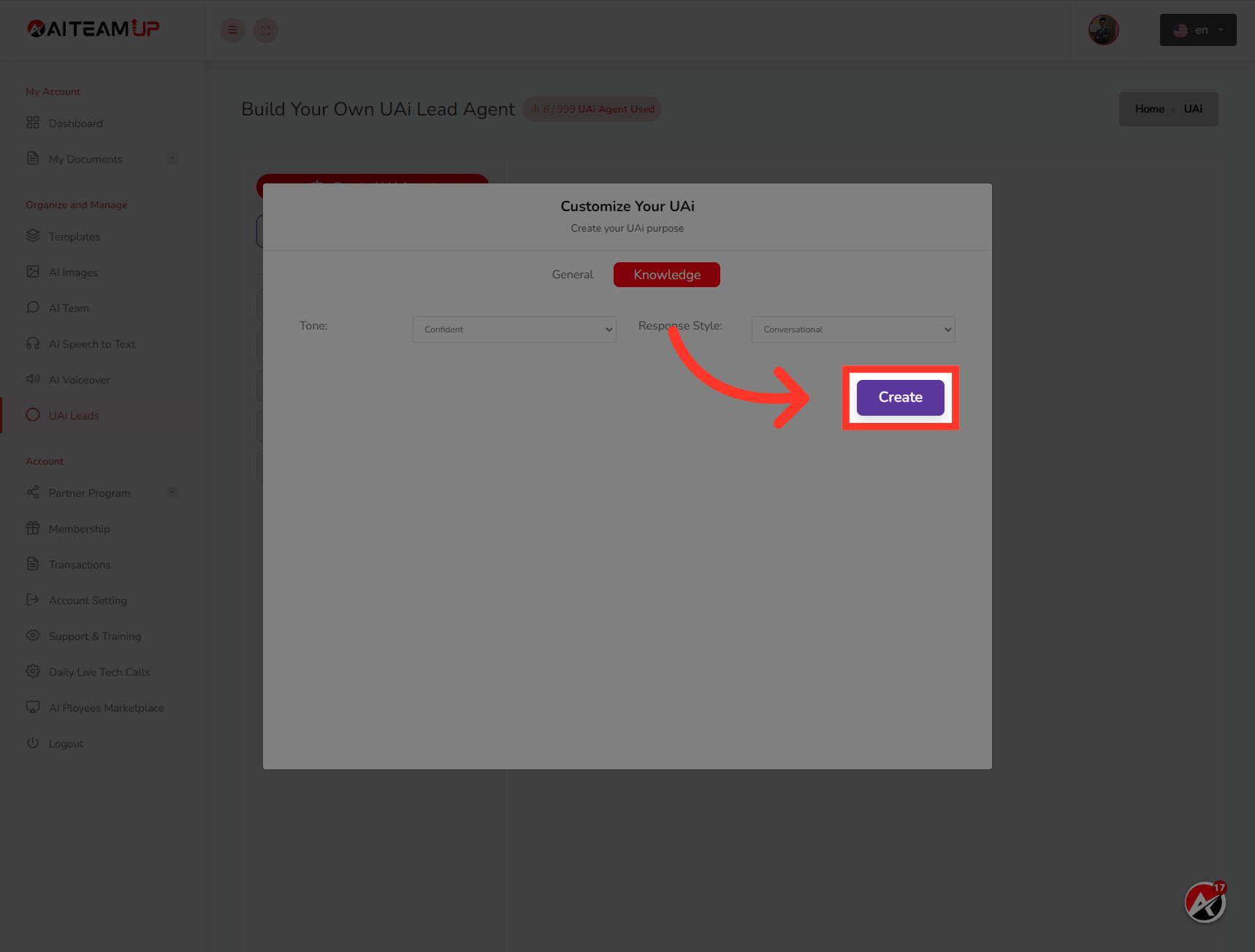
12. Click "Create"
Click on Submit to create the UAi Agent.
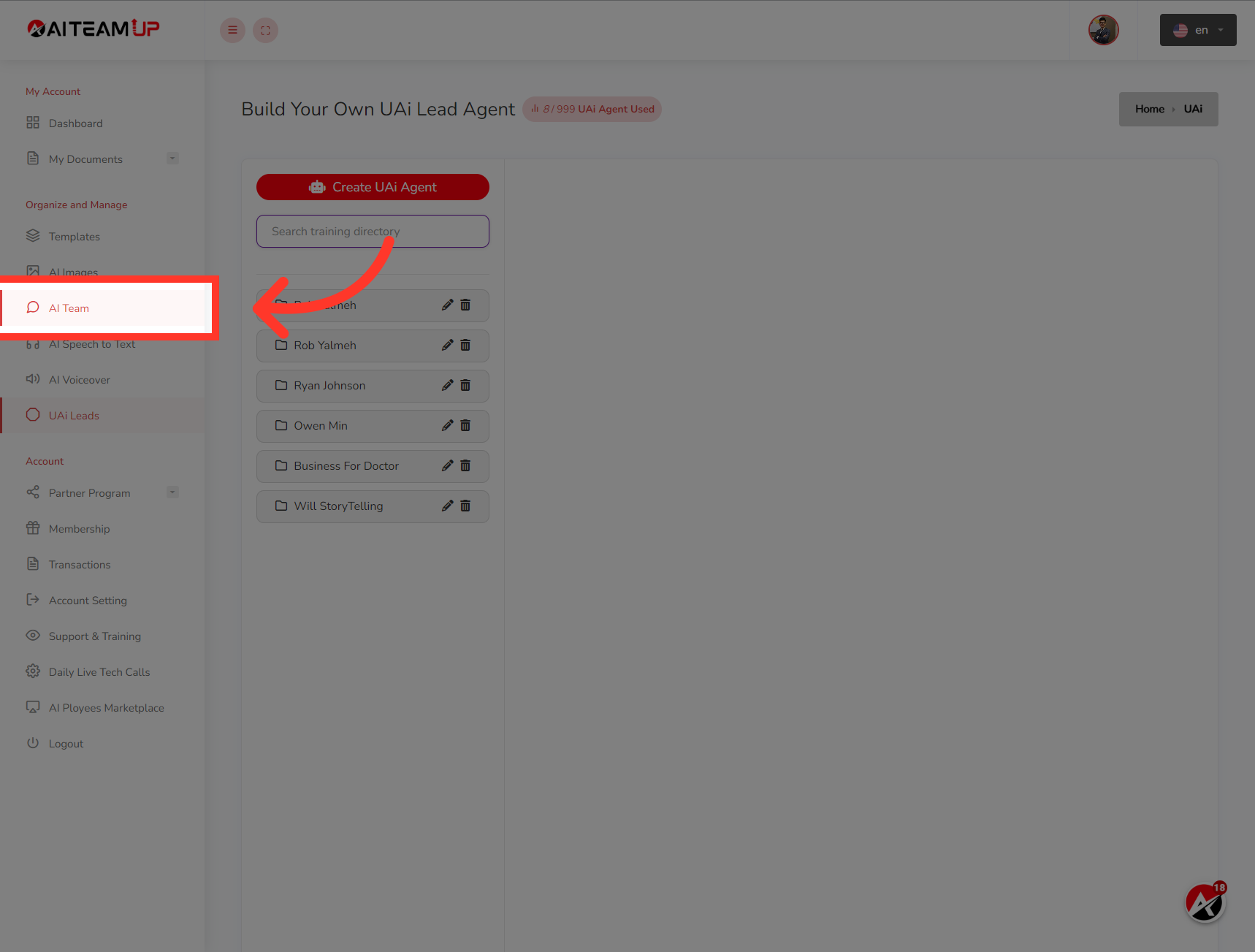
13. Click "AI Team"
Navigate to the AI Team section.
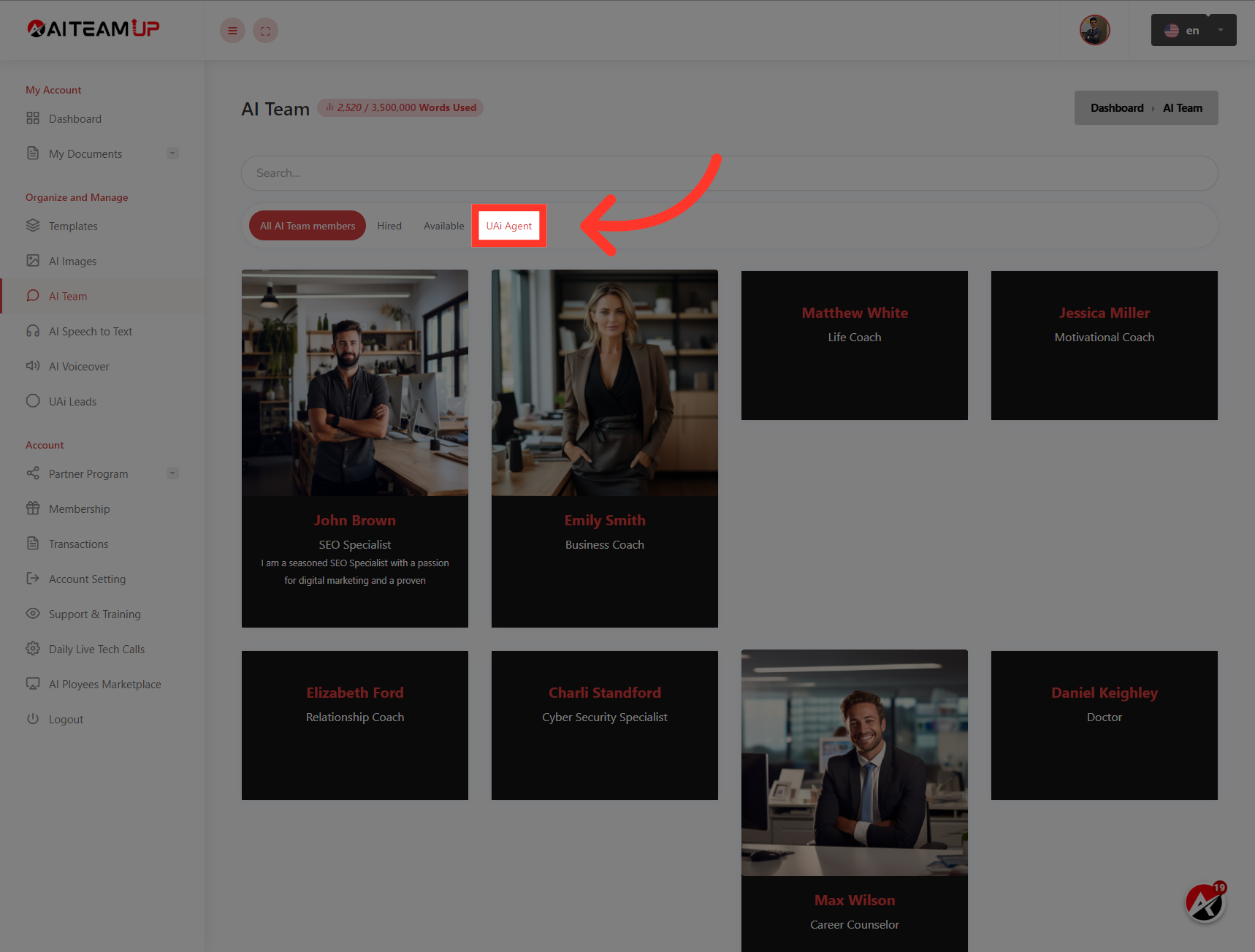
14. Click "UAi Agent"
Access the UAi Agent list.
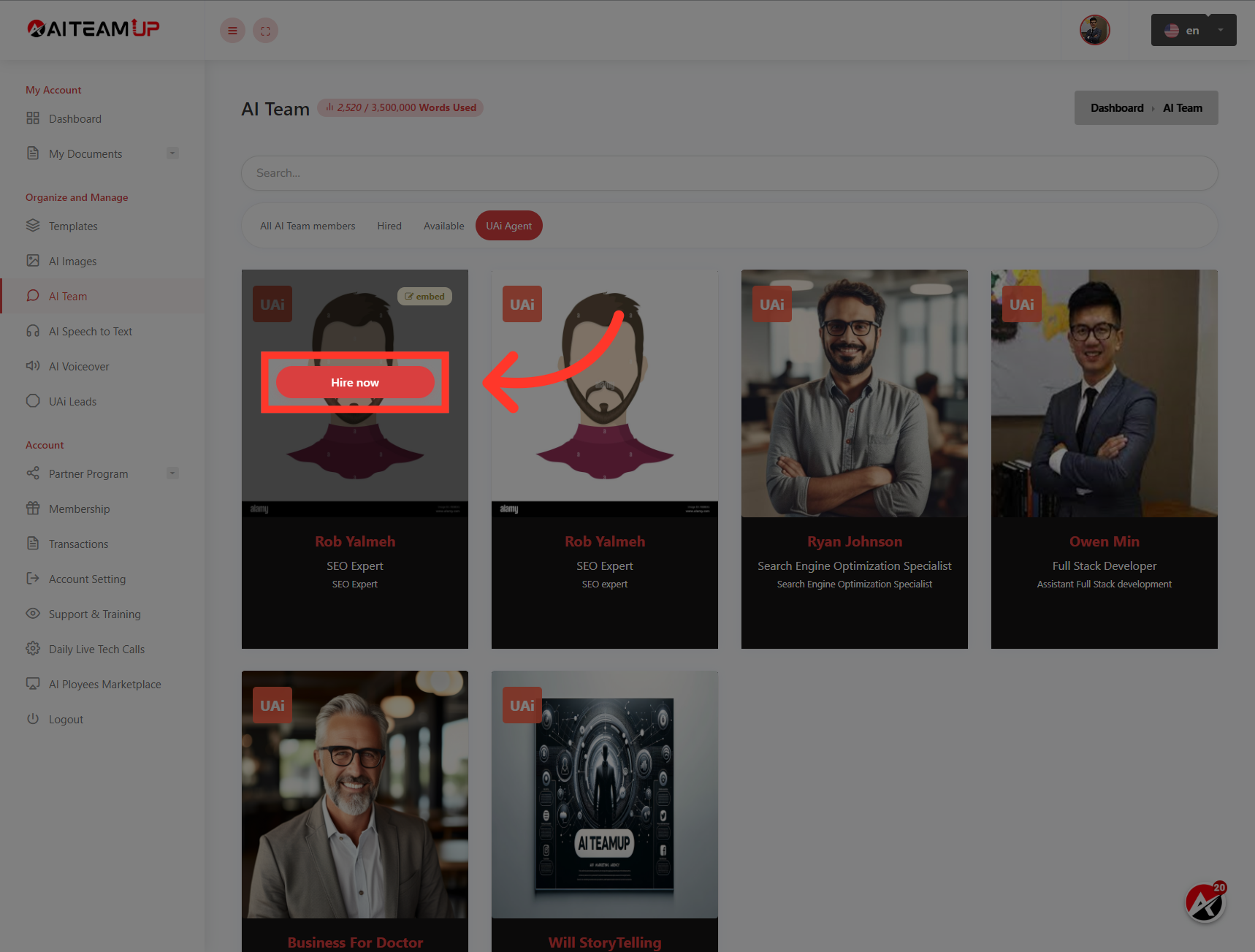
15. Click "Hire now"
Initiate the process to hire the UAi Agent.
This guide covered the steps to create a UAi Lead agent in AI Team Up. You learned how to set up a UAi Agent by providing details like name, gender, role, role description, image, knowledge, tone, and response style. Now you can enhance your team with a skilled and knowledgeable UAi Lead agent.

AI Team Up
AI Team Up