
 ENGLISH (US)
 ESPAÑOL
How to embed UAI lead agent into the Shopify
Learn how to embed UAI lead agent into Shopify and enhance your employee training. Follow these step-by-step instructions to seamlessly integrate UAI lead agent into your Shopify store. From setting up the agent to generating the embed code and adding it to your Shopify theme, this guide will help you optimize your employee training process.
Go to aiteamup.com
1. Click "AI Team"
Login to your AI Team Up dashboard and then navigate to the AI Team section.

2. Click "UAi Agent"
Select the UAi Agent option.

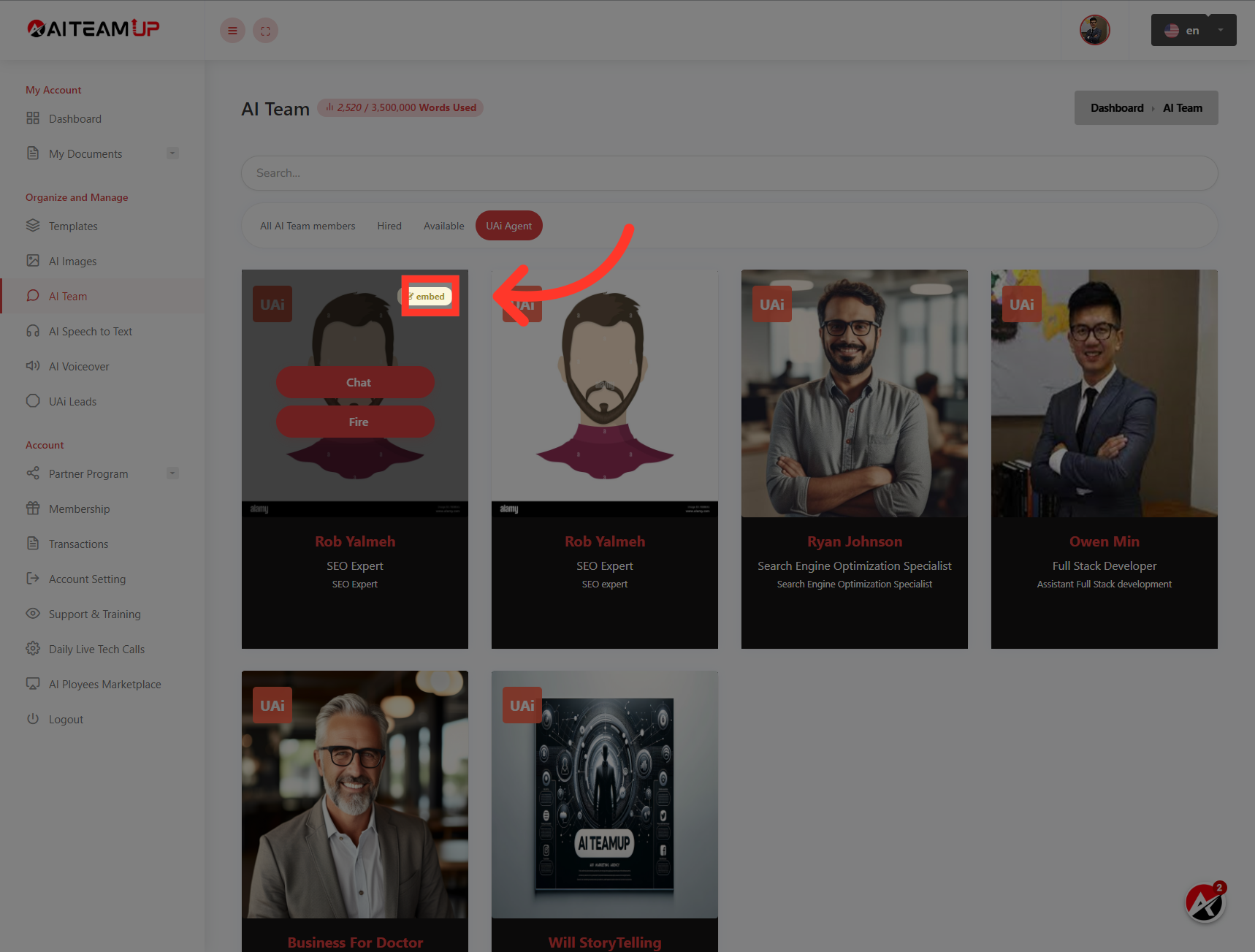
3. Click "embed"
Choose the UAI lead agent you want to embed and click on the "Embed" button.
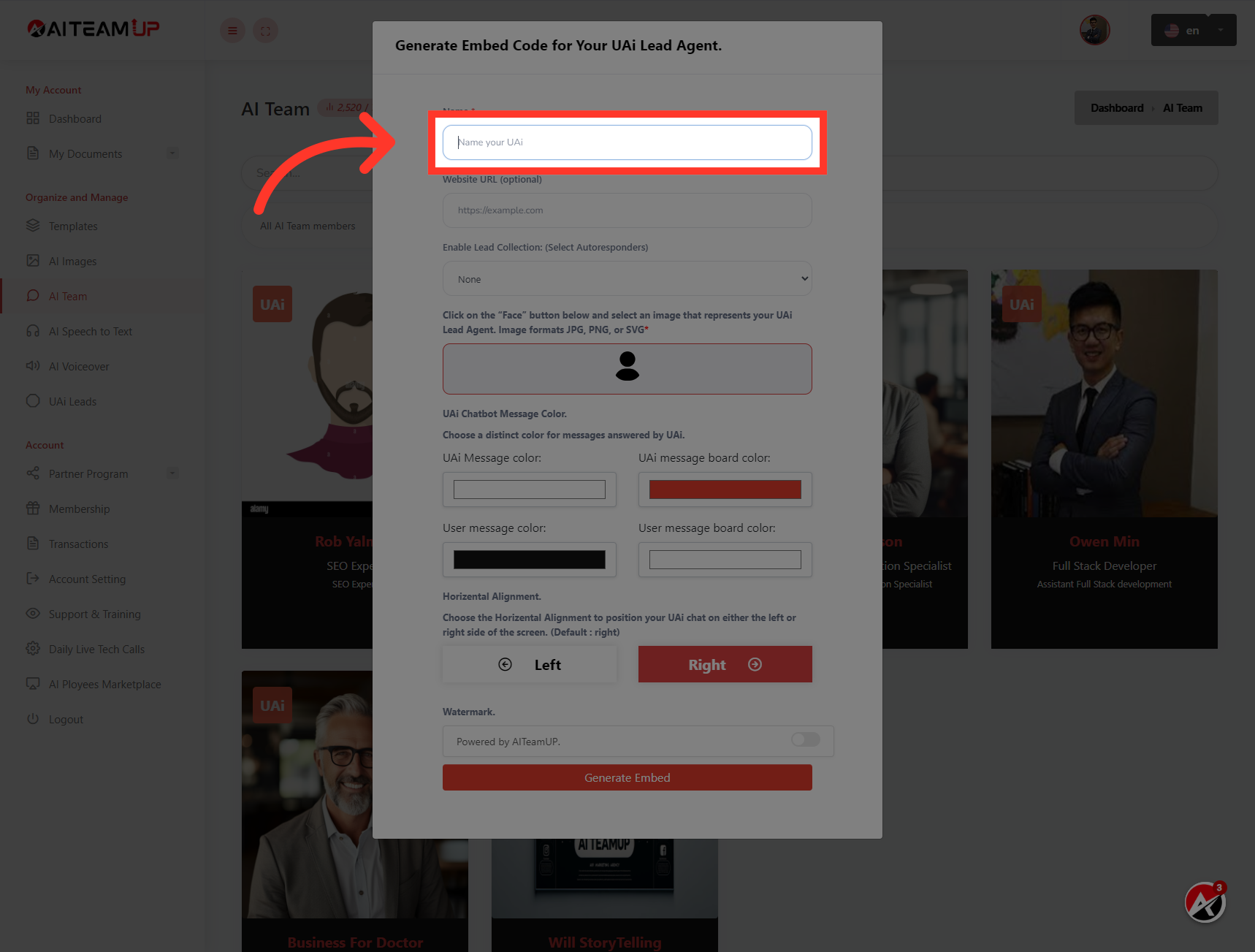
4. Click "Name your UAi"
Provide a name for your UAI lead bot.
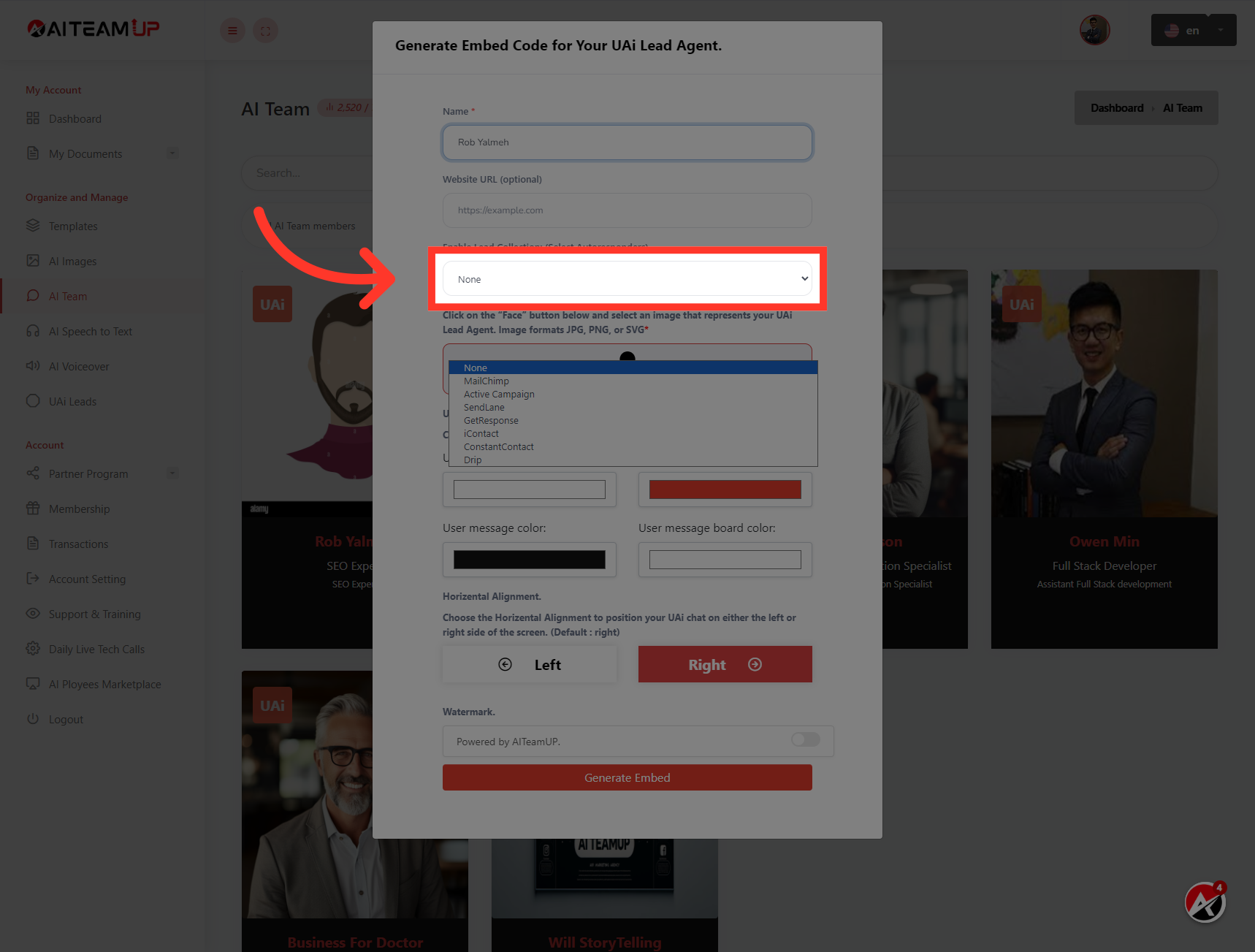
5. Choose the desired Auto-responder integration from the available options.
Choose the desired Auto-responder integration from the available options.
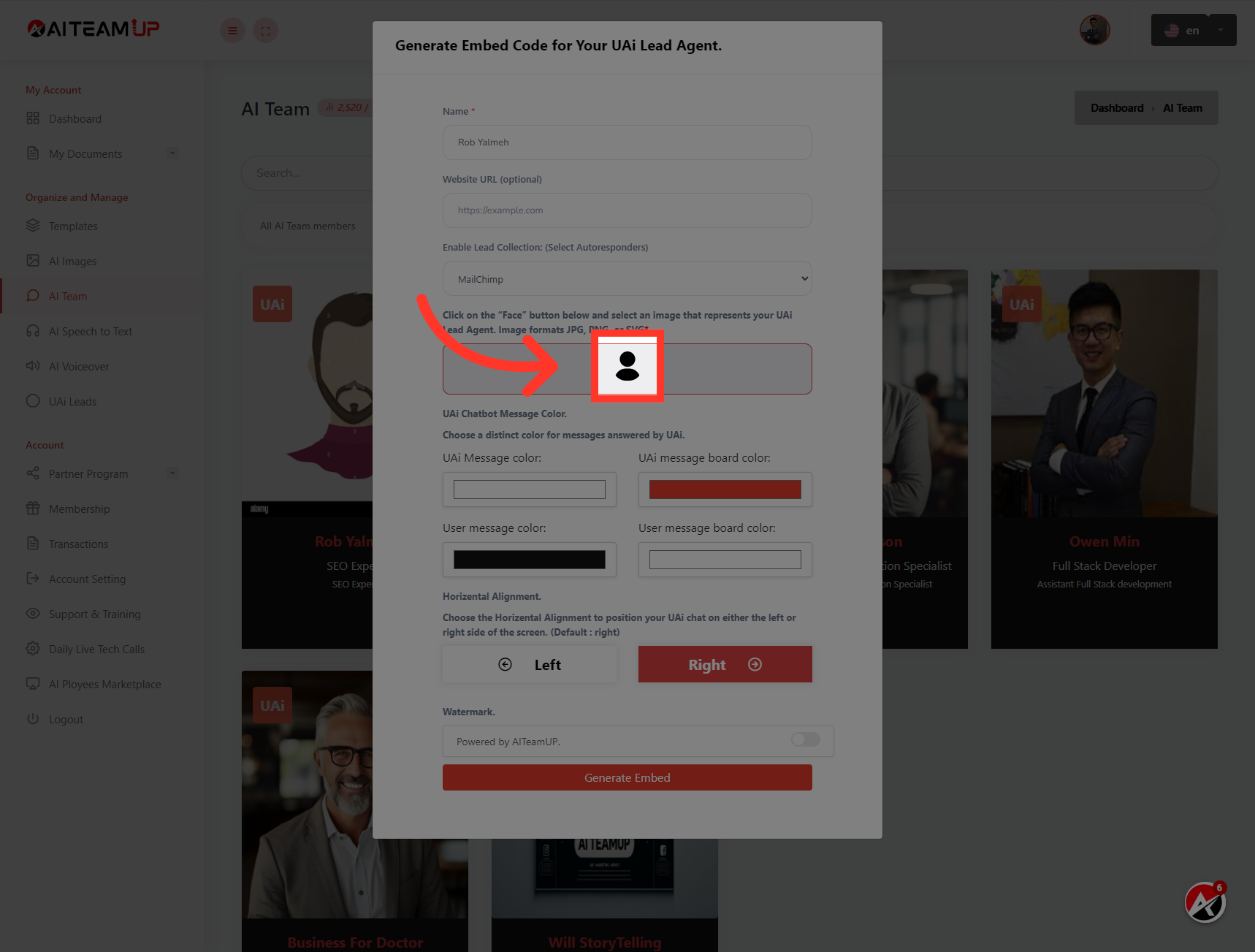
6. Click here
Upload an Image for the UAI lead agent to show up on your website.
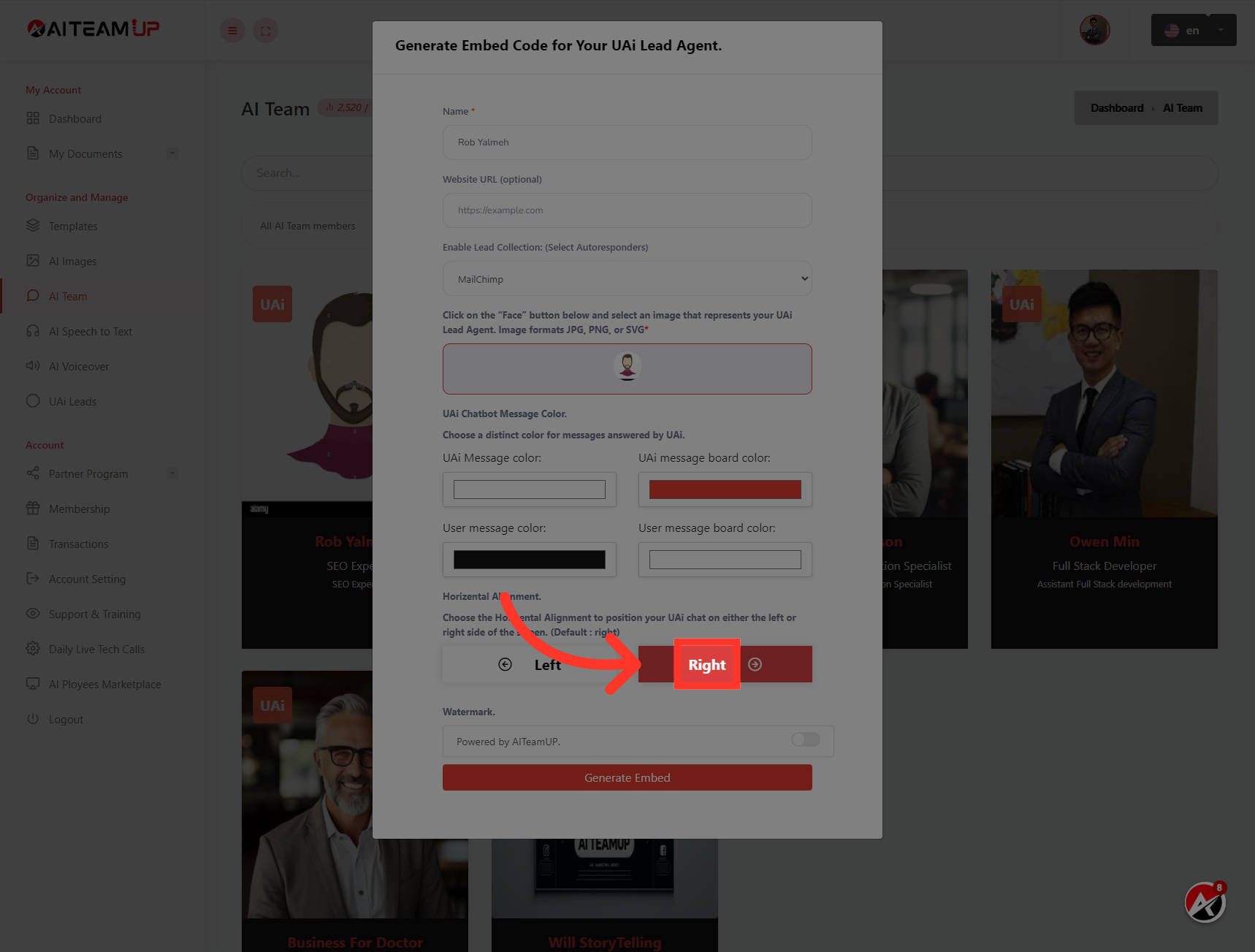
7. Select the position and appearance for your UAI lead bot.
Select the position and appearance for your UAI lead bot.
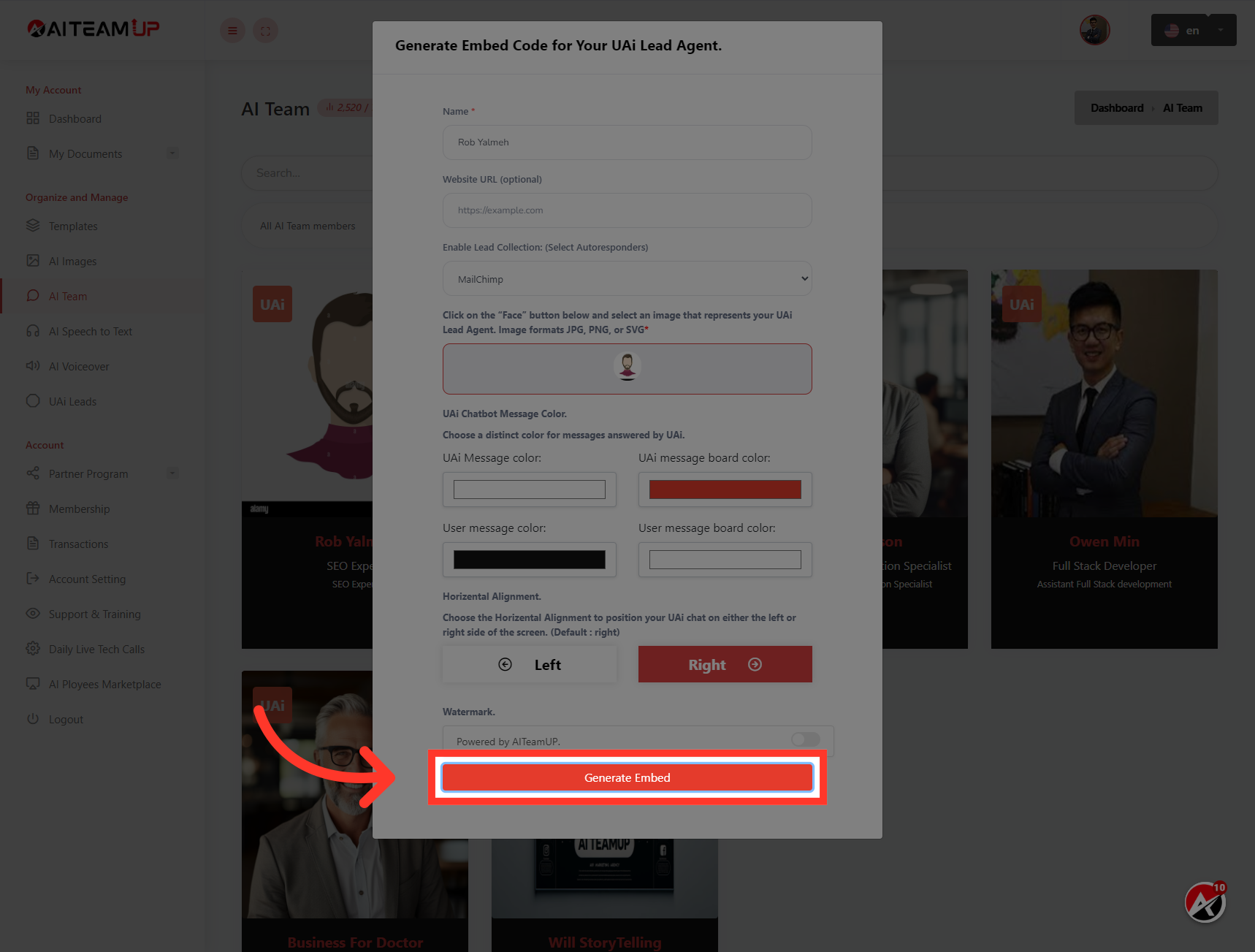
8. Click "Generate Embed"
Click on the "Generate Embed" button.
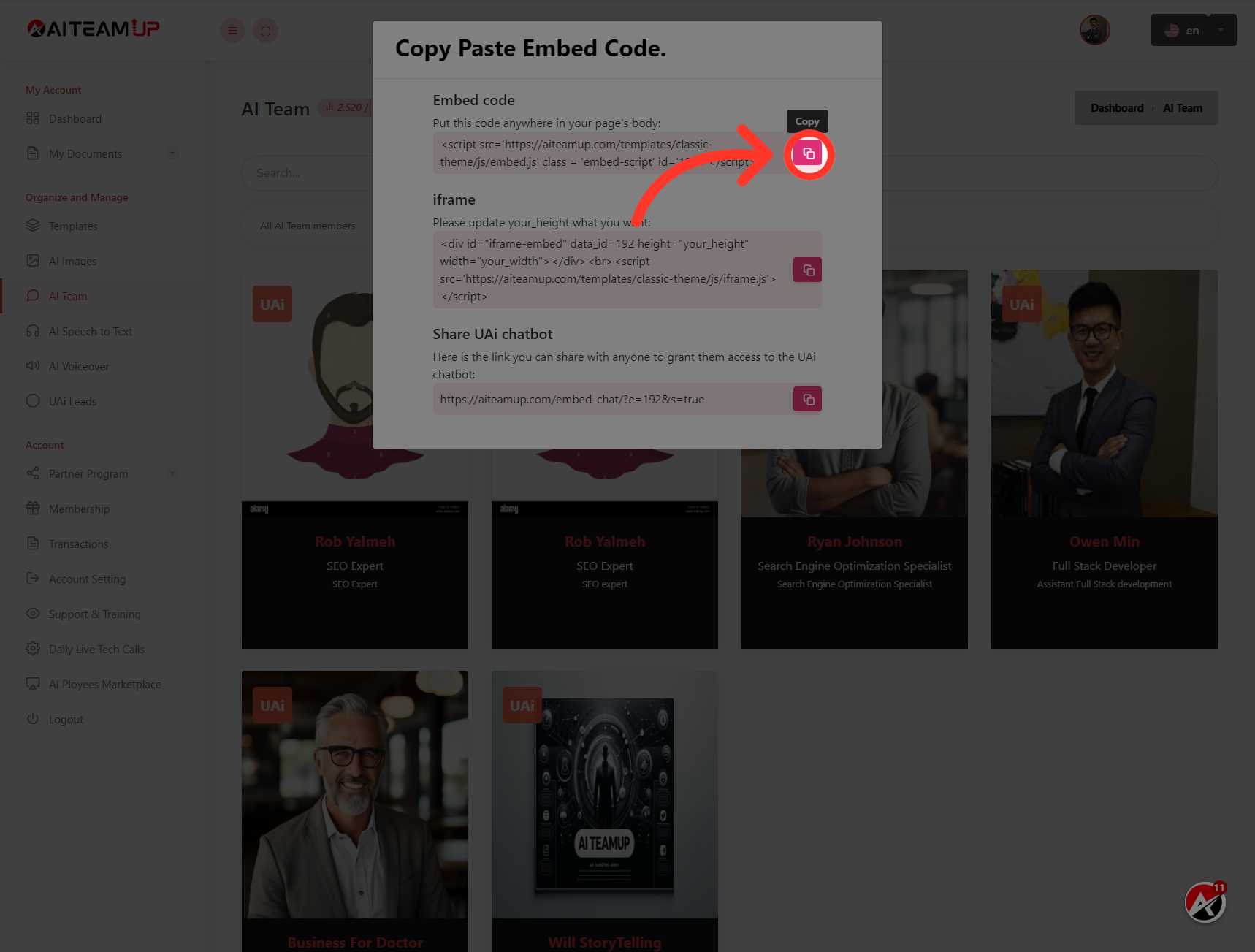
9. Click here
Click the copy button to copy the tracking code.
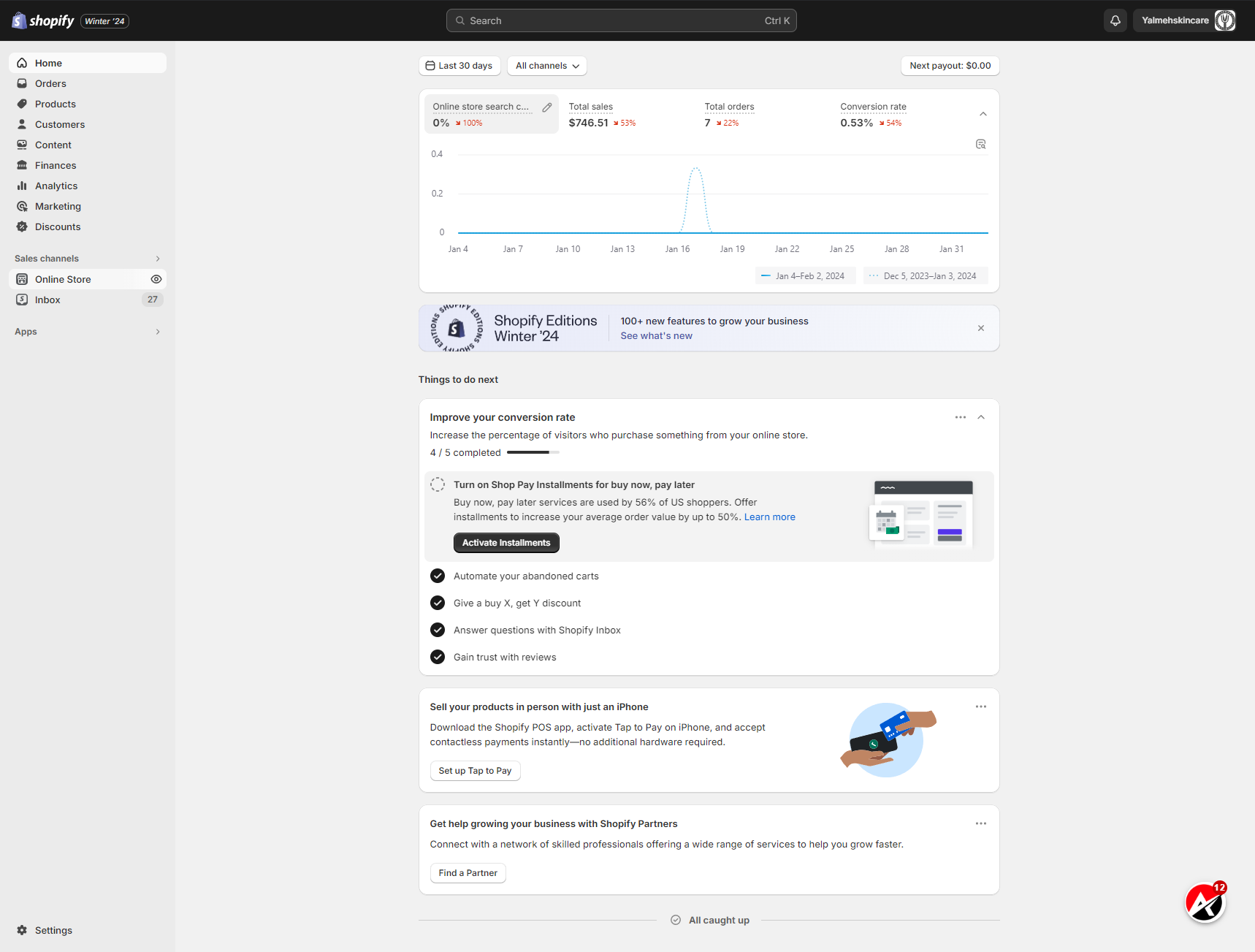
10. Switch to "admin.shopify.com"
Now Switch to "Shopify" admin dashboard.
11. Click "Online Store"
Select the "Online Store" option.

12. Click "Themes"
Choose the "Themes" section.

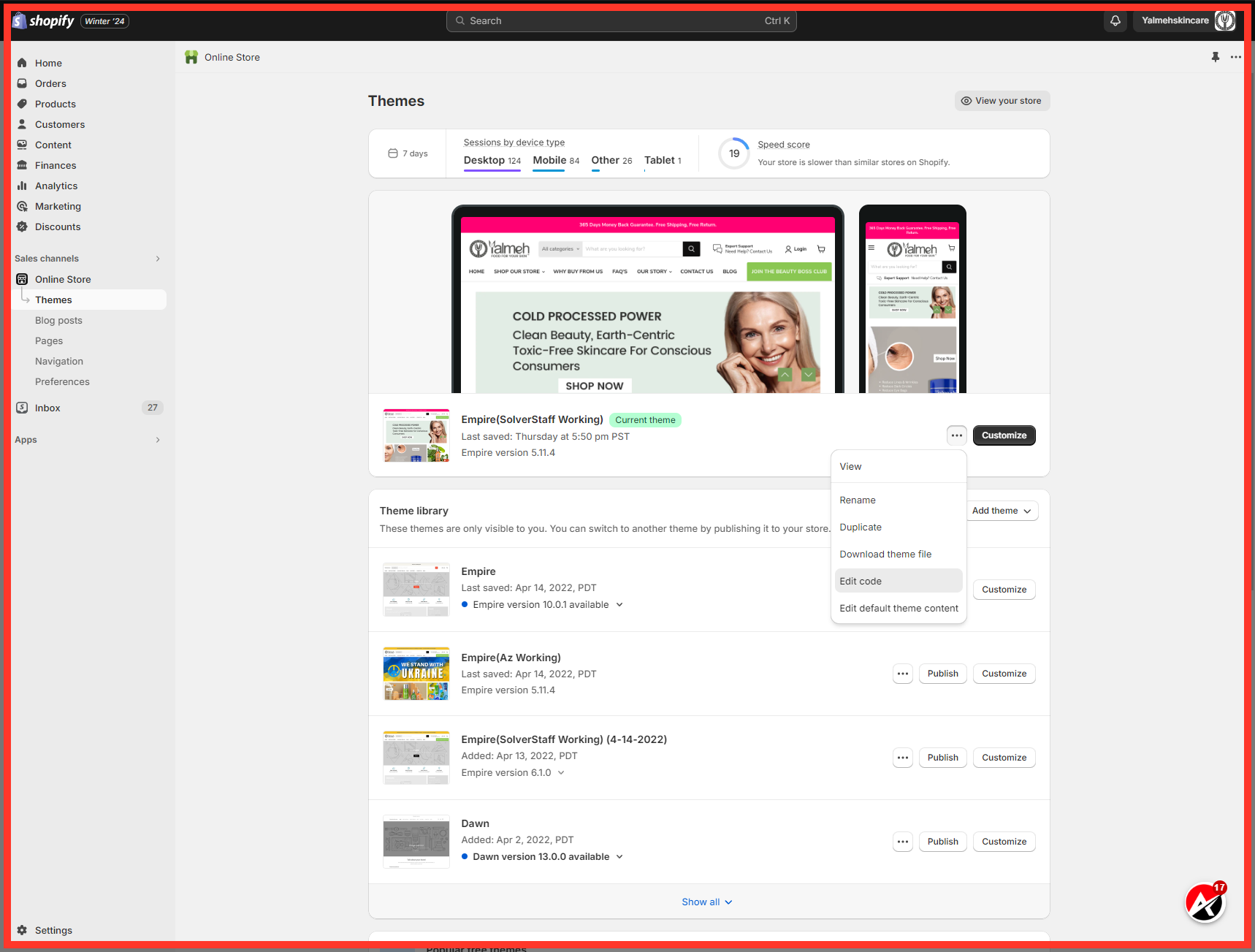
13. Click "Edit code"
Select the "Edit code" option from the right side of the theme file you want to install UAI lead bot to.
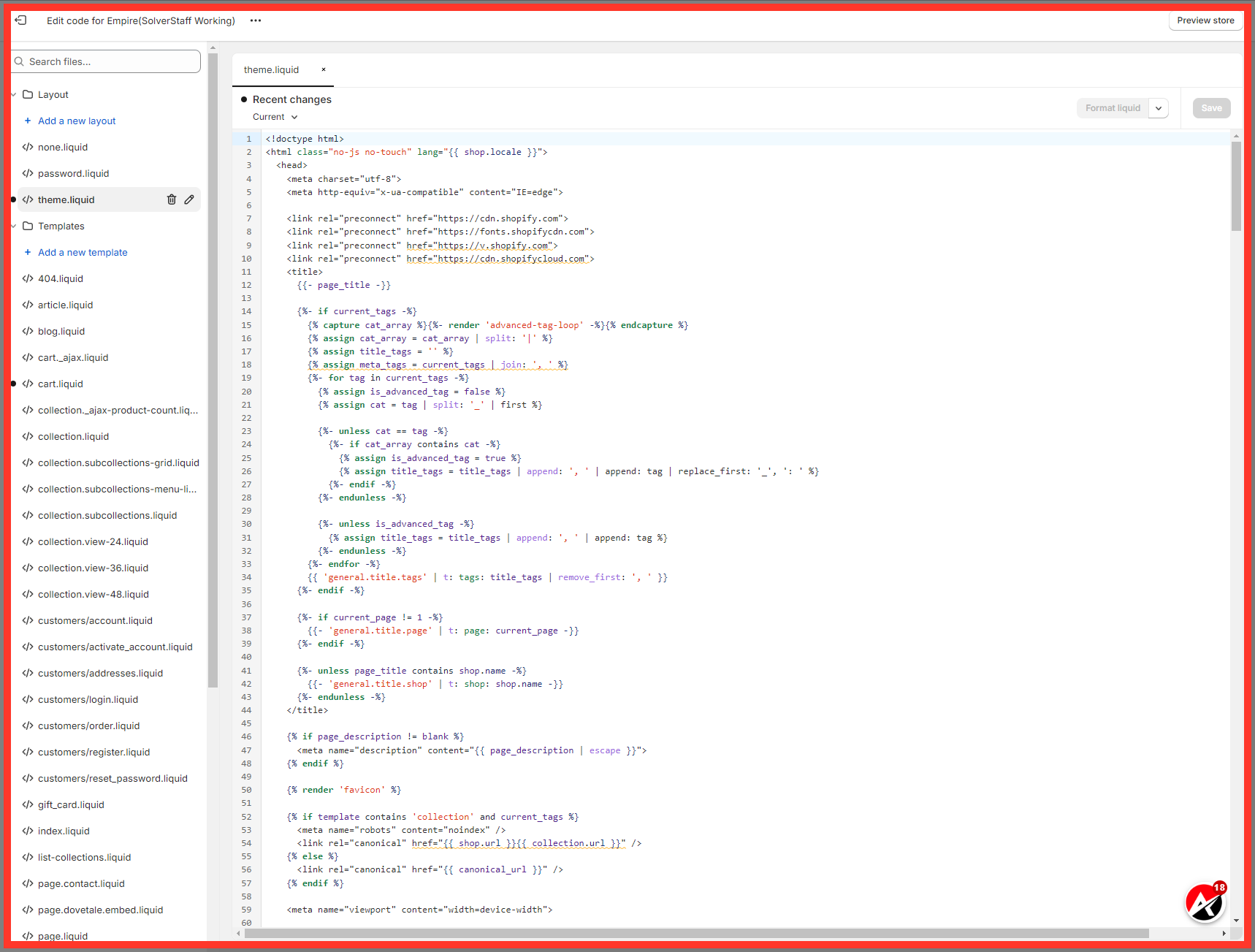
14. Click here
After that, navigate to the theme.liquid file from the left menu.
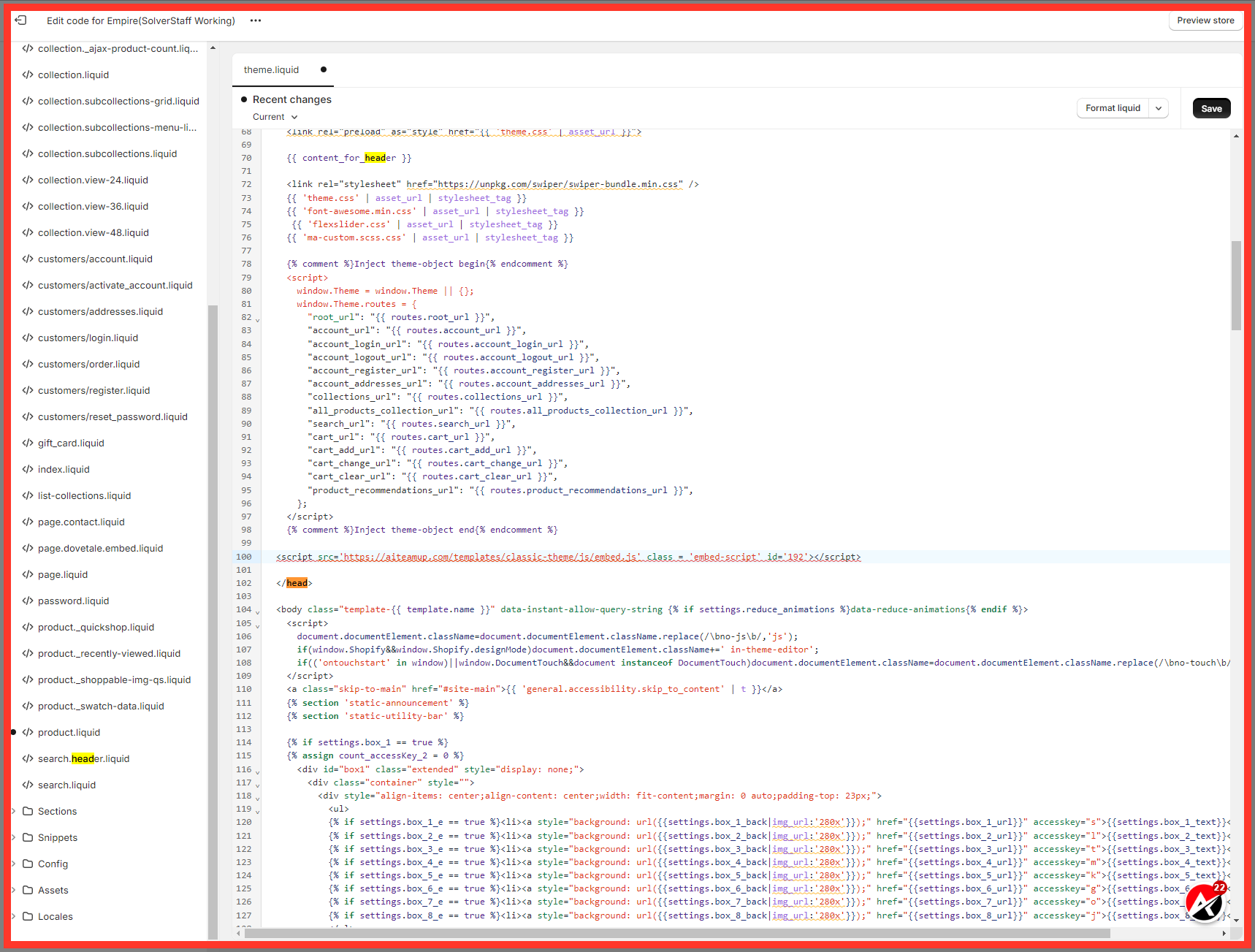
15. Click "Save"
Paste the tracking code you copied from AI team up before ending the tag.
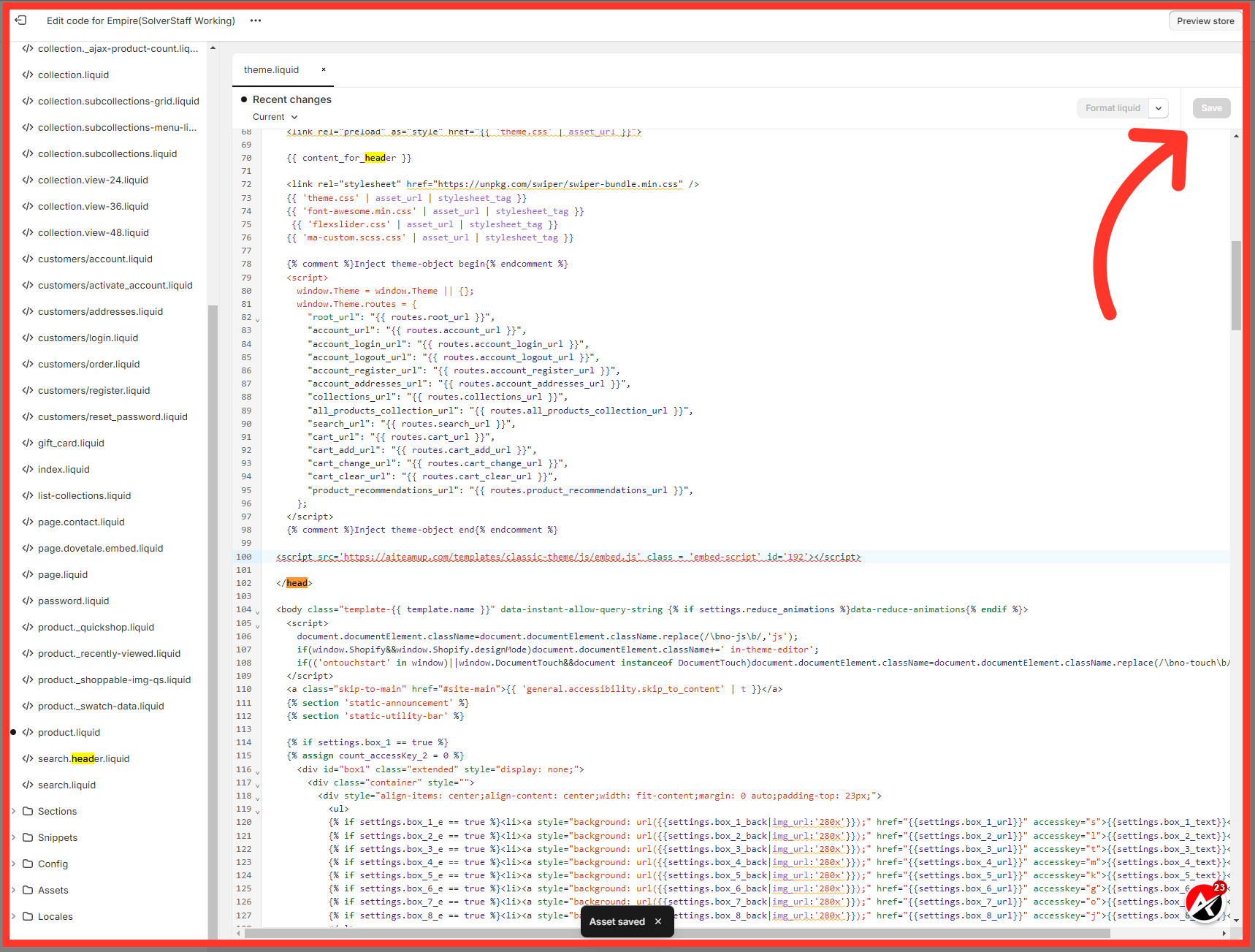
16. Click "Save"
Click on Save button from top right section to save the changes.
This guide covered the process of embedding UAI lead agent into Shopify to improve employee training. You learned how to set up the agent, generate the embed code, and add it to your Shopify theme. By following these steps, you can enhance your employee training process and provide a seamless experience for your team.

AI Team Up
AI Team Up