
 ENGLISH (US)
 ESPAÑOL
How to embed UAI lead agents in Groove funnel
This guide provides instructions on how to embed UAI lead agents in Groove funnel. Follow the steps below to seamlessly integrate UAI lead agents into your Groove funnel and enhance your employee training process.
Go to aiteamup.com
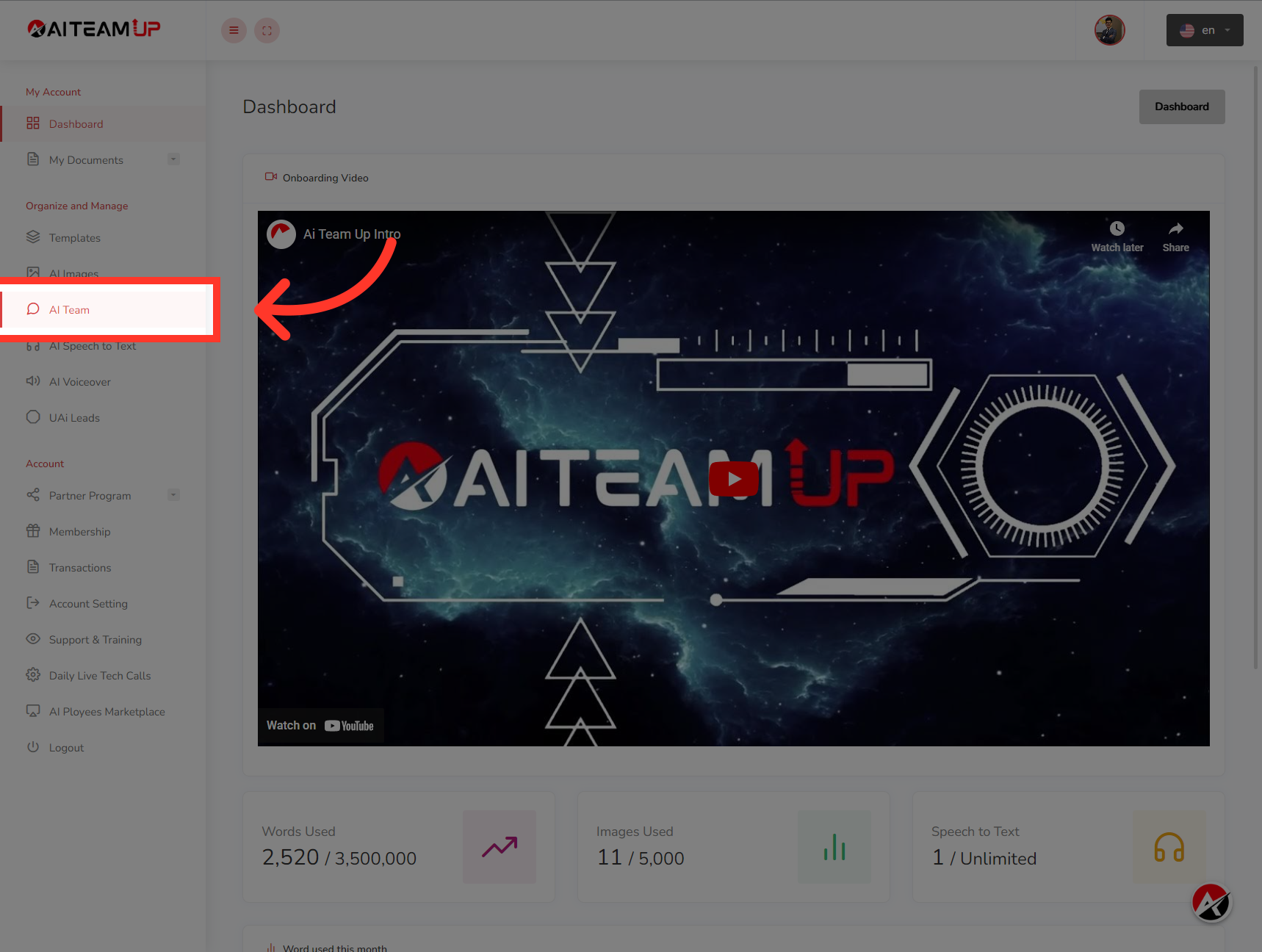
1. Click "AI Team"
Login to your AI Team Up Dashboard and Click on "AI Team" menu from the left side.
2. Click "UAi Agent"
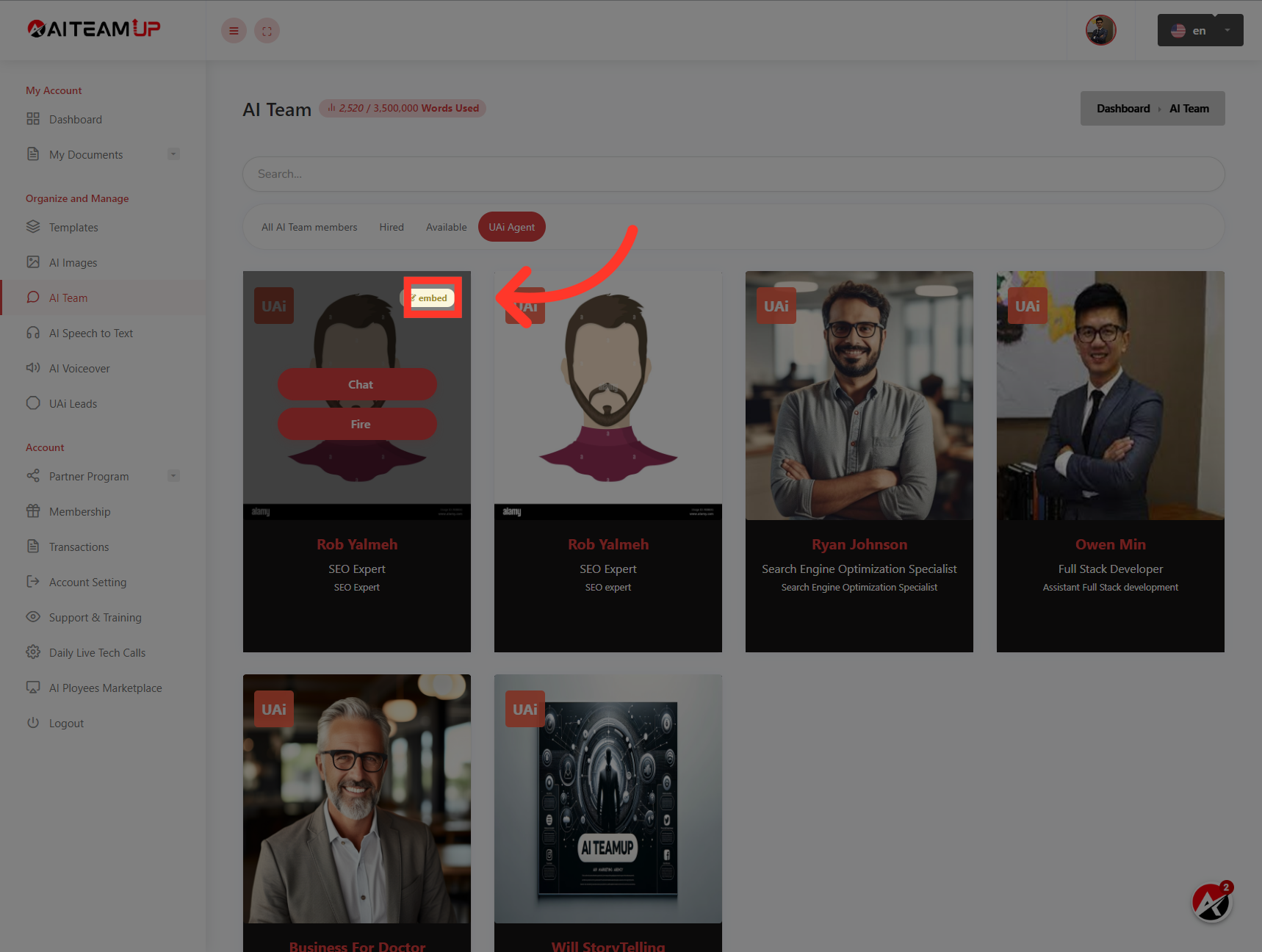
Navigate to "UAi Agent"

3. Click "embed"
Then Select the "embed" option from the UAI agent that you want to install it to your website.
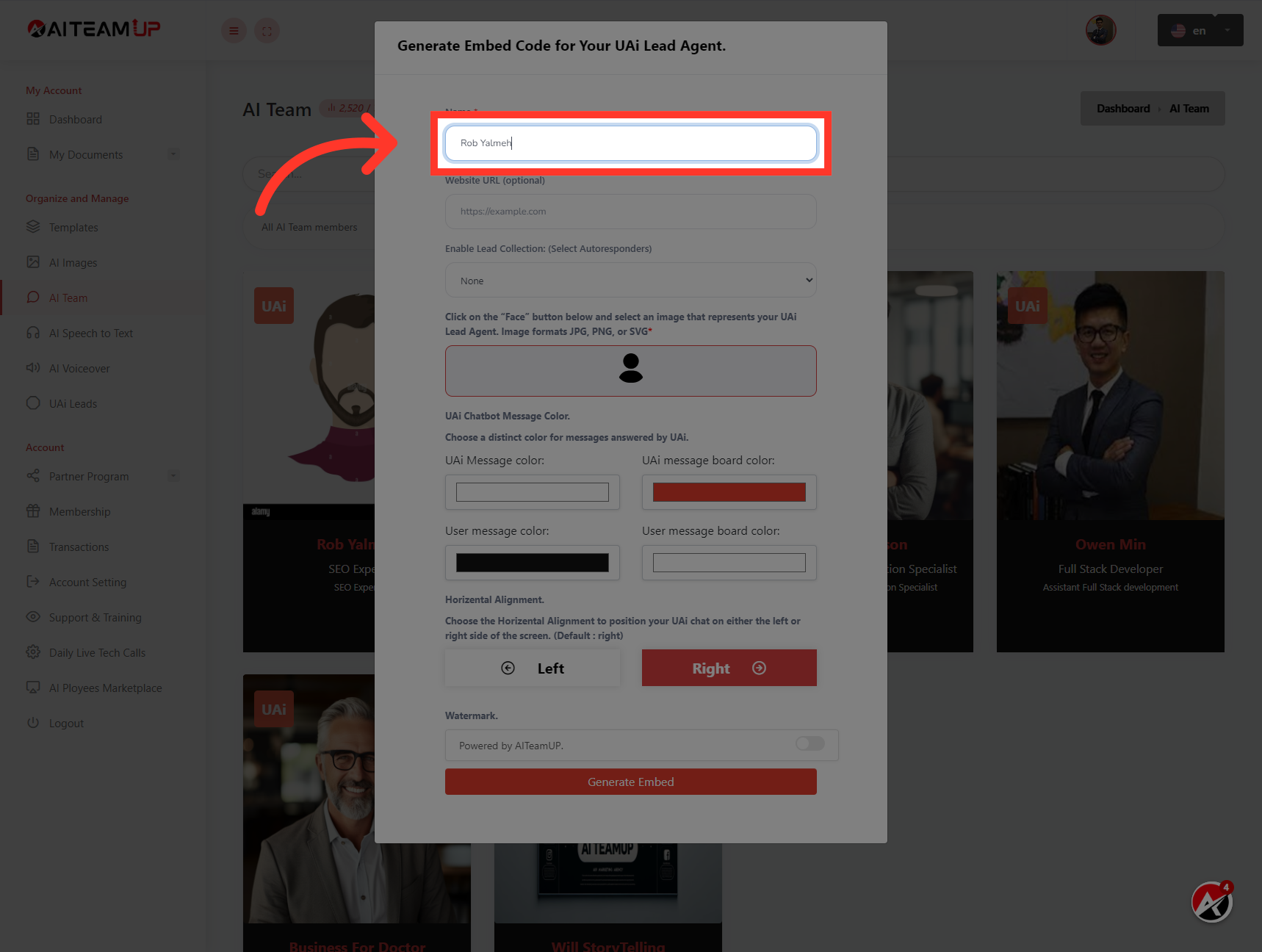
4. Give a name to your UAI lead agent
Give a name to your UAI lead agent
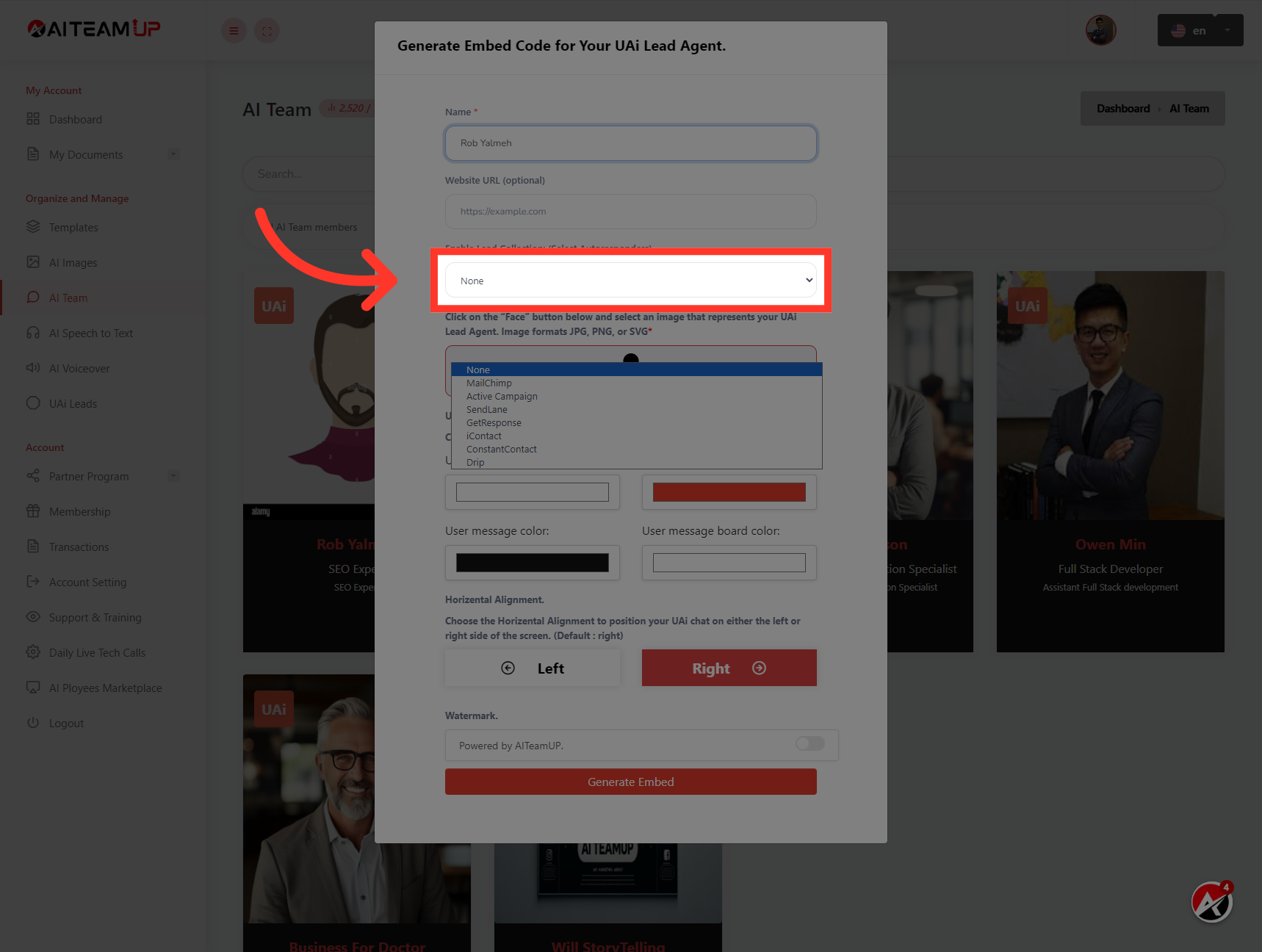
5. Select the Auto-responder integration you want to use.
Select the Auto-responder integration you want to use.
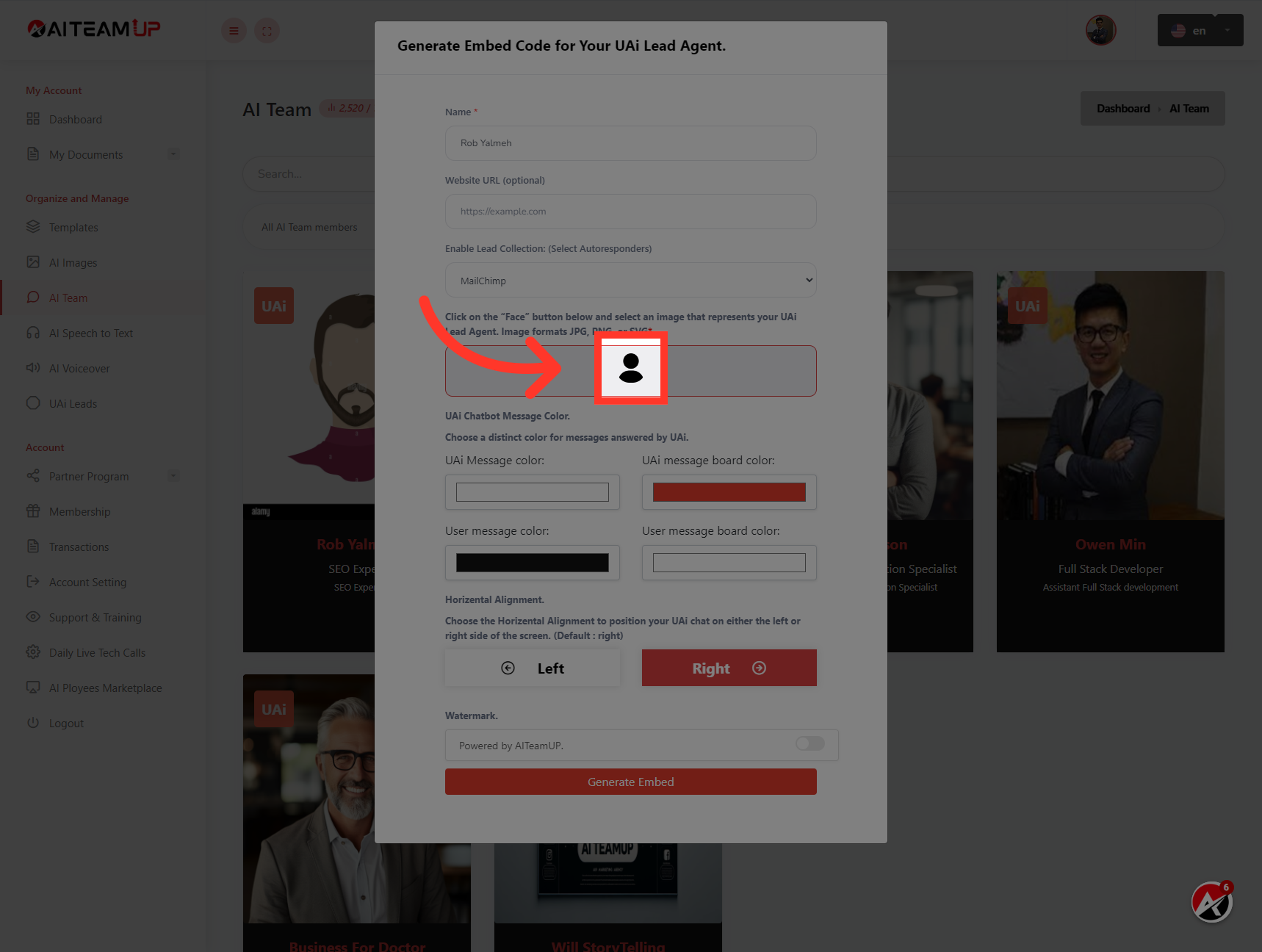
6. Click here
Upload an image for your agent to show up on your website.
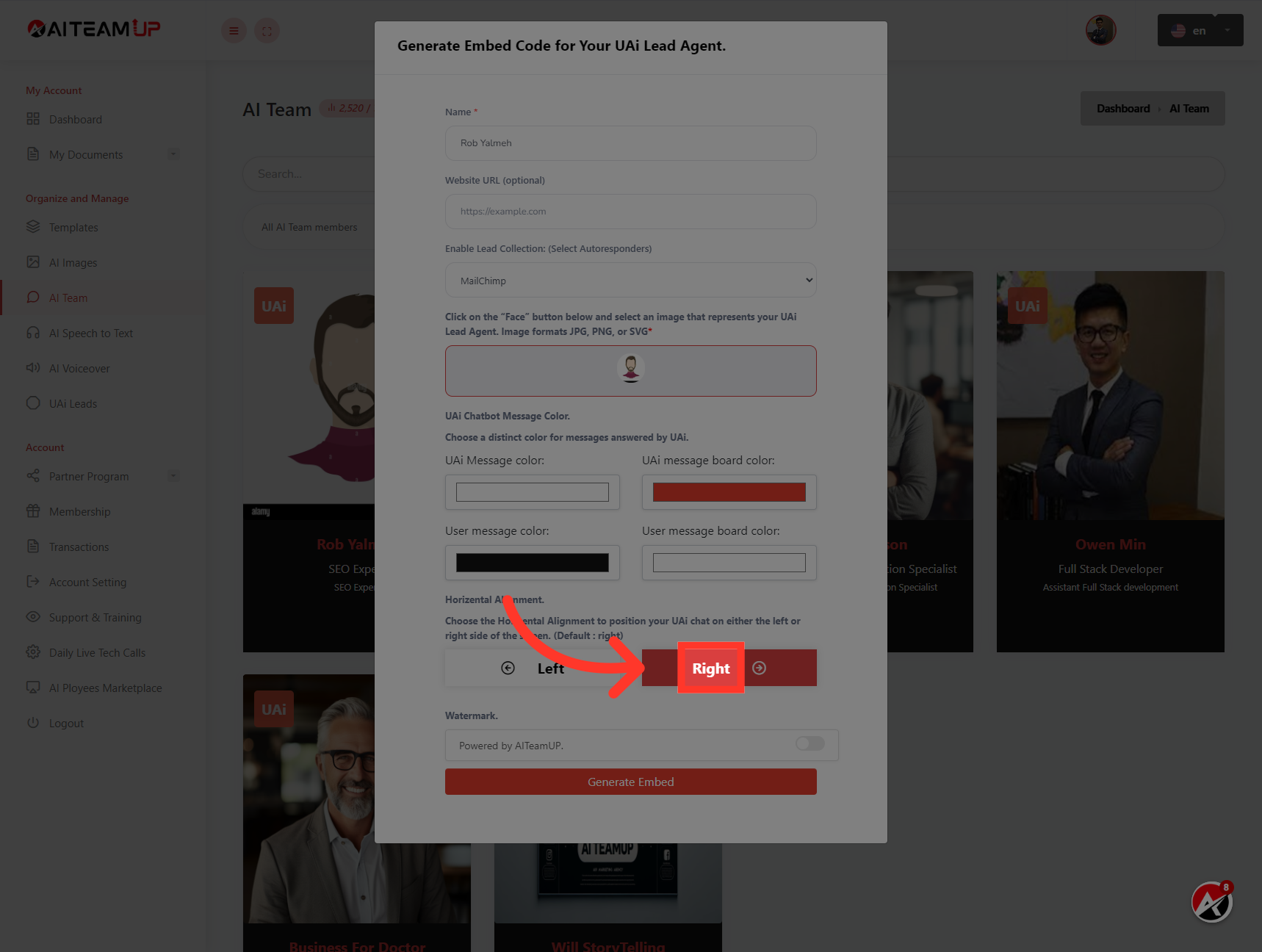
7. Customize the appearance and position according to your liking.
Customize the appearance and position according to your liking.
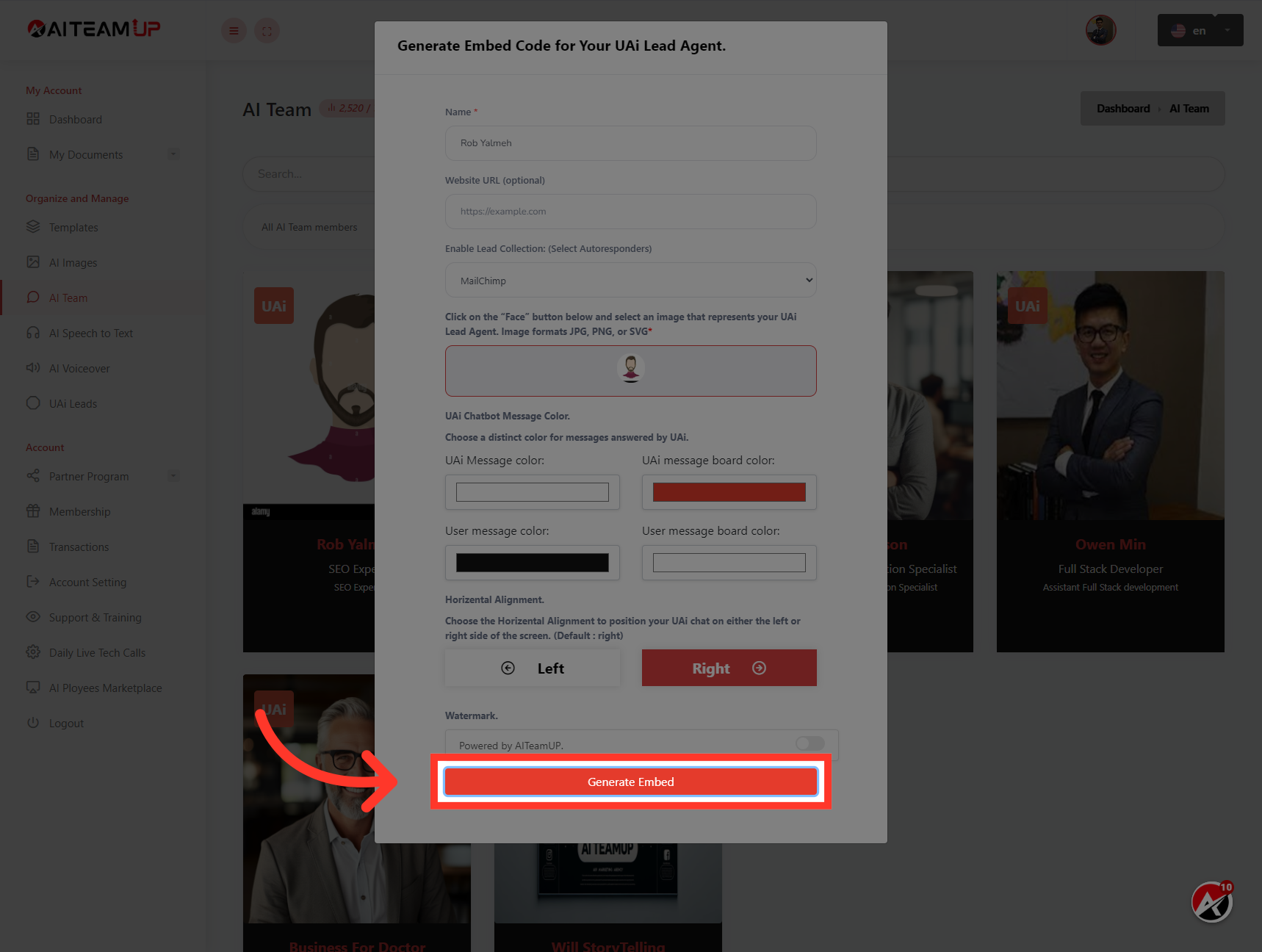
8. Click "Generate Embed"
Navigate to the "Generate Embed" section
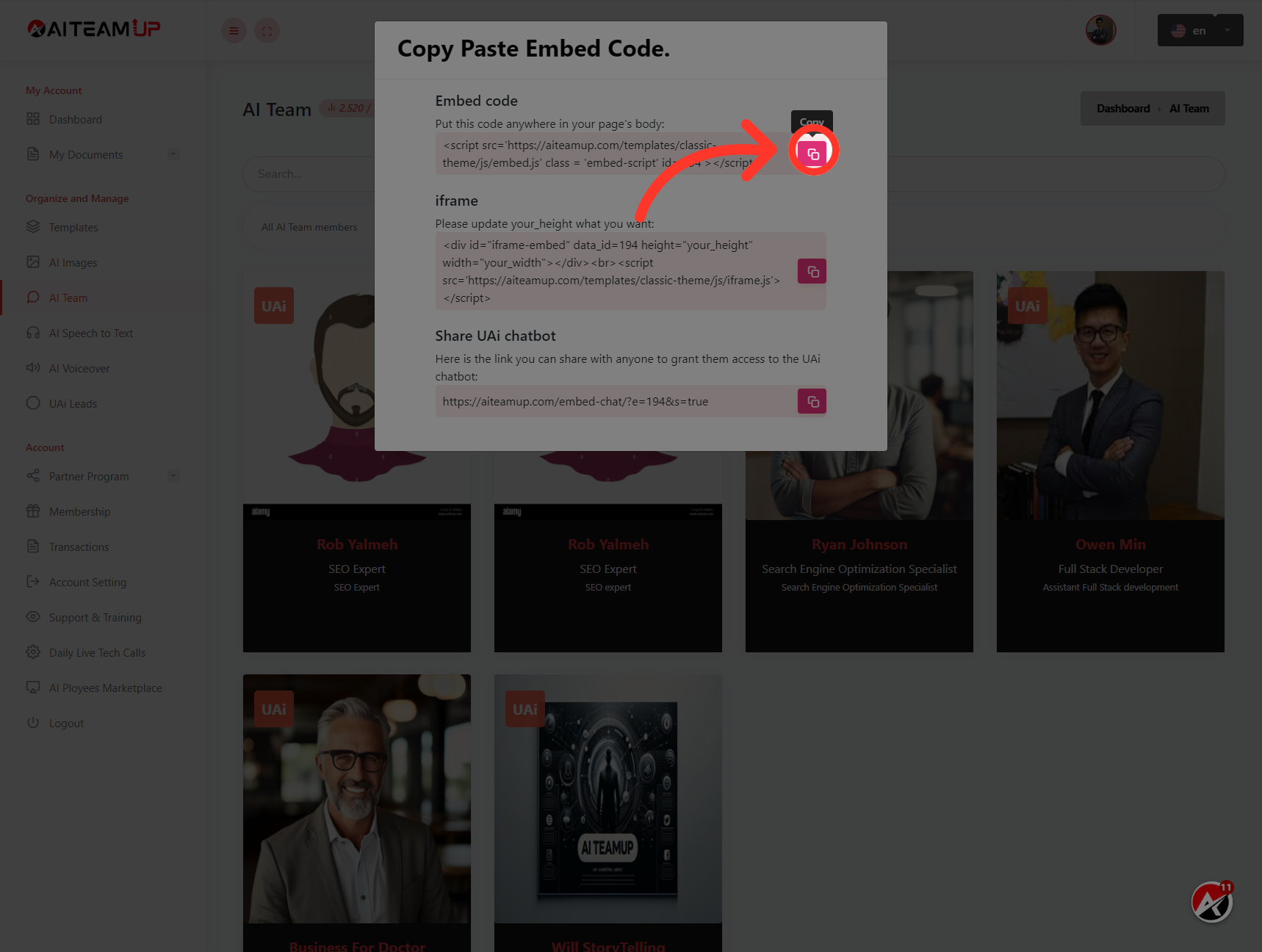
9. Click here
Click the selected button to copy the code.
10. Switch to "app.groove.cm"
Switch to Groove funnel dashboard
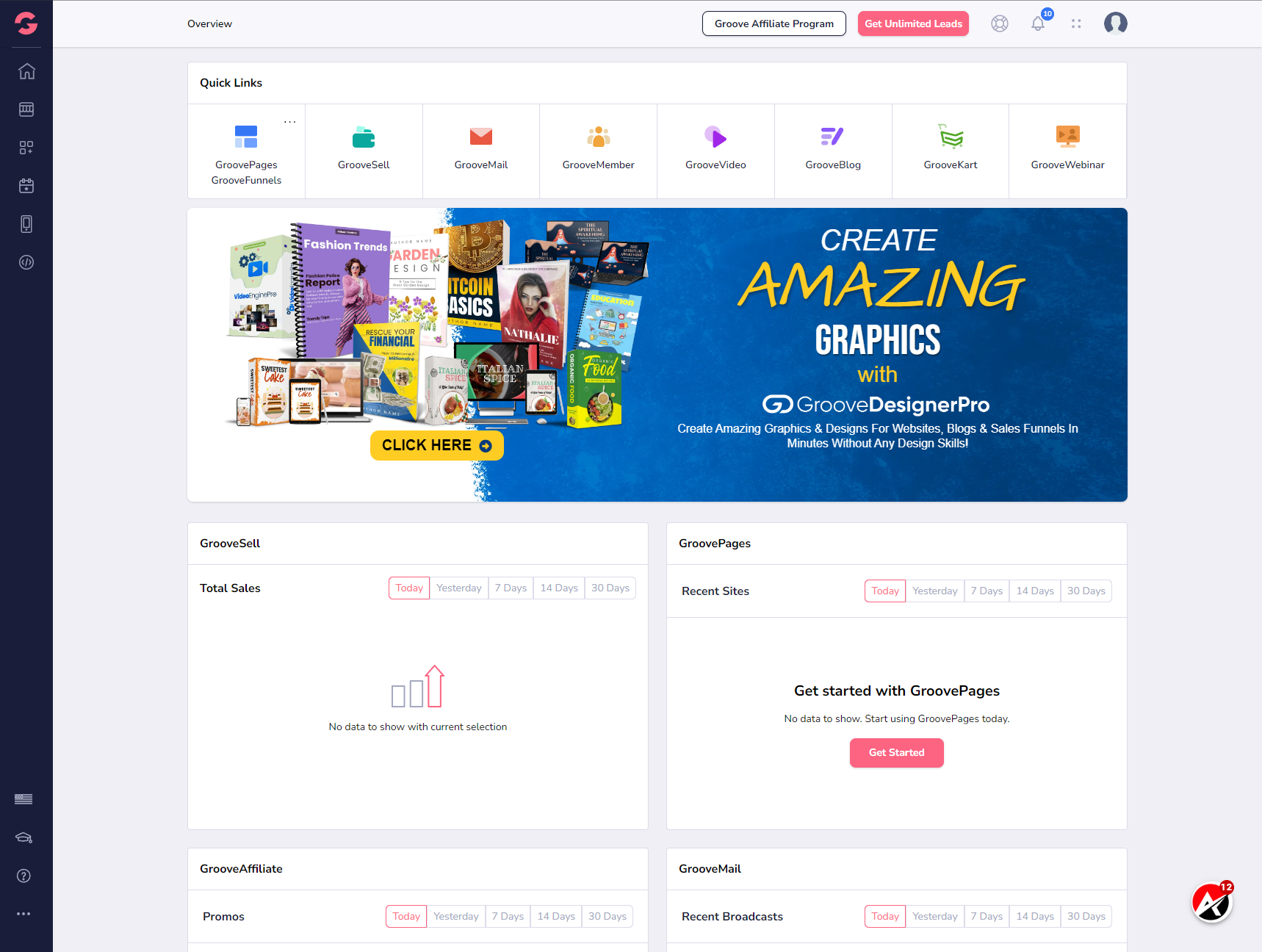
11. Once you are there, select the Groove Pages
Once you are there, select the Groove Pages
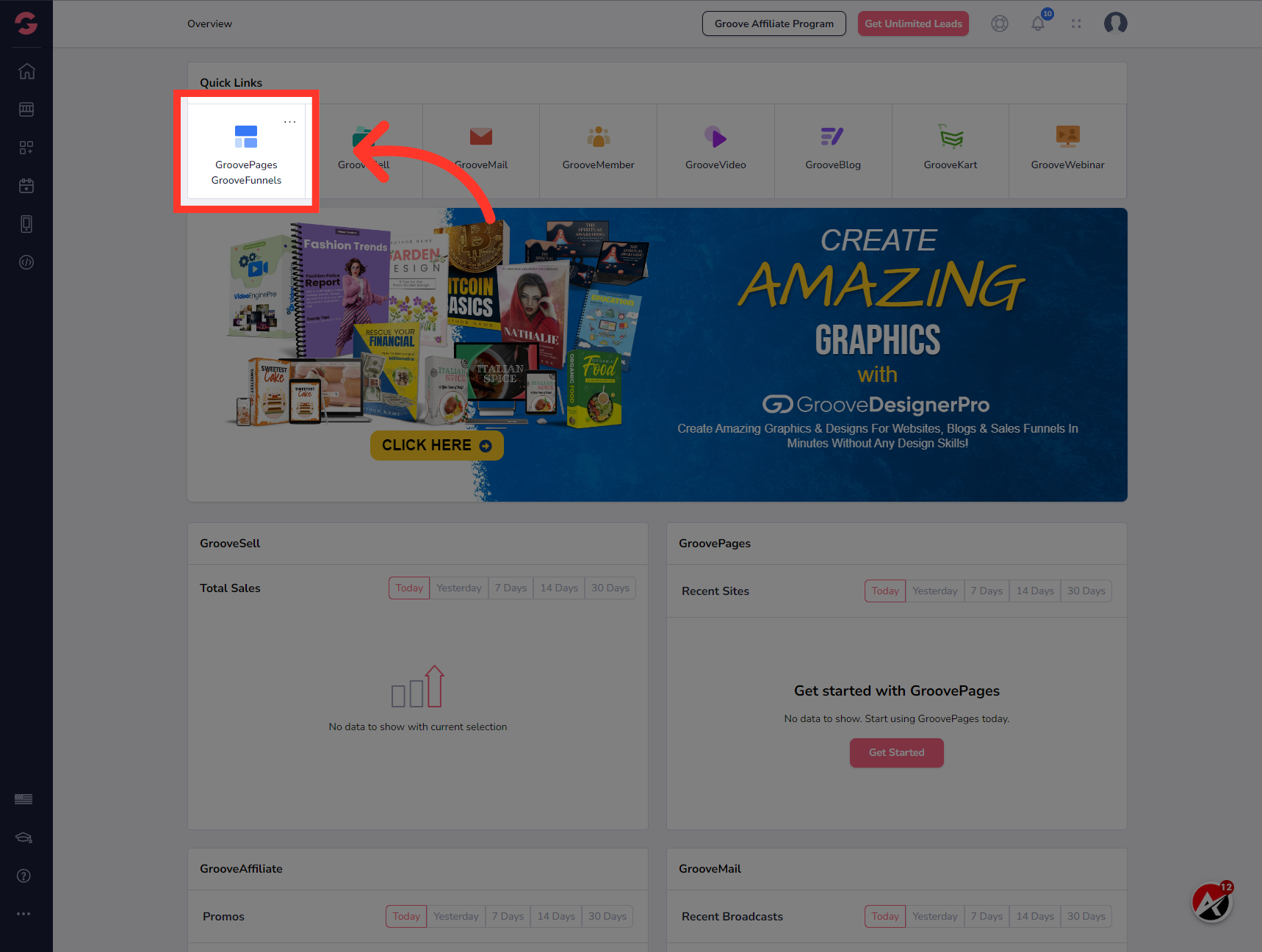
12. Click "Manage Site"
Select the funnel you want to install the code to and Click the Manage site button.
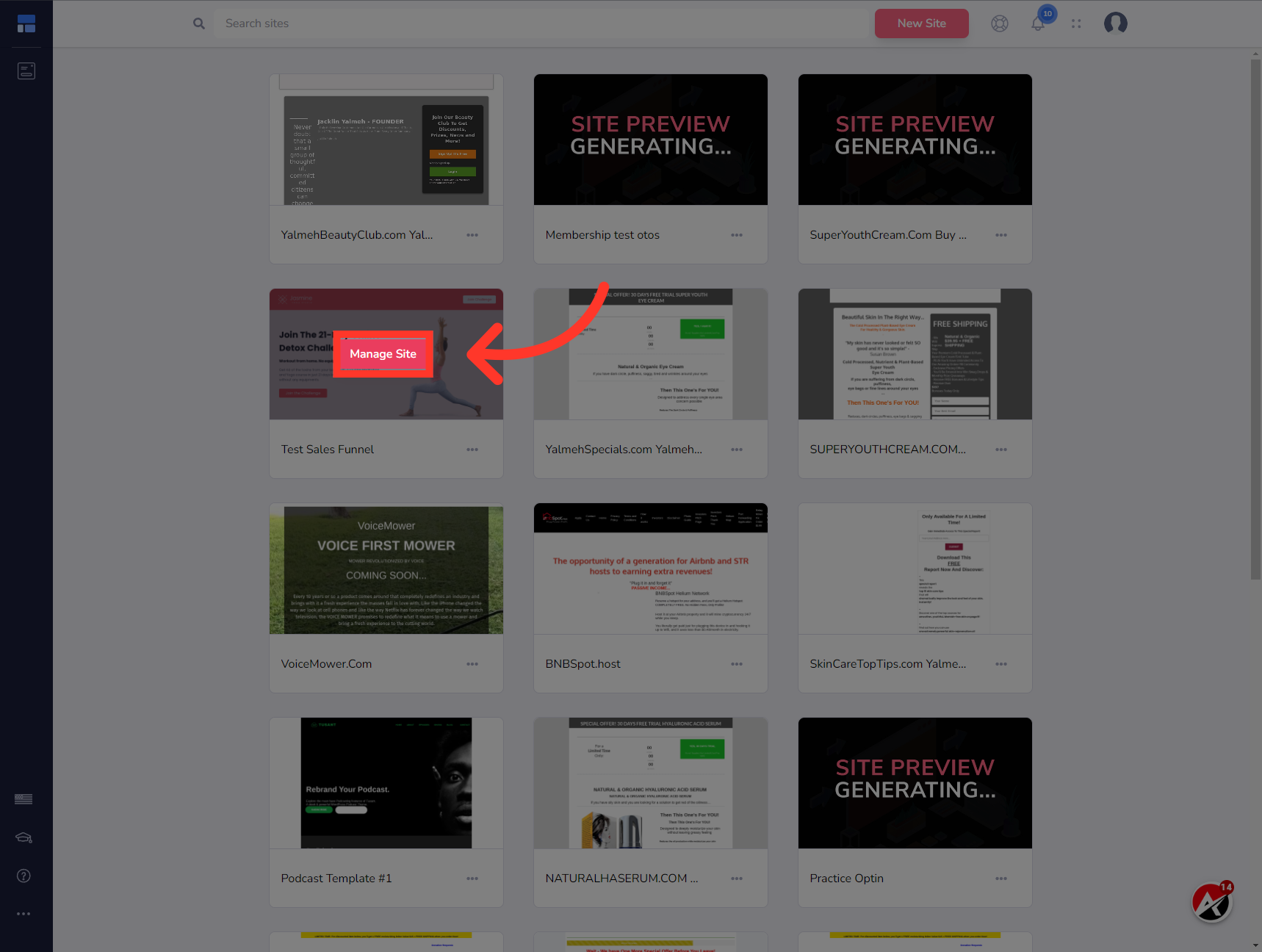
13. Click here
Navigate to the settings menu from the left menu bar.
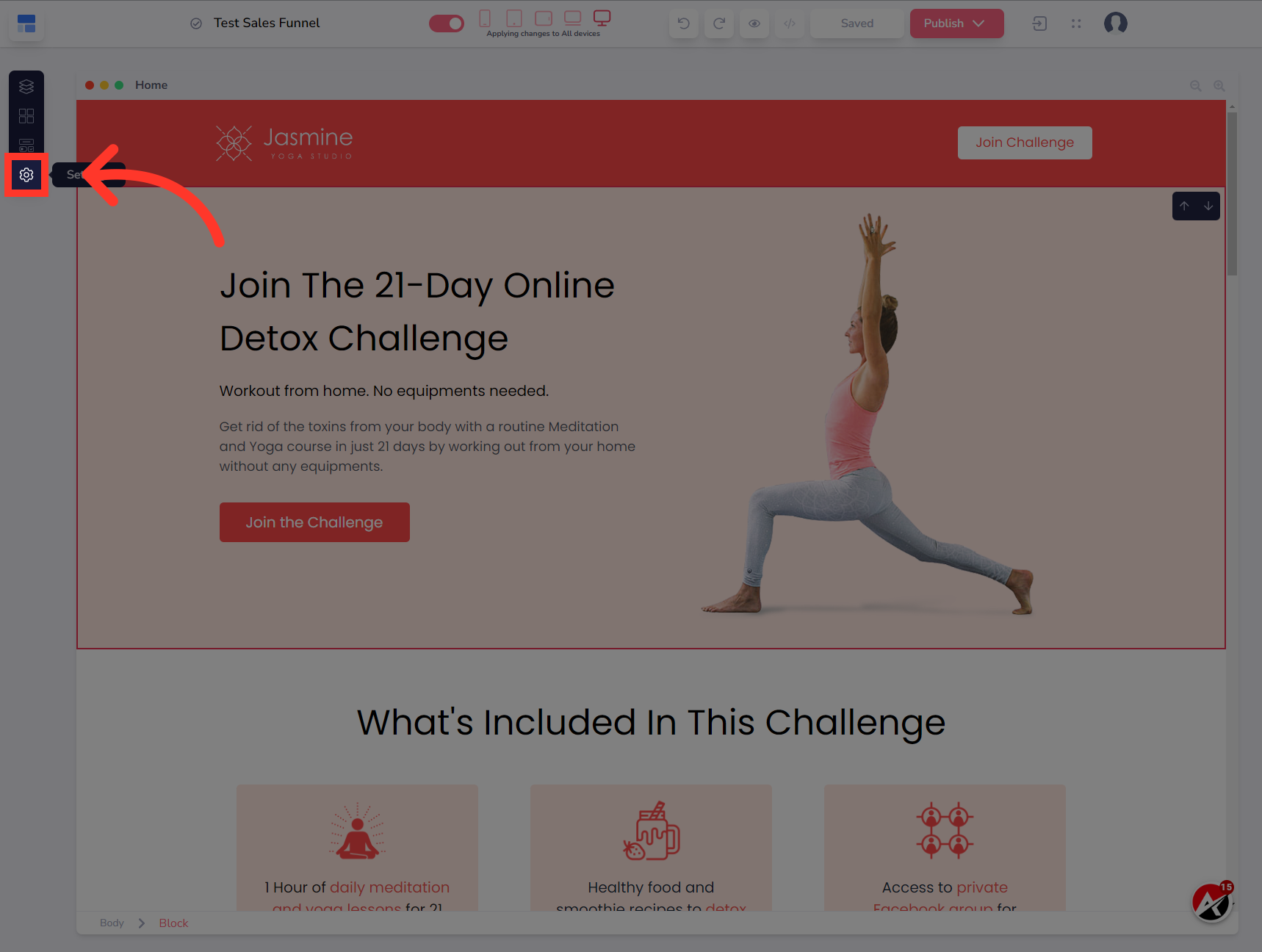
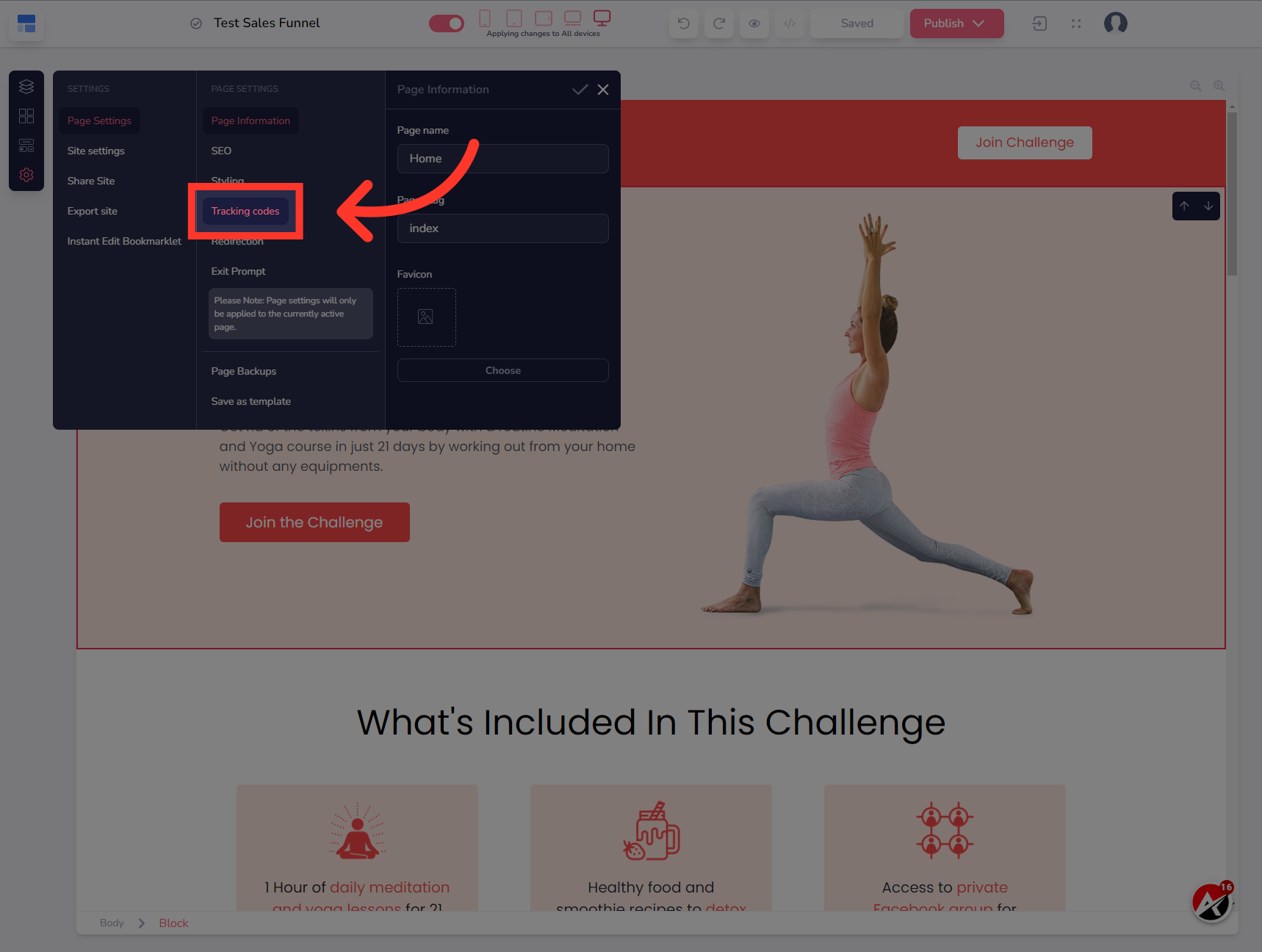
14. Click "Tracking codes"
Click on "Tracking codes"
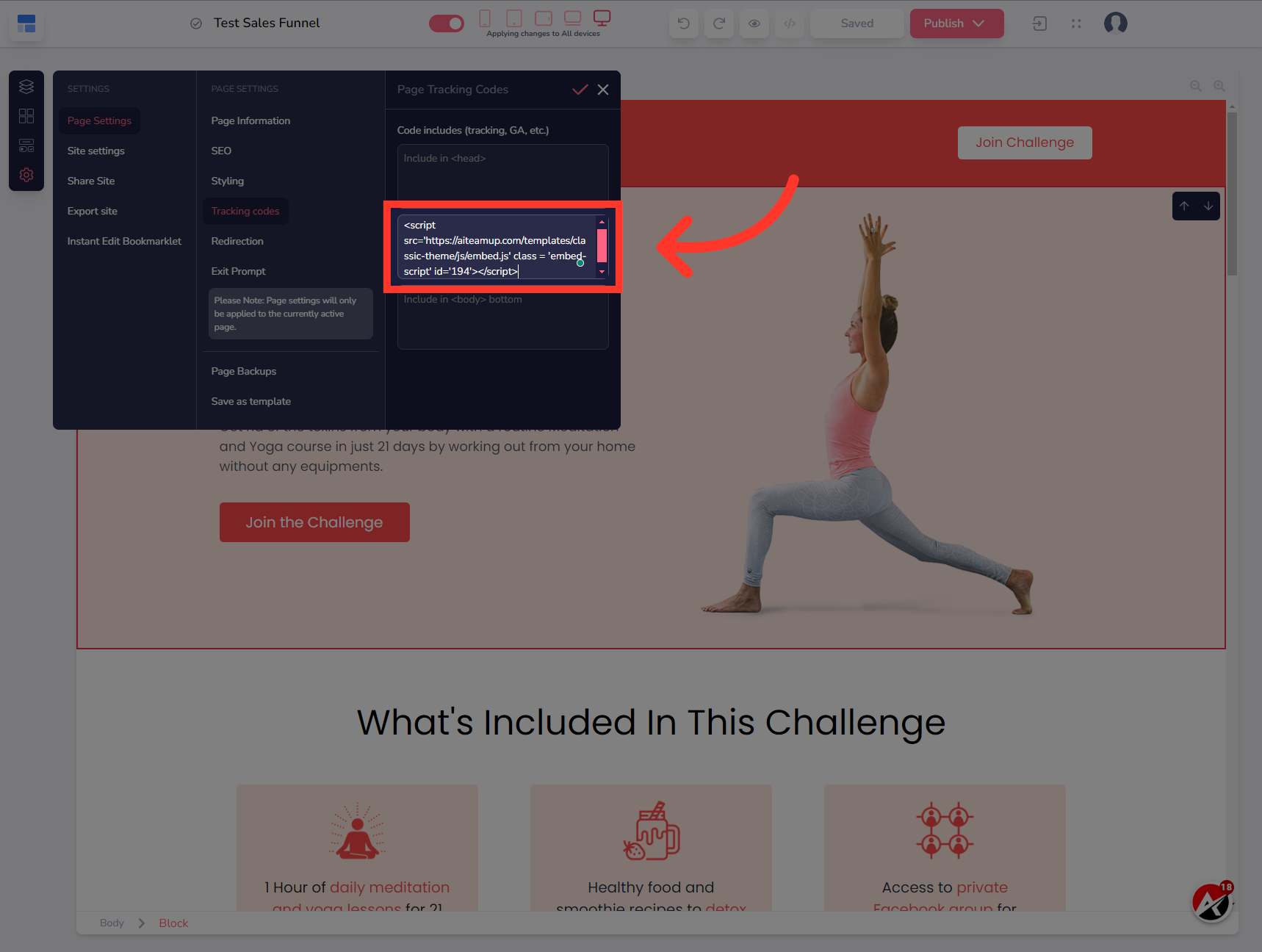
15. Enter the previously copied code to the body tracking code field.
Enter the previously copied code to the body tracking code field.
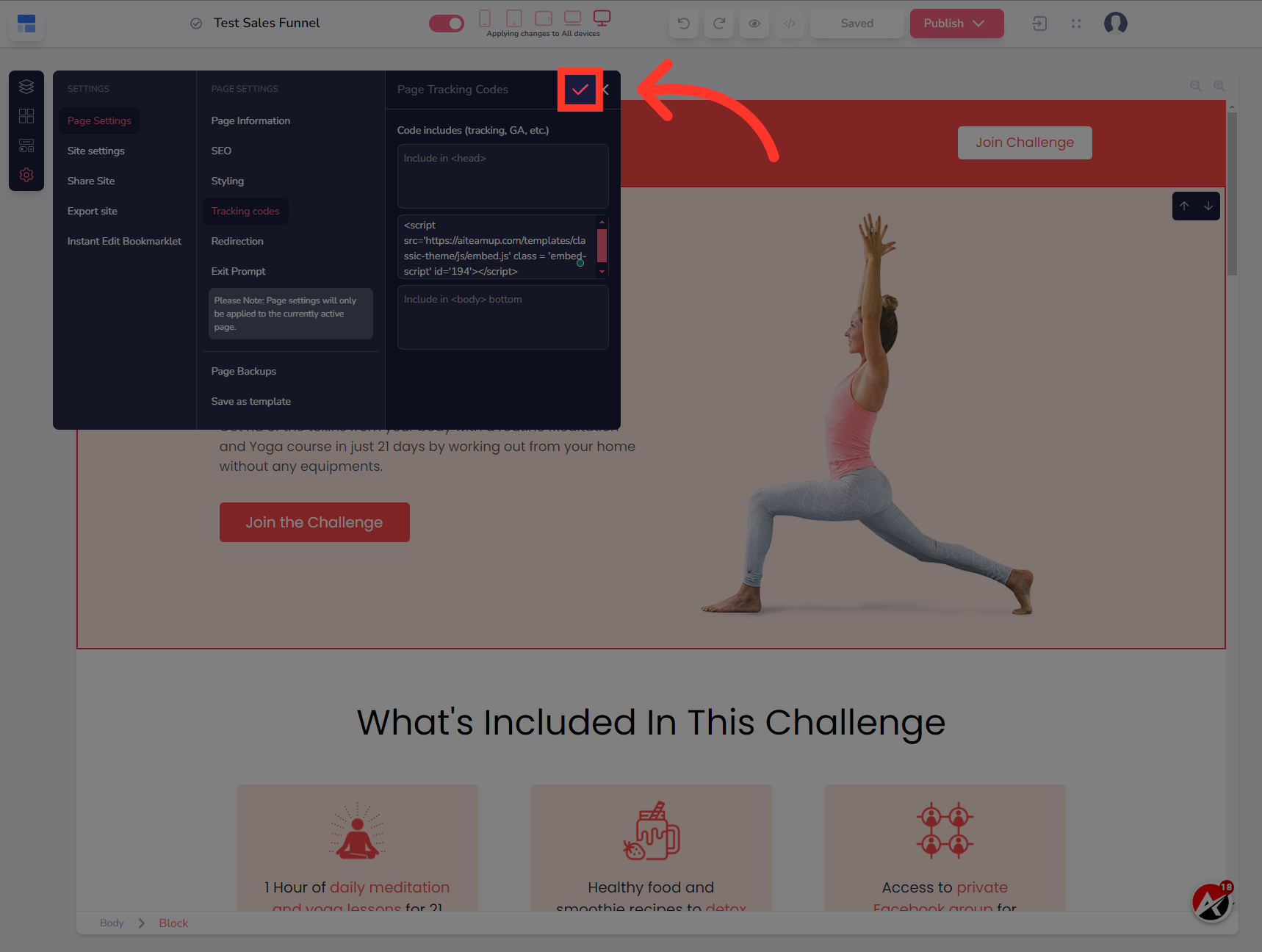
16. Click here
Save your changes by selecting this button.
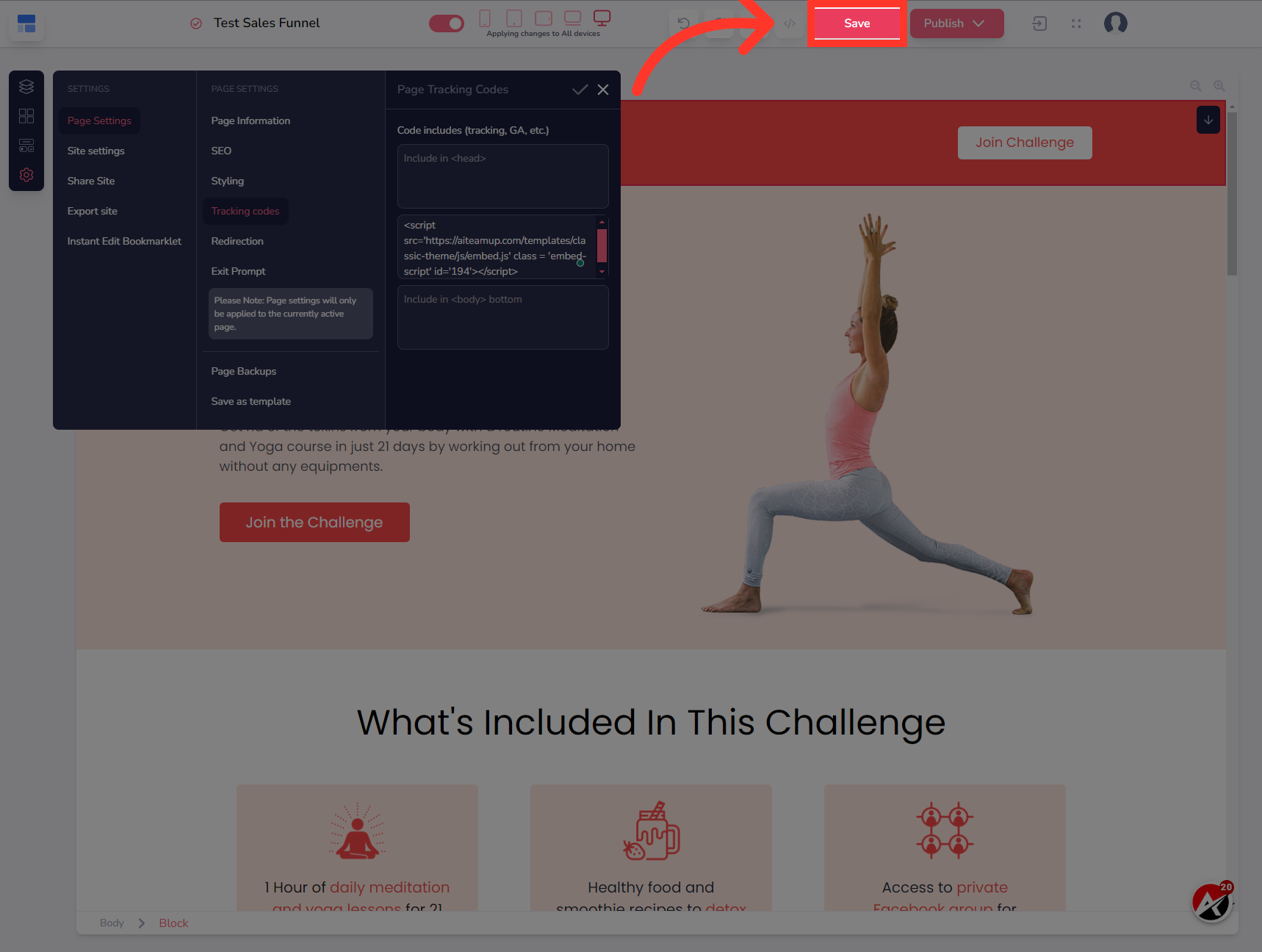
17. Click "Save"
Select the "Save" option
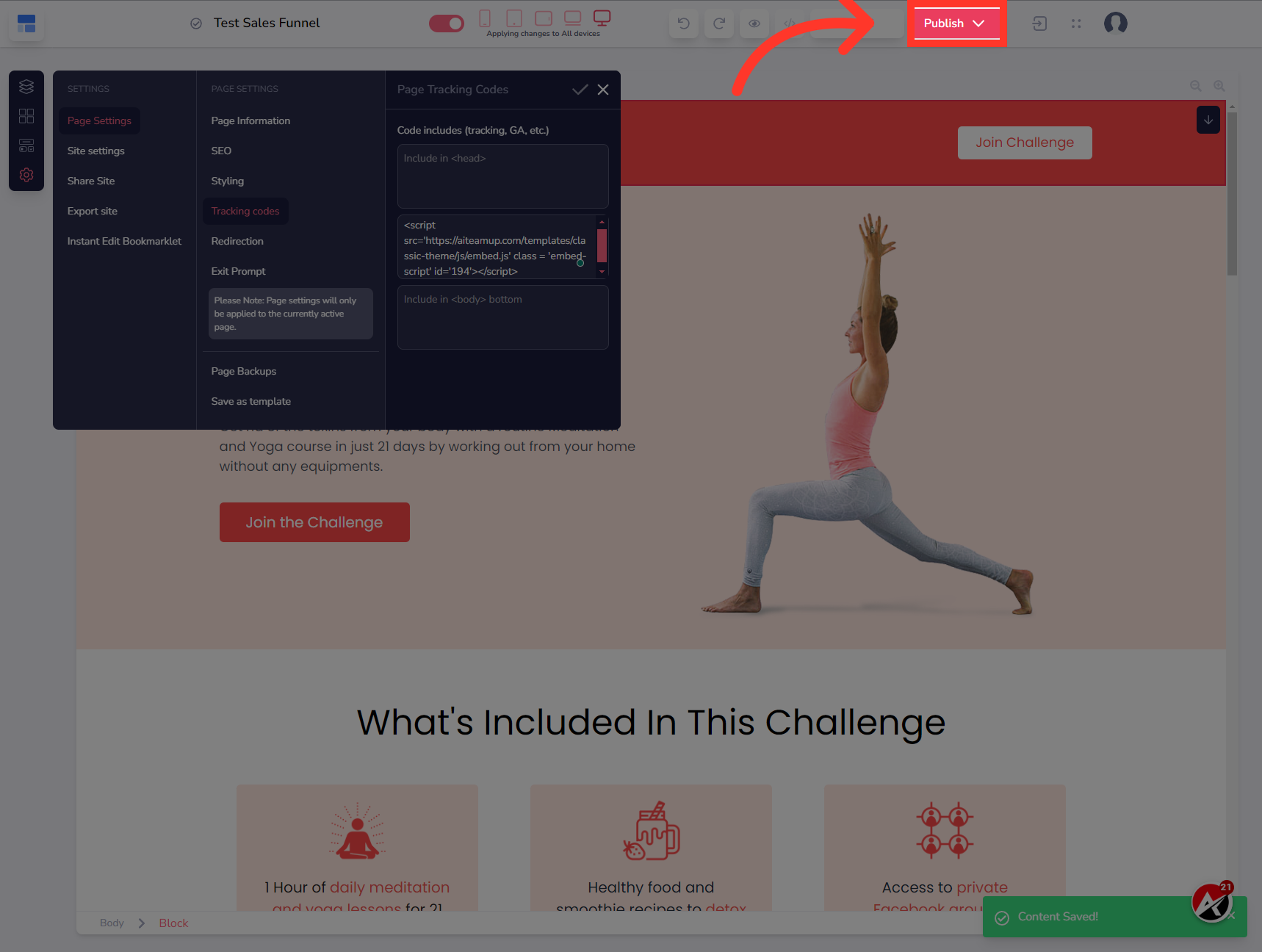
18. Click "Publish"
Then Choose the "Publish" option
In this guide, we covered the step-by-step process of embedding UAI lead agents in Groove funnel. By following these instructions, you can easily integrate UAI lead agents into your Groove funnel and optimize your employee training workflow.

AI Team Up
AI Team Up