
 ENGLISH (US)
 ESPAÑOL
How to use AI TeamUp Templates to write a professional paragraph
In this guide, we will walk you through the steps to How to use AI TeamUp Templates to write a professional paragraph using the Aiteamup applications.
Go to aiteamup.com
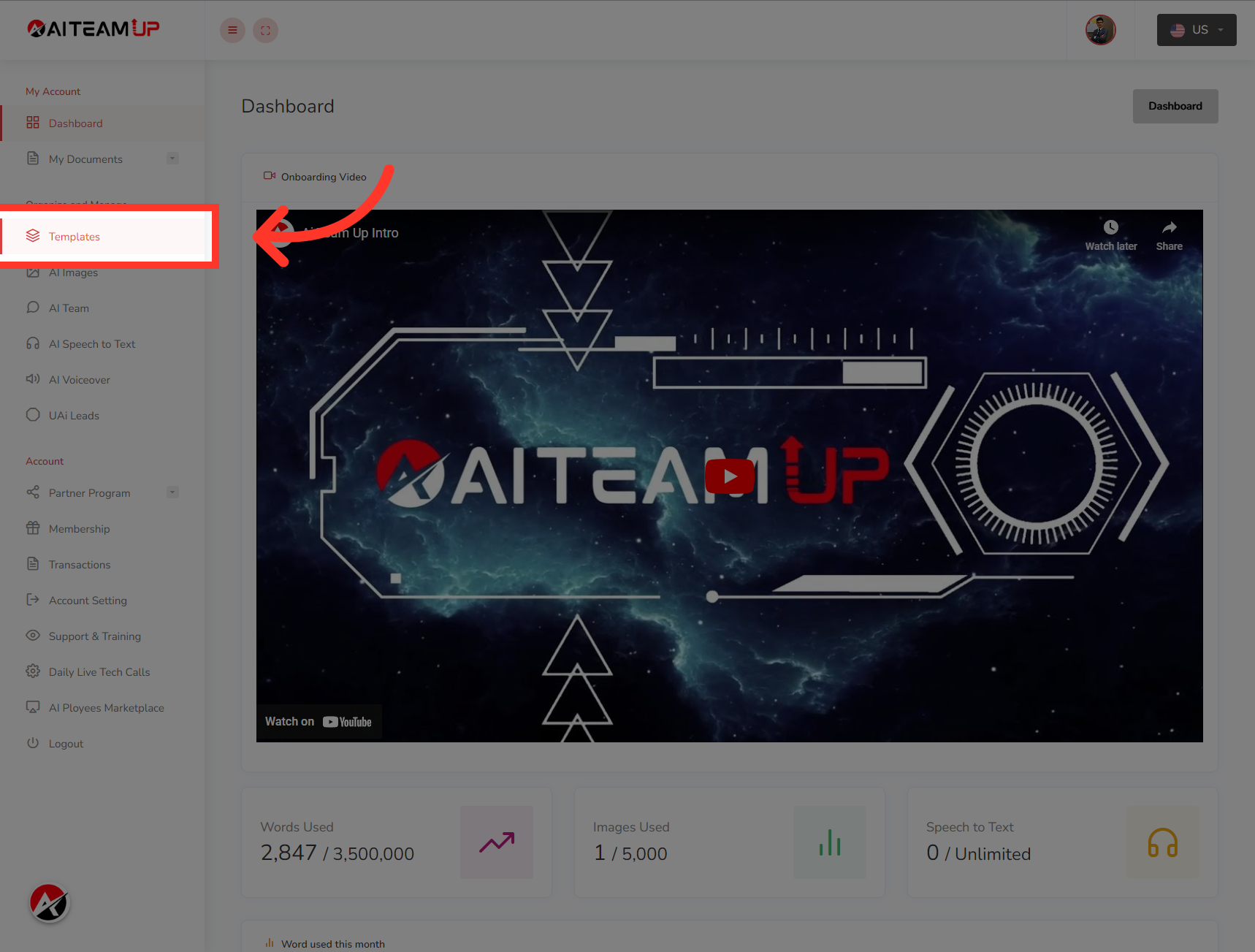
1. Login to your AI TeamUp account and Access the Templates section.
Login to your AI TeamUp account and Access the Templates section.
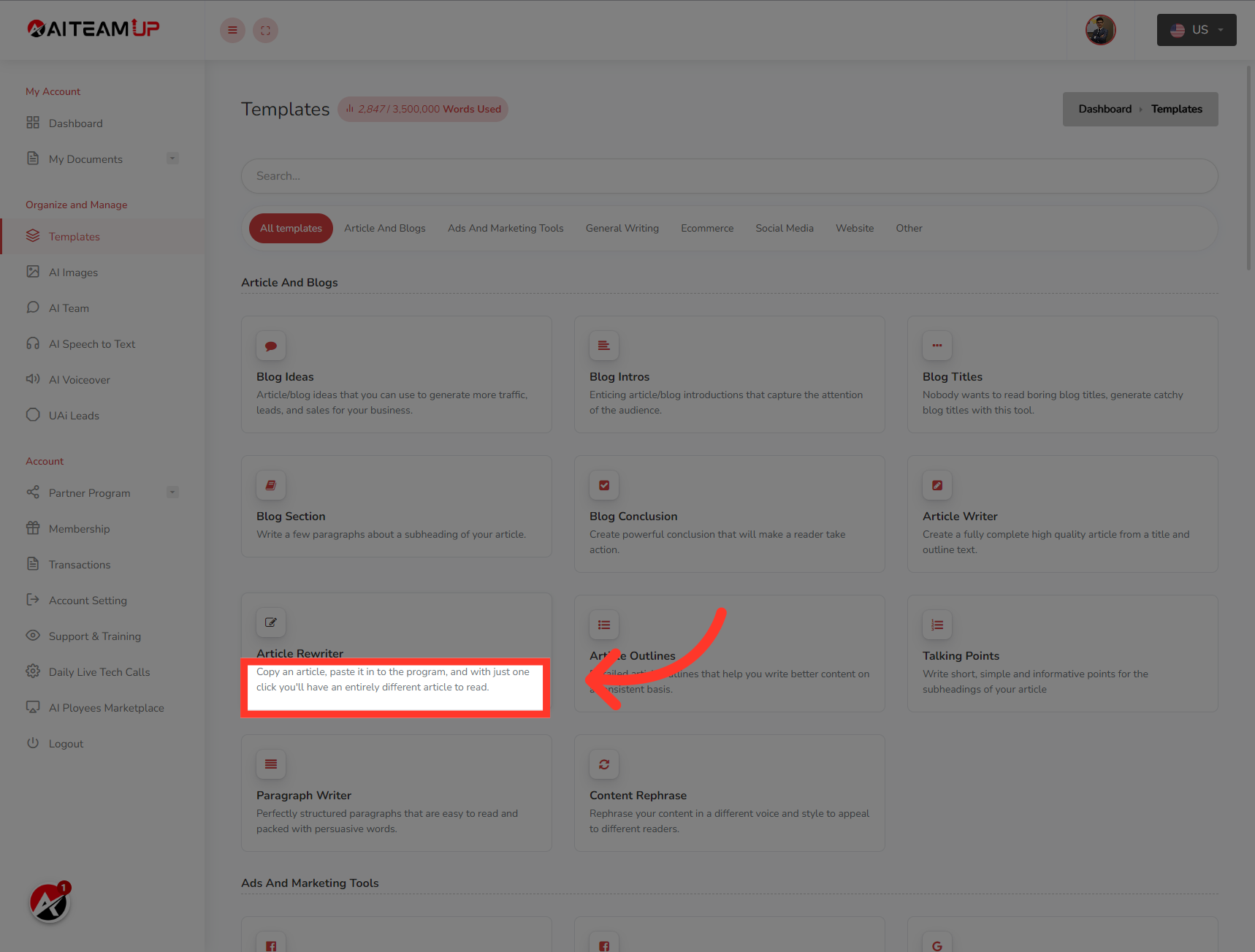
2. Navigate to "Article Re-Writer." template and open it.
Navigate to the "Article Re-Writer." template and open it.
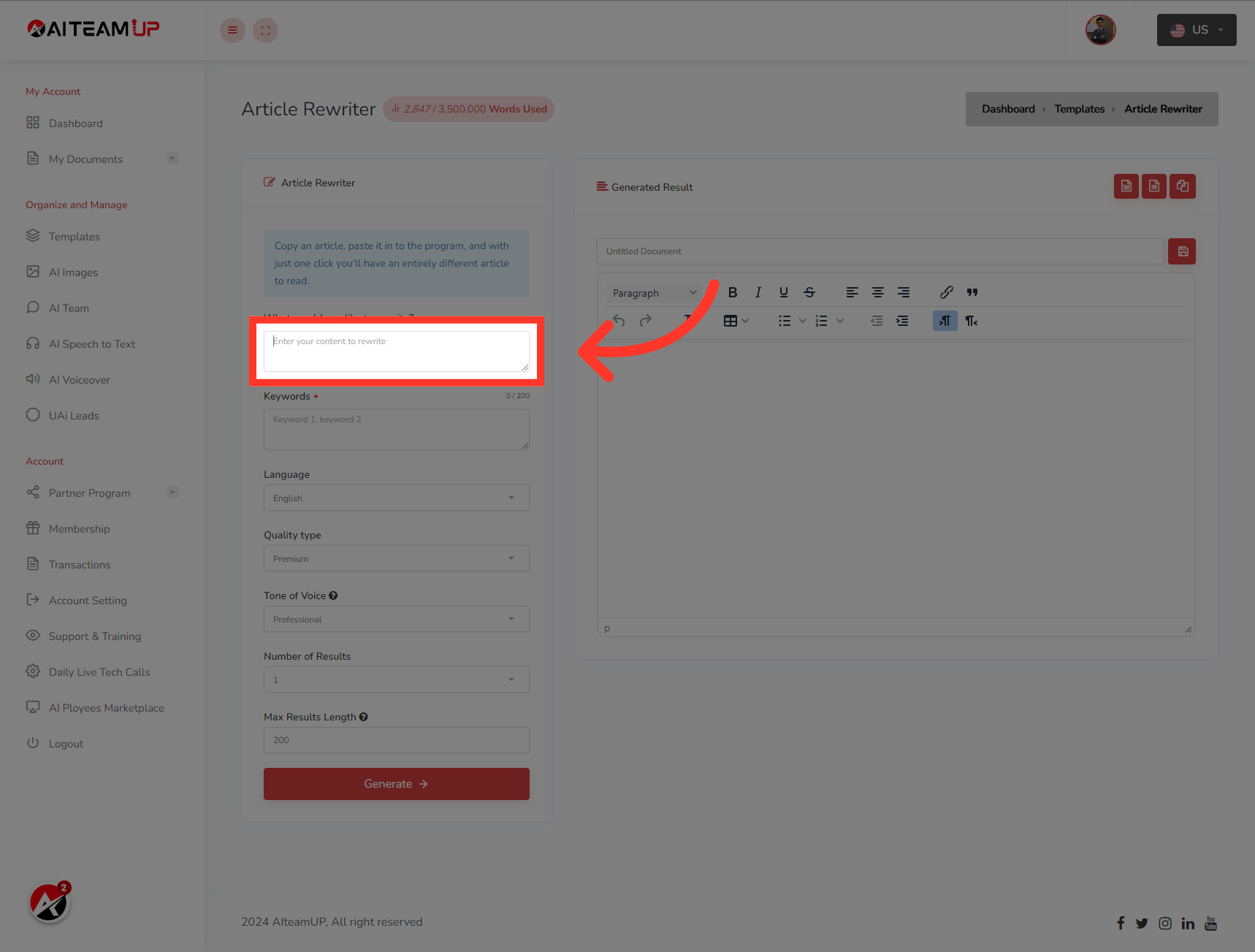
3. Enter your content on "Enter your content to rewrite" field
Enter your content on "Enter your content to rewrite" field
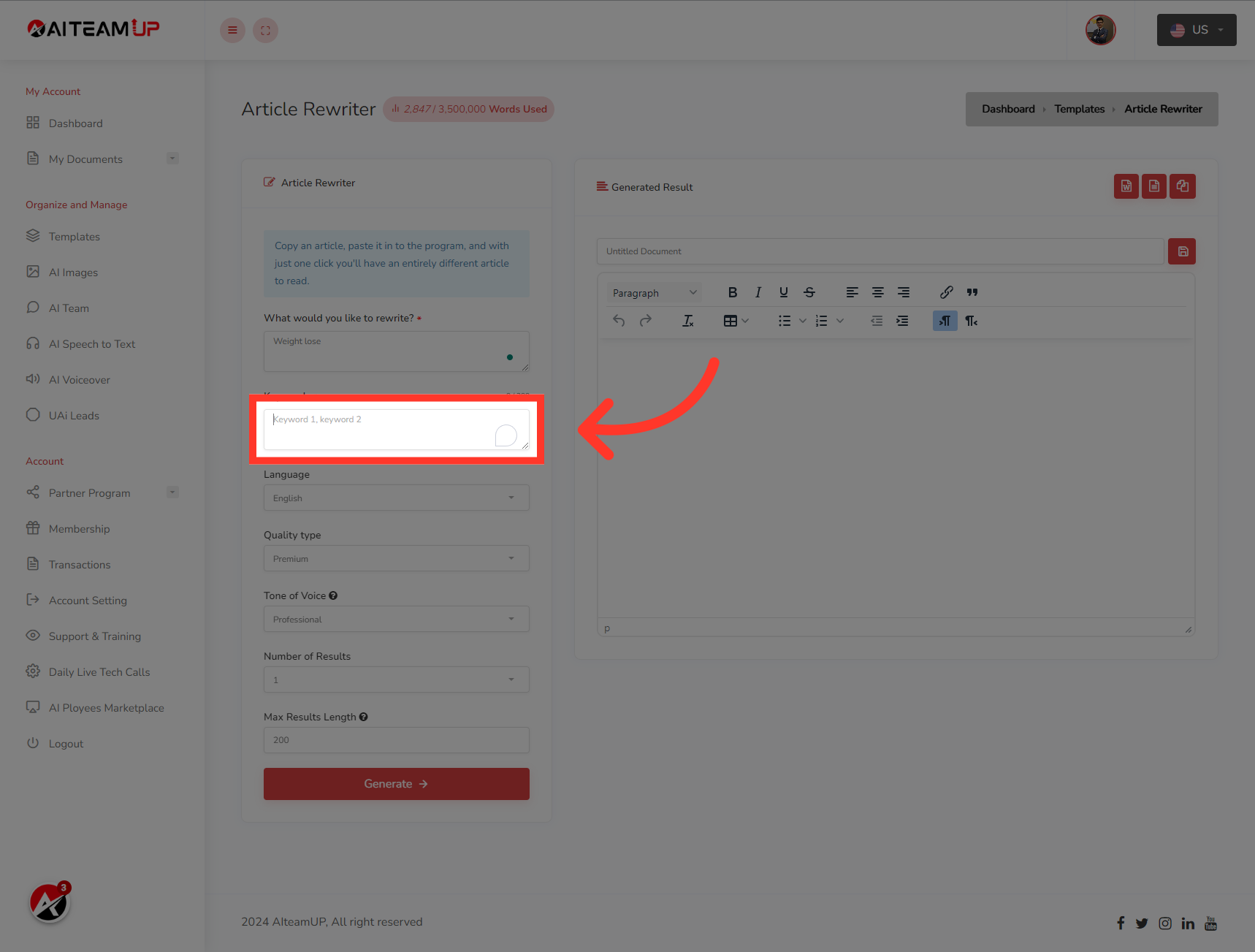
4. Enter the keywords that you want to include within the articles.
Enter your keywords that you want to include within the articles.
5. Select your preferred Language
Select your preferred Language
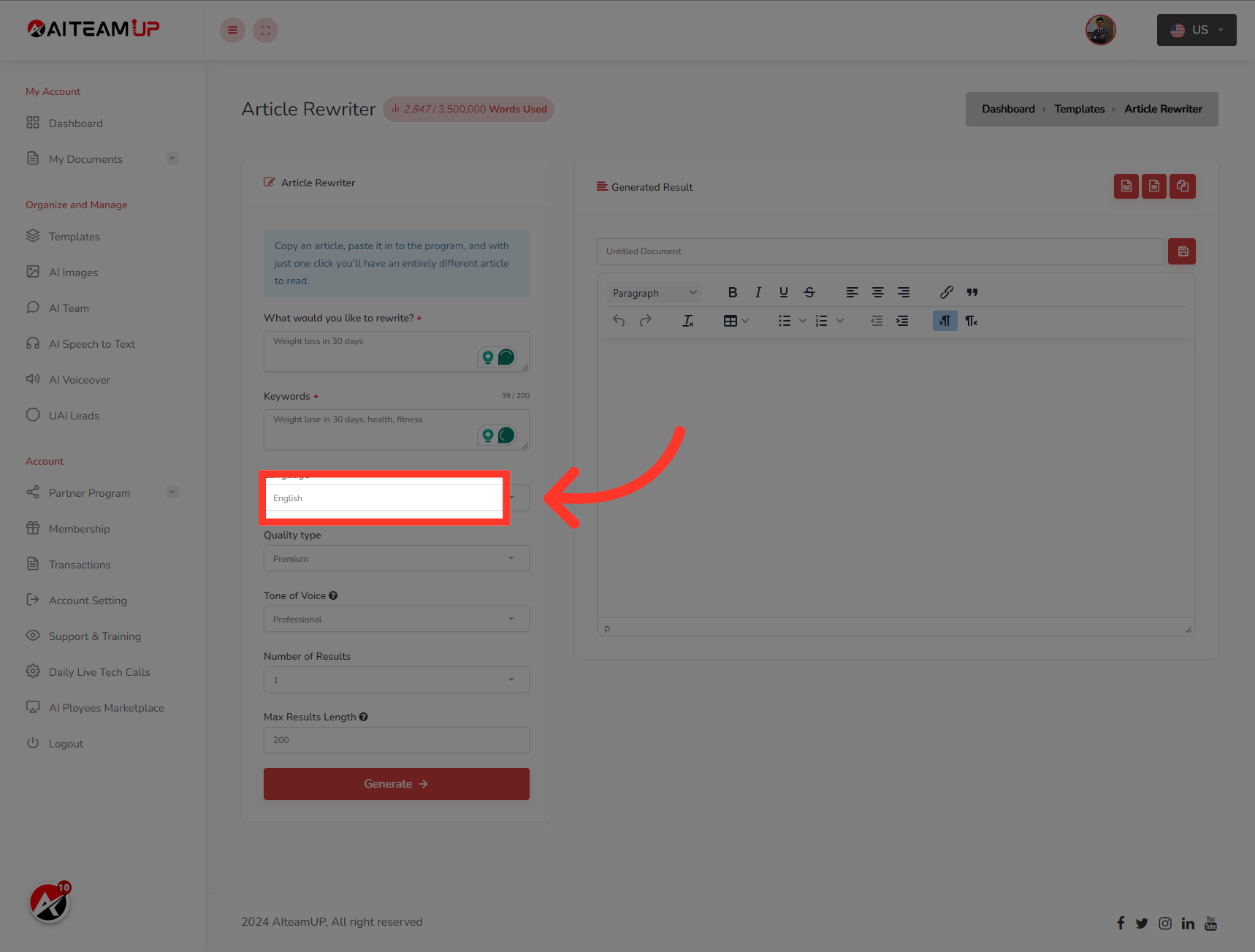
6. Choose the types of output you like.
Choose the types of output you like.
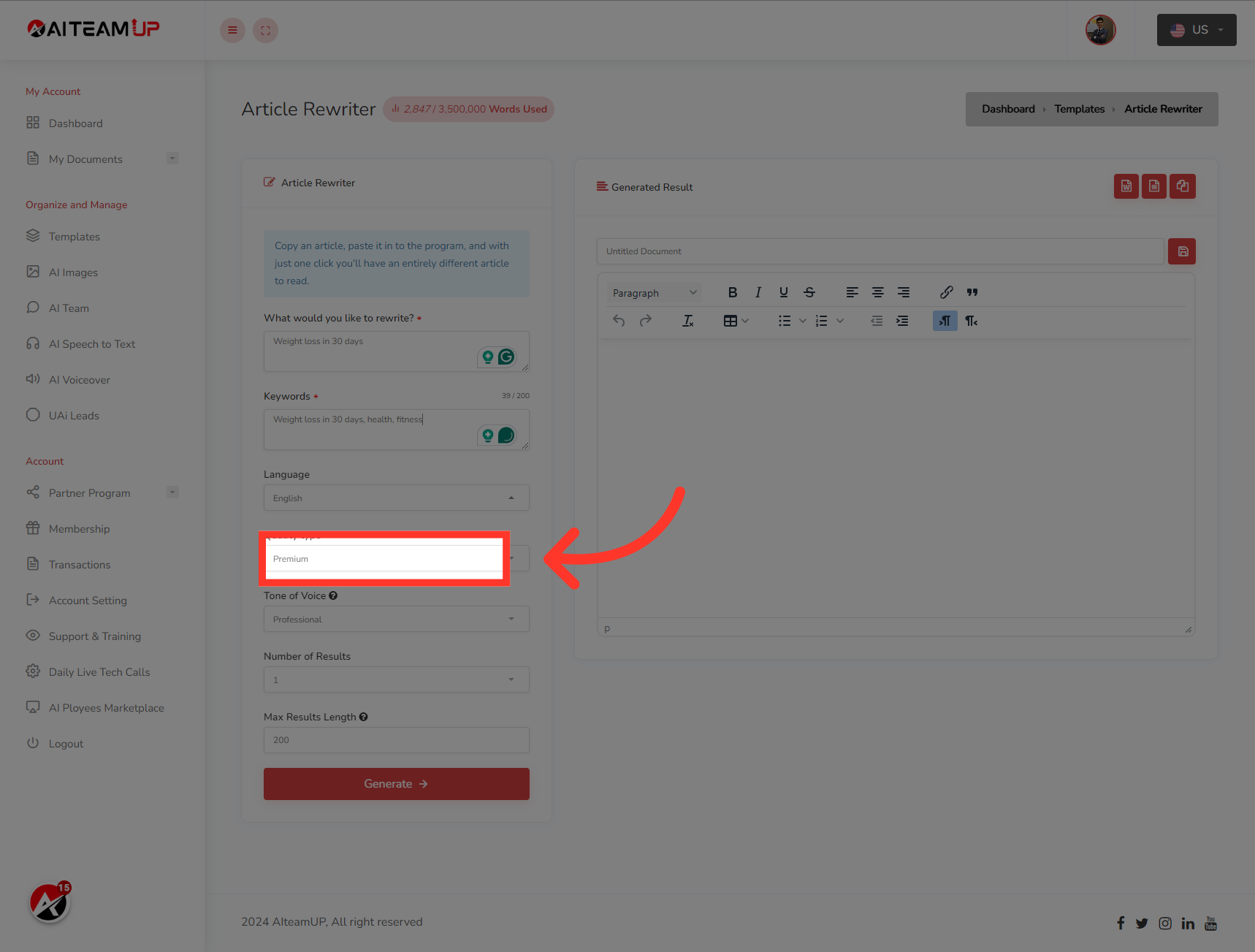
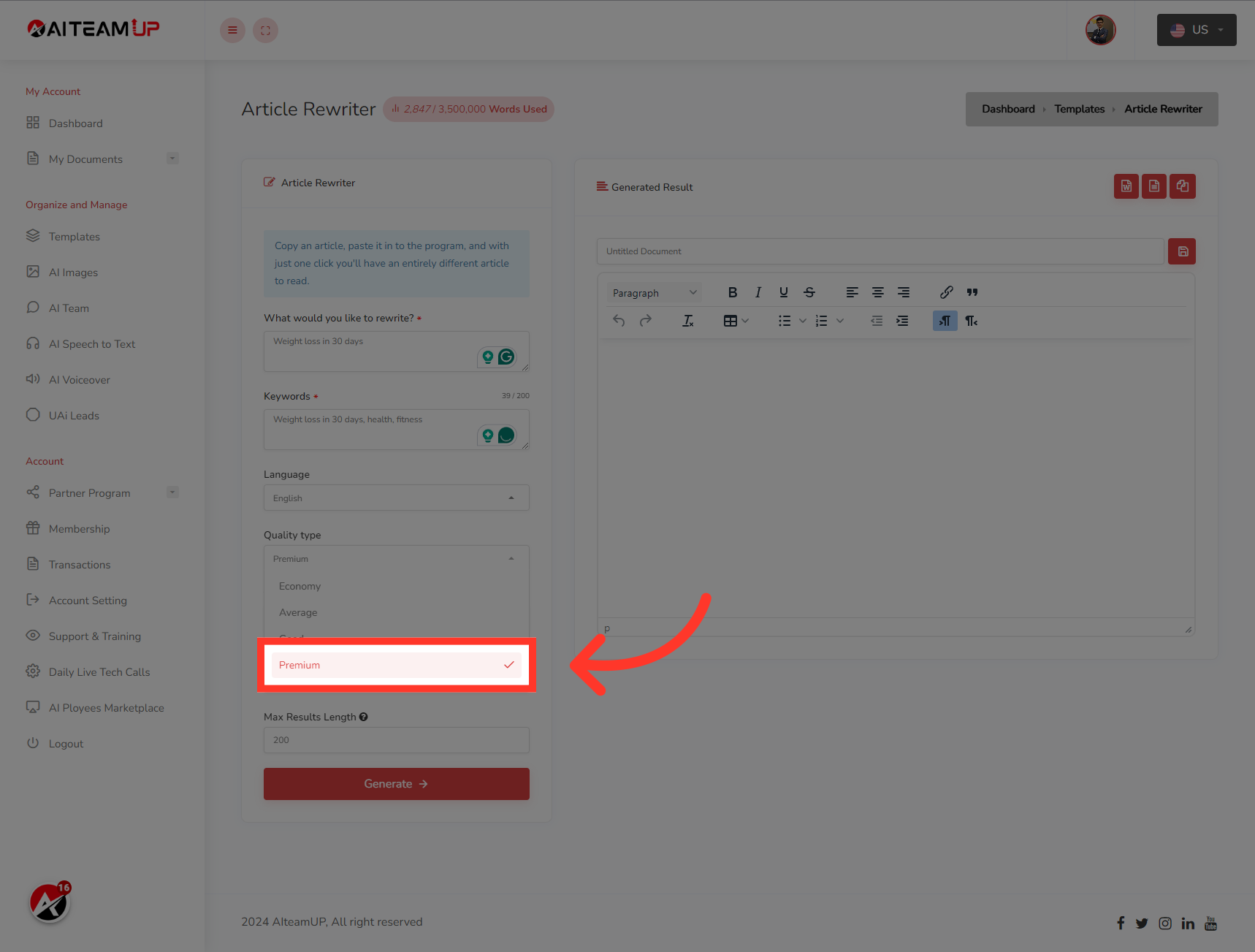
7. Choose the types of output you like.
Choose the types of output you like.
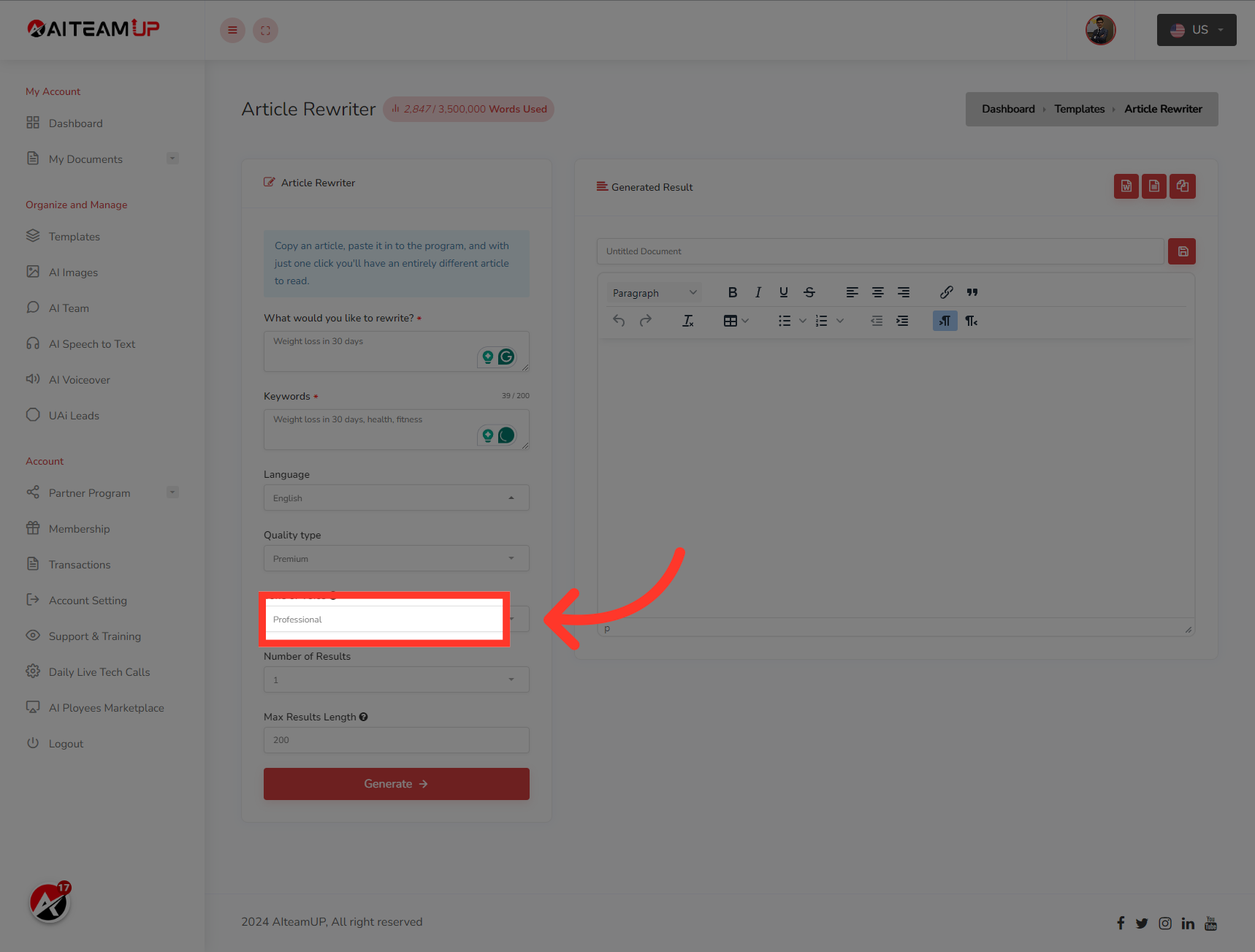
8. Select your preferred output tone of voice.
Select your preferred output tone of voice.
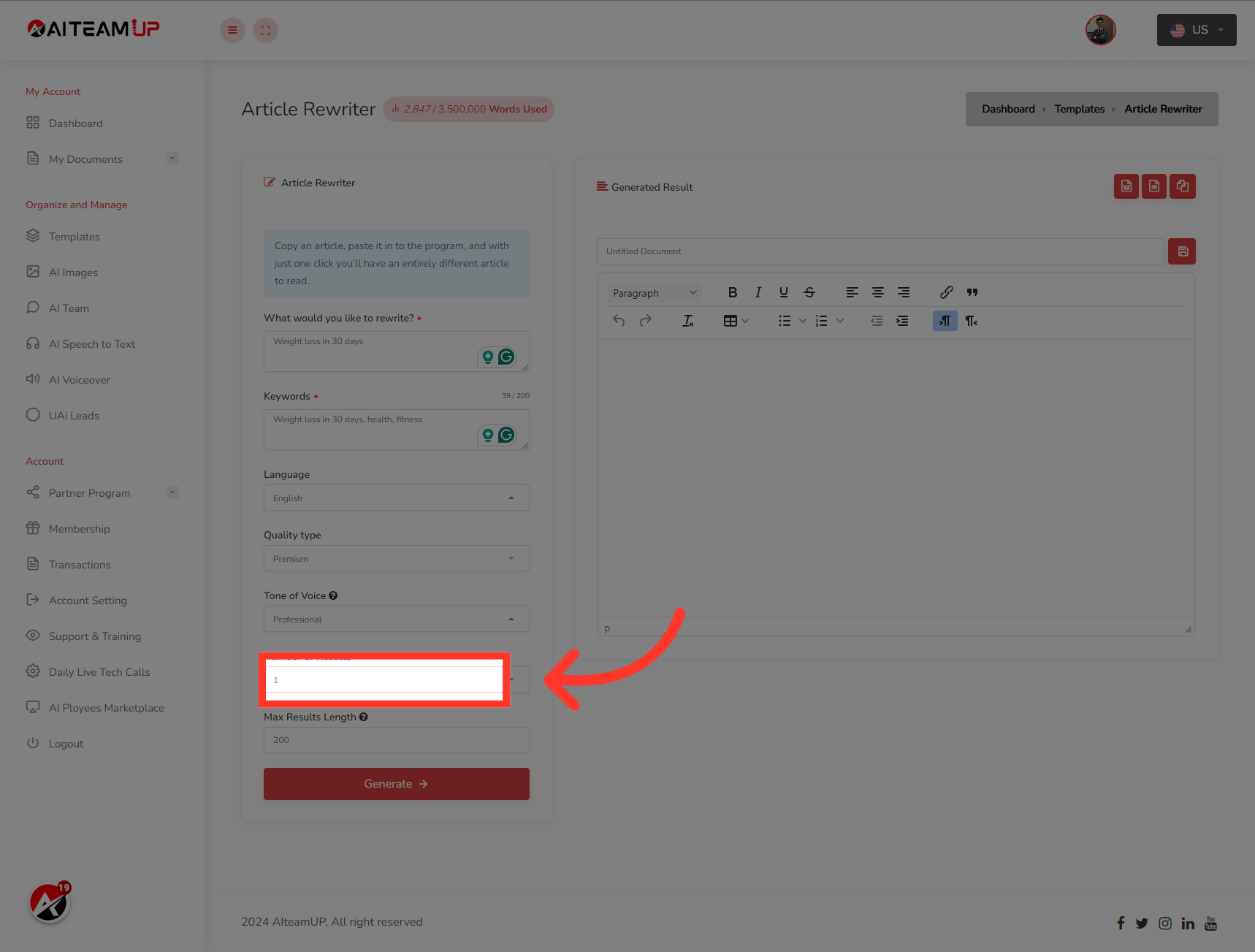
9. Select the number of results and variations you would like to generate.
Select the number of results and variations you would like to generate.
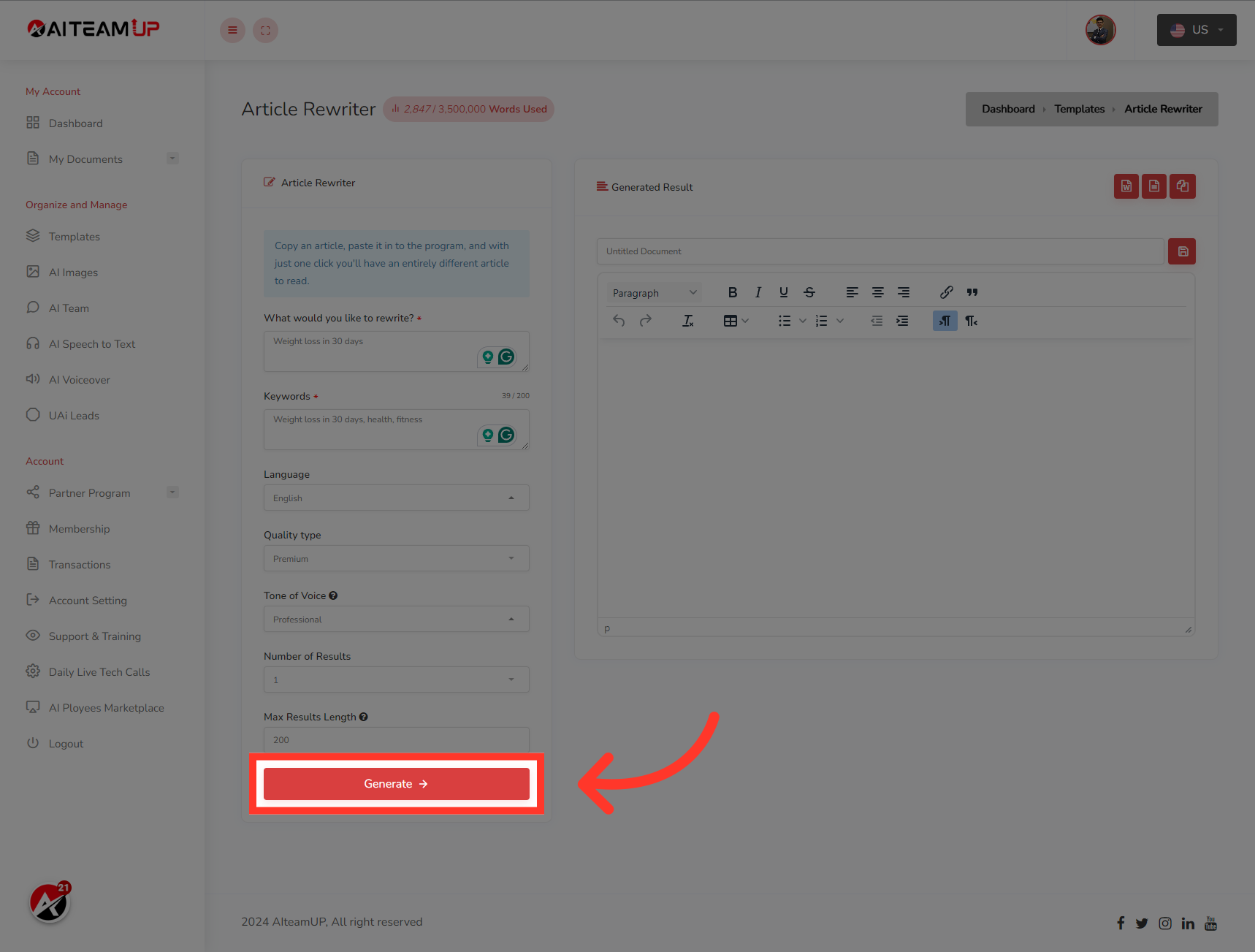
10. Click "Generate"
After that Click on the "Generate" button
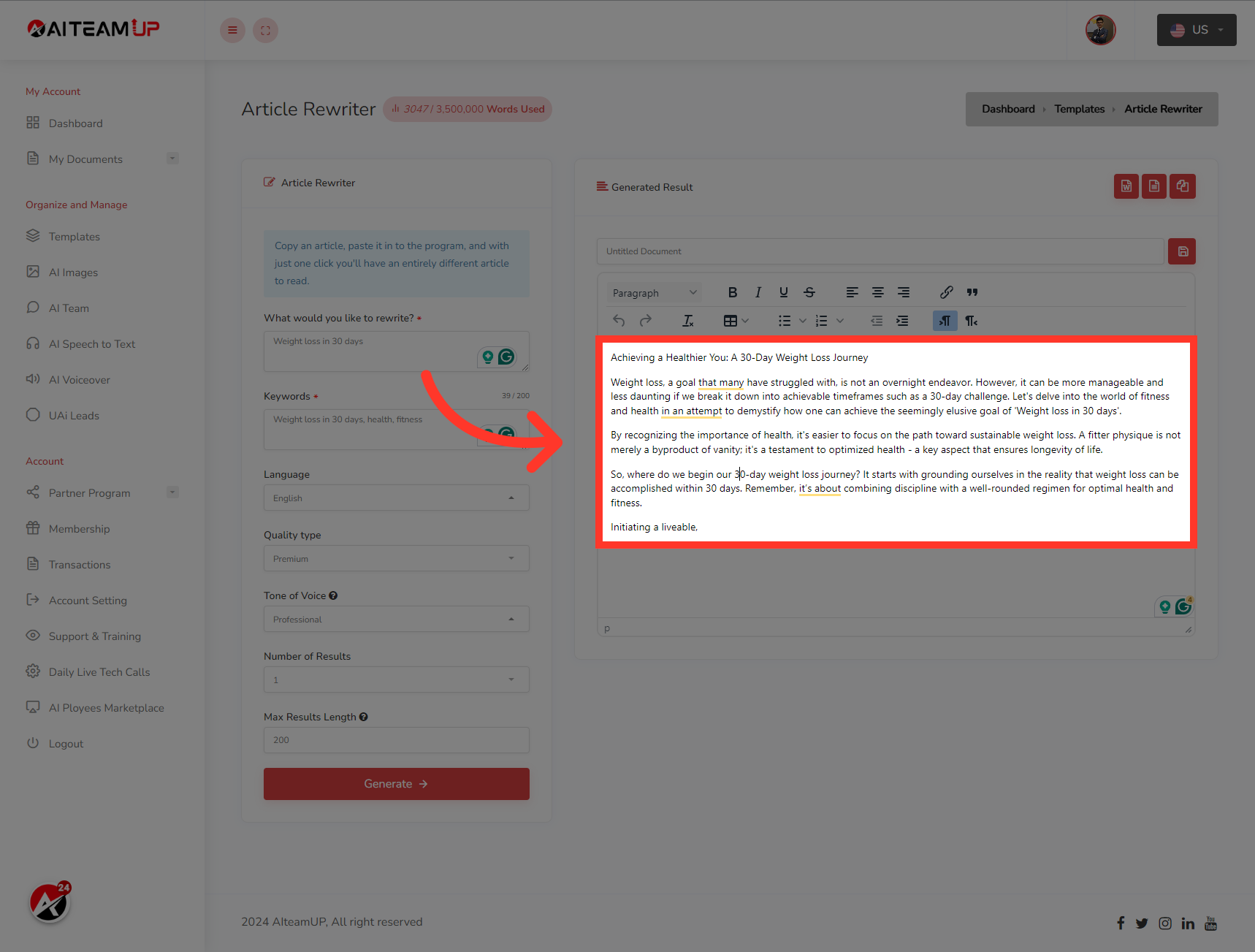
11. After that, you will be able to see the generated result on the right side.
After that, you will be able to see the generated result on the right side.
This guide covered the steps required to How to use AI TeamUp Templates to write a professional paragraph in Aiteamup.

AI Team Up
AI Team Up