
 ENGLISH (US)
 ESPAÑOL
How to use AI TeamUp Templates to write attractive talking points
Unlock the potential of AI TeamUp Templates for crafting captivating talking points effortlessly. This guide will walk you through the process of accessing, selecting templates, filling in details, and generating engaging content in just a few clicks.
Go to aiteamup.com
1. Click "Templates"
Login to your AI TeamUp account and Access the Templates section.

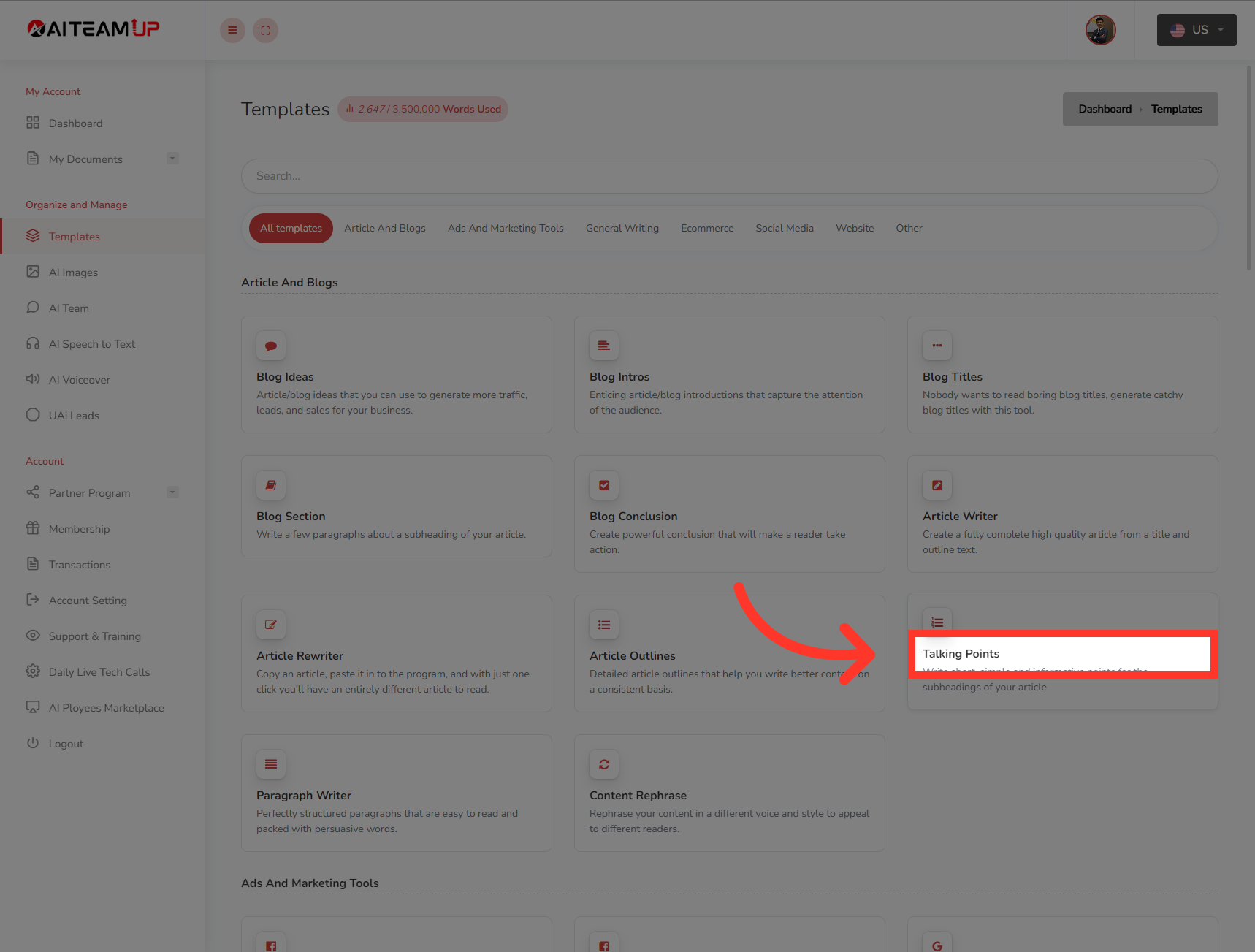
2. Click "Talking Points"
Select the "Talking Points" option.
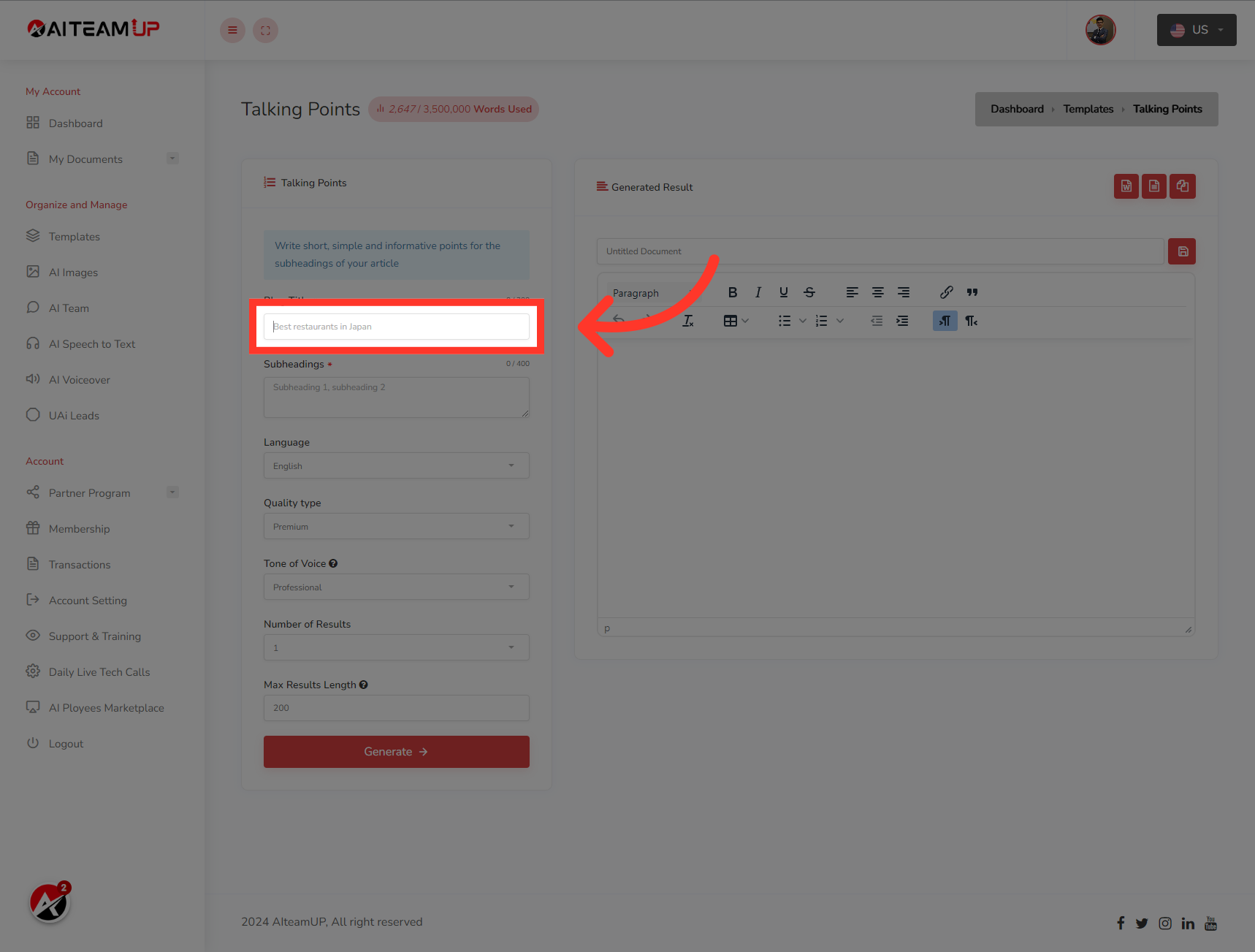
3. Insert the topics of your content
Insert the topics of your content which will be the blog title.
4. Now, insert the subhead lines that you will be using on your blog or video.
Now, insert the subhead lines that you will be using on your blog or video.

5. Select your preferred Language
Select your preferred Language

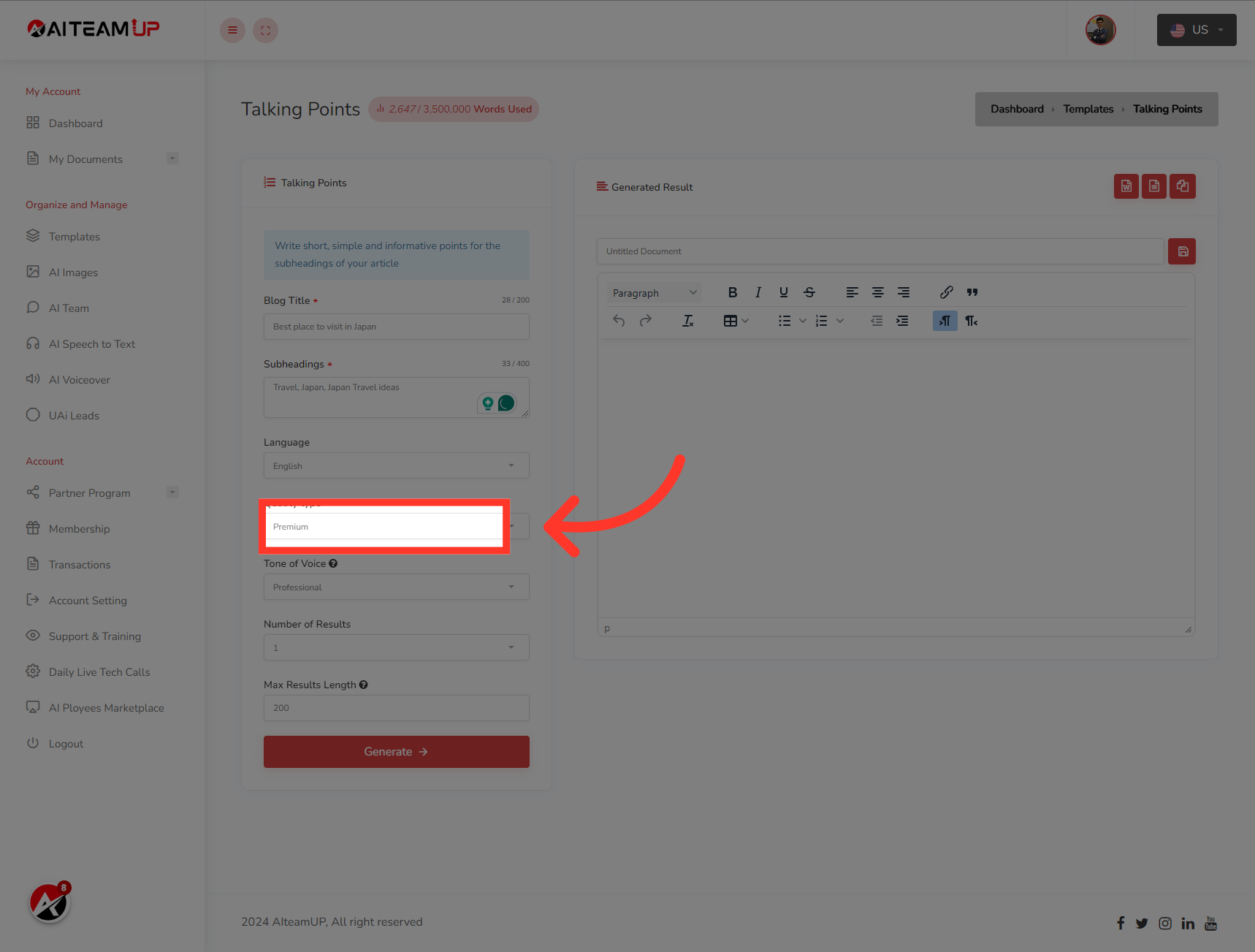
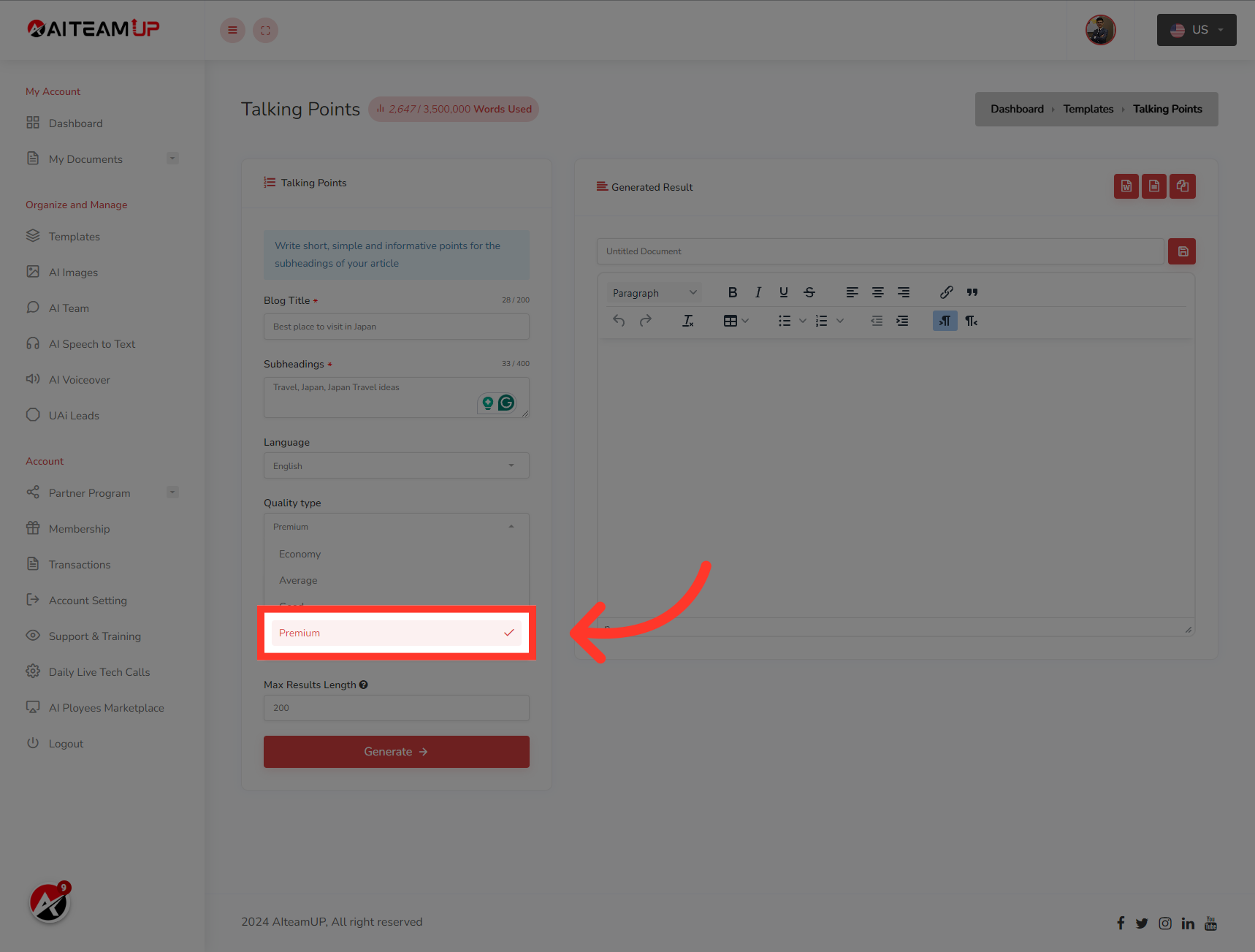
6. Click "Premium"Choose the types of output you like.
Choose the types of output you like.
7. Select your preferred output tone of voice.
Select your preferred output tone of voice.
8. Select the number of results and variations you would like to generate.
Select the number of results and variations you would like to generate.

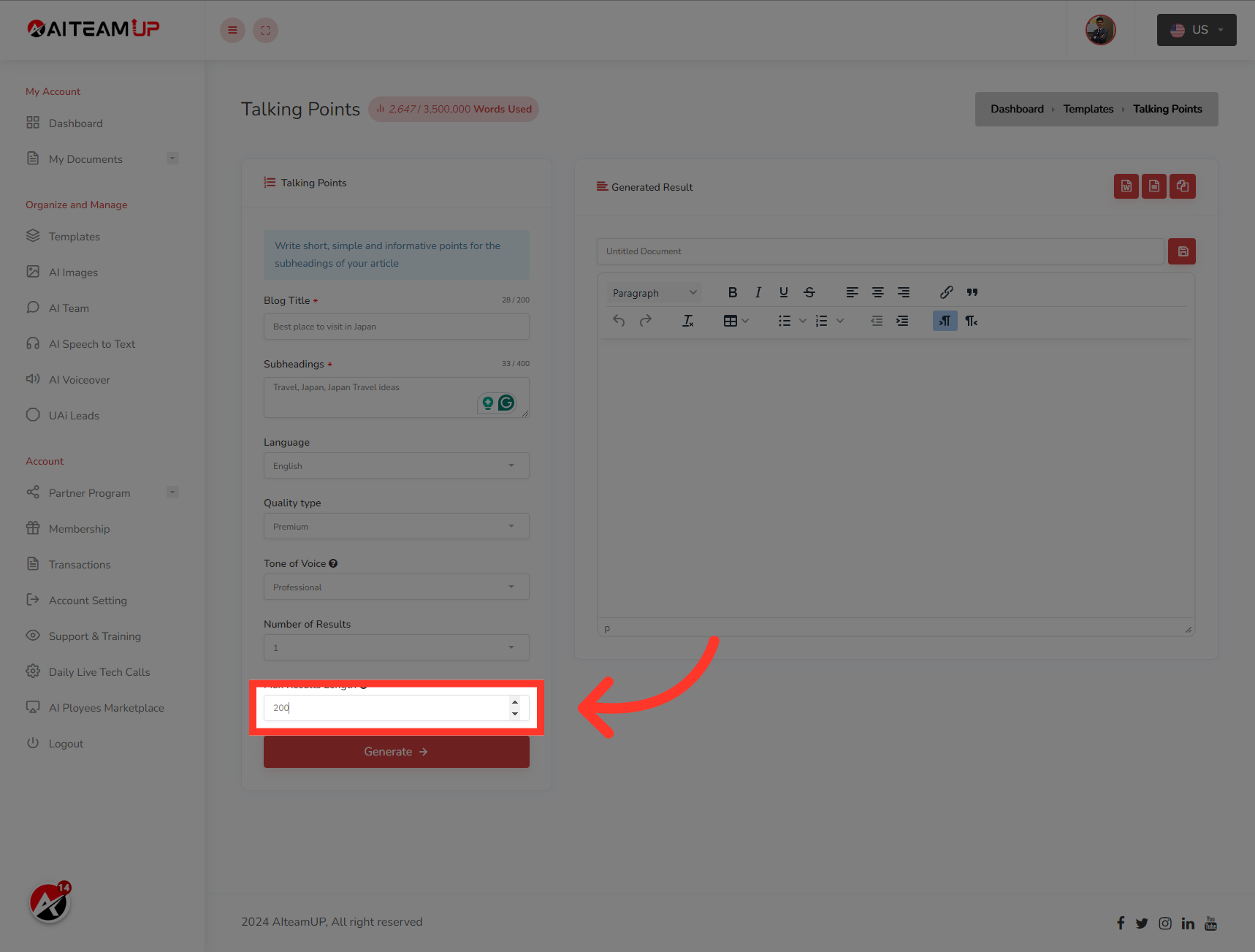
9. Input the result length as you like.
Input the result length as you like.

10. Input the result length as you like.
Input the result length as you like.
11. Click "Generate"
Click on "Generate" to create the talking points.

This guide demonstrated how to make the most of AI TeamUp Templates to create attractive talking points efficiently. From selecting templates to inputting information and generating content, you can now effortlessly craft engaging dialogue with AI TeamUp.

AI Team Up
AI Team Up